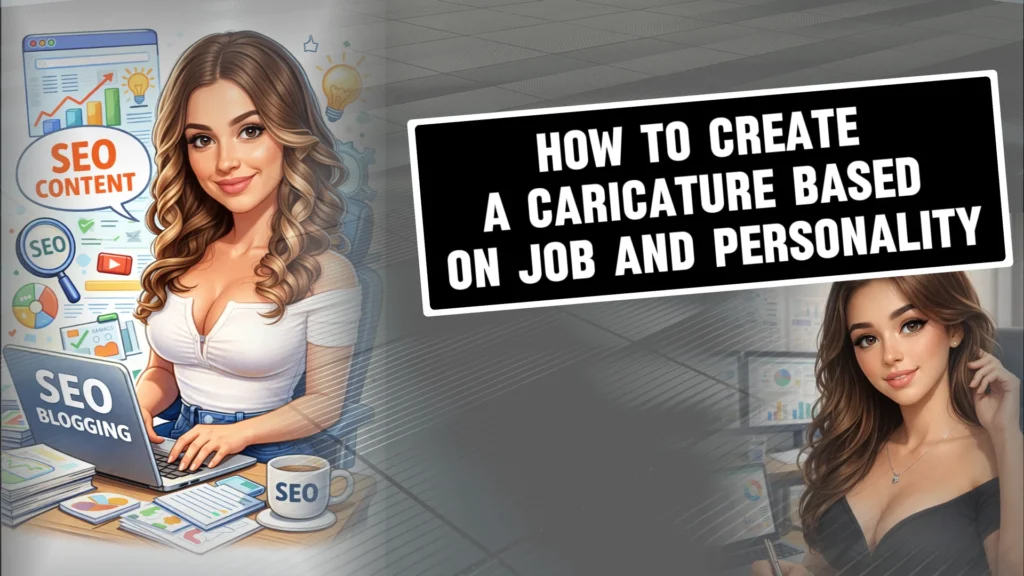
Creating a caricature used to mean sitting in front of a street artist or hiring a designer. Today, things are very different. With the rise of the ChatGPT caricature trend, anyone can create a personalized caricature that reflects not just their face, but also their job, mindset, and personality.
In this guide, I’ll show you how to create a caricature based on job and personality using ChatGPT caricature trend prompts. This article is written for beginners, so you don’t need any design background or technical knowledge. Just follow along.
What Is a Caricature?
A caricature is an illustrated representation of a person where key features are intentionally exaggerated to highlight personality, profession, or expression. Unlike realistic portraits, caricatures focus on storytelling.
Traditionally, caricatures exaggerated:
- Facial features like eyes, smile, or head size
- Body proportions
- Signature expressions
In modern AI-based caricatures, especially with ChatGPT, exaggeration goes beyond looks. It includes:
- Your job role
- Your working environment
- Your attitude and energy
That’s why this approach fits perfectly into the current caricature trend.
Why Job and Personality-Based Caricatures Are Trending
From my experience testing prompts and watching creator communities, job-based caricatures outperform generic cartoon portraits. Here’s why.
They Feel More Personal
A developer with code floating in the background or a business analyst surrounded by charts instantly feels relatable.
They Tell a Story
This is where the chatgpt character trend really shines. A single image can communicate what you do and how you think.
They’re Perfect for Branding
Creators, founders, and professionals now use caricatures for:
- LinkedIn profile photos
- Personal websites
- About pages
- Social media branding
That’s why these prompts often become a viral AI photo prompt.
Best Caricature ChatGPT Prompts (Job + Personality)
Below are some of the most effective chatgpt caricature prompts you can use directly. These are proven formats that work well with the chatgpt new trend photo prompt style.
1. Simple Job-Based Caricature Prompt
“Create a caricature of me and my job based on everything you know about me.”
This ai trend prompt works well if ChatGPT already has context about your work. It’s simple, clean, and beginner-friendly.
2. Detailed Personality-Driven Prompt
“Create a caricature of me and my job based on everything you know about me. Clinical brain, injector hands, CEO energy. Anatomy over aesthetics. Protocols over fluff. Building faces and businesses—one syringe, SOP, and spreadsheet at a time.”
This is a powerful caricature chatgpt prompt because it mixes:
- Job role
- Mental traits
- Professional philosophy
The more specific you are, the stronger the result.
3. Identity-Focused Prompt
“Create a caricature of me and what you know about me.”
This works best when you want personality first and job second. It’s commonly used in the chat gpt cartoon trend.
4. Professional High-Quality Prompt
*“Create a high-quality digital caricature of me based on the uploaded photo.
Use a clean, professional illustration style with slightly exaggerated facial features while keeping my identity recognizable.
Show me as a [business analysis] in my natural working environment, including relevant tools and details that represent my daily work.
Capture my personality as confident, focused, and professional, with subtle creative flair.
The background should support my profession without distractions.
Avoid logos, text overlays, and overly cartoonish distortion. Keep it polished, modern, and visually engaging.”*
This is ideal for professional branding and websites.
How to Create a Caricature Based on Job and Personality in the ChatGPT App
Creating a job and personality–based caricature in the ChatGPT app is much easier than most people think. You don’t need drawing skills or special tools. What really matters is how clearly you explain what you do and who you are in words.
Let’s break it down step by step.
Step 1: Open the ChatGPT App and Upload Your Photo
First, open the ChatGPT app and start a new chat.
- Upload a clear photo of yourself
- Make sure your face is visible
- Good lighting works best
- A neutral or natural expression is ideal
This helps ChatGPT understand your facial structure before applying any caricature-style exaggeration.
Step 2: Clearly Define Your Job Role
This is where most beginners go wrong. Be specific.
Instead of saying:
- “I work in business”
Say something like:
- Business analyst
- Startup founder
- Digital marketer
- Doctor / clinical injector
- Content creator
The clearer your job description is, the more accurate and meaningful the caricature will look.
Step 3: Describe Your Personality in Simple Words
Now comes the most important part: personality.
Think about how you actually work and think day to day. Pick 3–5 traits.
Examples:
- Confident, focused, detail-oriented
- Creative, fast-moving, bold
- Calm, analytical, structured
- Friendly, approachable, people-focused
These words guide ChatGPT on expression, posture, and vibe, not just looks.
Step 4: Use a Strong Job + Personality Prompt
Now combine everything into one clean prompt.
Here are proven formats that work well inside the ChatGPT app.
Simple version (best for beginners):
“Create a caricature of me and my job based on everything you know about me.”
Personality-driven version:
“Create a caricature of me and my job based on everything you know about me. Confident mindset, focused energy, professional attitude, and a calm but sharp expression.”
Professional high-quality version:
“Create a high-quality digital caricature of me based on the uploaded photo.
Use a clean, professional illustration style with slightly exaggerated facial features while keeping my identity recognizable.
Show me as a business analyst in my natural working environment with relevant tools.
Capture my personality as confident, focused, and professional.
Keep the background subtle and distraction-free. Avoid logos or heavy cartoon distortion.”
You can copy, paste, and slightly edit these prompts based on your job.
Step 5: Ask for Refinements (Don’t Restart)
If the first result isn’t perfect, don’t start a new chat.
Instead, say things like:
- “Make the expression more confident”
- “Reduce exaggeration slightly”
- “Make the style more professional and less cartoonish”
- “Add subtle creative flair”
This is exactly how experienced users get polished results in fewer attempts.
Step 6: Save and Reuse Your Prompt
Once you get a result you like:
- Save that prompt
- Reuse it for other photos
- Change only the style or background
Over time, you’ll develop your own signature caricature style.
Common Mistakes to Avoid
From hands-on testing, here are the biggest issues beginners face:
- Being too vague about the job
- Forgetting to mention personality
- Asking for “perfect” instead of “stylized”
- Overloading prompts with keywords
- Ignoring background context
Avoid these, and results improve fast.
FAQs: Job and Personality-Based Caricatures
Is ChatGPT good for creating job-based caricatures?
Yes. With detailed prompts, ChatGPT excels at combining profession, personality, and visual style.
Do I need design experience?
No. These prompts are beginner-friendly and rely on natural language.
Can I use these caricatures professionally?
Yes, many users use them for LinkedIn, websites, and branding visuals.
How much exaggeration should I use?
Start with “slightly exaggerated” and adjust based on results.
Are these prompts reusable?
Absolutely. You can reuse and tweak them for different styles.
Final Words
Learning how to create a caricature based on job and personality is less about art skills and more about clarity. When you clearly describe what you do and how you think, ChatGPT fills in the visual details surprisingly well.
This approach works because it combines storytelling with AI creativity. Start simple, test one prompt, and refine it. Over time, you’ll naturally develop your own style within the growing chatgpt caricature trend.