AI prompts have become incredibly popular.
You can find prompts for almost everything online: writing blog posts, creating images, analyzing data, generating business ideas, writing code, studying, making videos, and even improving other trending prompts.
But there is one important question many beginners never ask:
What is the critical rule regarding public AI prompts?
The simplest answer is this:
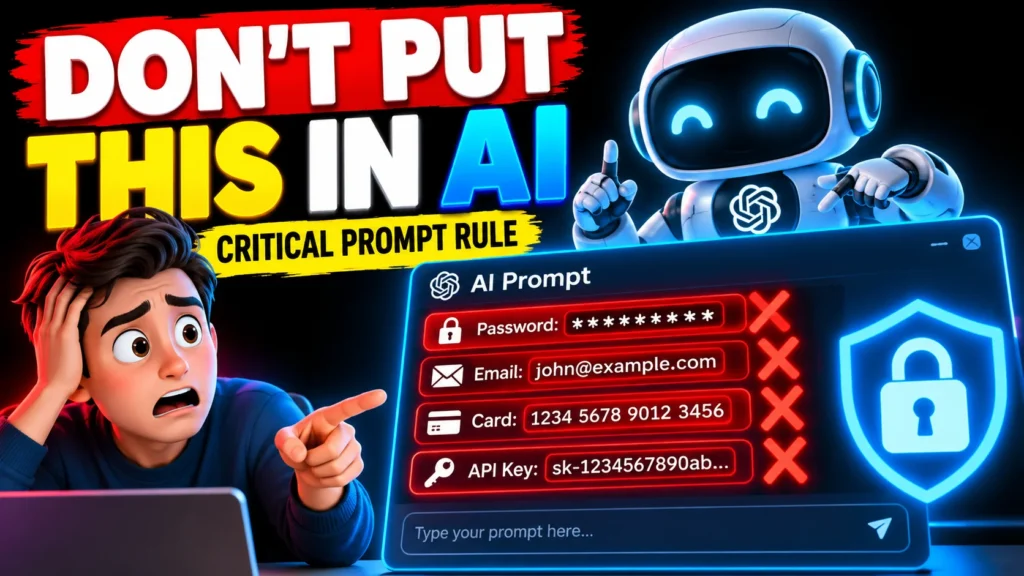
Never put private, sensitive, confidential, or personally identifiable information into a public AI prompt, especially if the prompt will be shared, published, or submitted to an AI service you do not fully understand.
This sounds obvious, but it is surprisingly easy to make a mistake.
For example, someone might copy a customer’s email into ChatGPT and ask for a professional reply. Another person might paste a company’s internal document and ask AI to summarize it. Someone creating a public prompt template might accidentally leave a phone number, email address, API key, password, customer name, or private business information inside the example.
The prompt may look harmless.
The information inside it may not be.
This guide explains what public AI prompts are, why privacy matters, what information you should never include, how to create safer prompts, and how to use best AI prompts without putting yourself or someone else at unnecessary risk.
What Is a Public AI Prompt?
A public AI prompt is a prompt that is openly shared or made available to other people.
For example, imagine you create this prompt:
“Act as a professional content writer and write a 1,500-word article about digital marketing.”
That’s a public-friendly prompt.
It contains instructions, but no private information.
Now imagine you publish this:
“Act as a professional content writer. Rewrite this customer complaint from John Smith at john@example.com, whose phone number is 12345…”
That’s different.
You have included personally identifiable information that does not need to be part of the public prompt.
Public prompts can appear in many places:
- AI prompt websites
- Social media posts
- Facebook groups
- Reddit communities
- YouTube descriptions
- Blogs
- Prompt marketplaces
- GitHub repositories
- AI communities
- Online courses
- Prompt libraries
- Public Google Docs
- Discord communities
- AI tool directories
Once information is placed into a public prompt, you should assume that other people may be able to copy, save, modify, or redistribute it.
That is why privacy should come before prompt quality.
What Is the Critical Rule Regarding Public AI Prompts?
The critical rule is simple:
Never expose information that should remain private.
Before publishing or sharing a prompt, remove information such as:
- Passwords
- API keys
- Authentication tokens
- Credit card numbers
- Bank account information
- Private addresses
- Personal phone numbers
- Private email addresses
- Government identification numbers
- Medical information
- Confidential customer information
- Internal company documents
- Trade secrets
- Private contracts
- Confidential financial information
- Unreleased business plans
- Private conversations
- Sensitive employee information
The U.S. Cybersecurity and Infrastructure Security Agency gives very similar practical advice: avoid sharing sensitive or confidential information with AI systems, including company data and personal details. Its simple rule is essentially that if you would not want the information publicly exposed, you should not casually put it into an AI system.
This is probably the most useful ai prompting rule for beginners.
Why Is This Rule So Important?
AI systems are powerful, but they are not magical private notebooks.
Different AI services have different data-handling practices, privacy settings, retention policies, and business models.
For example, OpenAI explains that content submitted to consumer services such as ChatGPT may, depending on the user’s settings, be used to improve model performance. OpenAI also advises users not to enter sensitive information they would not want reviewed or used.
That does not mean that every prompt becomes public.
It means you should understand an important distinction:
Private use of an AI service and publicly publishing a prompt are two different things.
If you publish a prompt on a website, social media platform, or public community, you are deliberately making the prompt available to a wider audience.
So why take the risk?
Simply remove the sensitive information.
Public AI Prompts vs. Private AI Prompts
Understanding the difference makes the whole subject easier.
Private AI Prompt
A private prompt is something you use personally or within an authorized environment.
Example:
“Analyze this draft article and suggest improvements.”
If the draft contains confidential information, you still need to consider the AI service’s data policies and your organization’s rules.
Public AI Prompt
A public prompt is intended to be viewed or reused by other people.
Example:
“Act as an SEO expert. Analyze the following website and create a keyword strategy…”
The public version should use fictional or placeholder information.
For example:
Unsafe:
“Analyze ABC Company’s unreleased marketing strategy and tell me which products we should launch next.”
Safer:
“Analyze the following fictional company’s marketing strategy and suggest three potential product opportunities.”
The second prompt demonstrates the technique without exposing confidential information.
The Biggest Mistake Beginners Make With Public Prompts
One of the most common mistakes is copying real information into a prompt and forgetting to remove it later.
Imagine you’re creating a prompt tutorial.
You want to demonstrate how AI can summarize an email, so you paste a real customer email into the prompt.
You then publish the screenshot on your blog.
The prompt may contain:
- Customer name
- Email address
- Order number
- Address
- Complaint details
- Payment information
- Company information
Your actual prompt might be excellent.
Your privacy practices are not.
A better approach is to create fictional examples.
Instead of:
“Summarize Sarah’s complaint about order #784512. Her email is sarah@example.com.”
Use:
“Summarize this fictional customer’s complaint about a delayed online order. Remove unnecessary personal information and provide three possible responses.”
You get the same educational value without exposing someone’s information.
What Information Should You Remove From a Public Prompt?
Here’s a simple checklist.
1. Personal Information
Avoid publishing:
- Full names when unnecessary
- Home addresses
- Phone numbers
- Personal email addresses
- Birth dates
- Identification numbers
- Passport details
- Private social media information
If a name is needed for demonstration, use something generic such as:
[Customer Name]
or:
Alex
2. Passwords and Login Credentials
This one should be obvious, but mistakes happen.
Never place these into public prompts:
- Passwords
- Login credentials
- Authentication codes
- Session tokens
- Private keys
- Secret keys
Even if you immediately delete the post, someone may have already copied it.
3. API Keys
This deserves special attention for developers and AI users.
You might write:
“Use this API key to connect the application: sk-XXXXXXXX…”
Don’t.
Use a placeholder:
“Use the API key stored in the environment variable
API_KEY.”
That’s both safer and more professional.
4. Company Information
Businesses should be particularly careful.
A public prompt should not contain confidential:
- Sales figures
- Customer lists
- Internal reports
- Employee records
- Product roadmaps
- Unreleased features
- Pricing strategies
- Contracts
- Legal documents
- Financial projections
- Internal emails
NIST research has highlighted that generative AI systems can involve sensitive information in prompts and context, and that data extraction and leakage are important security concerns.
What About Personal AI Prompts?
Here’s where things become slightly more complicated.
You might think:
“I’m not publishing my prompt, so everything is safe.”
Not necessarily.
You should still understand the privacy policy and settings of the AI service you’re using.
For example, OpenAI says consumer ChatGPT content may be used to improve model performance depending on user settings, while business offerings such as ChatGPT Business and Enterprise have different default data-use practices.
The practical lesson is simple:
Don’t blindly paste sensitive information into an AI tool just because the interface looks like a private chat.
Check the service’s privacy and data controls when handling sensitive material.
A Simple Rule: If You Wouldn’t Post It Publicly, Think Before You Prompt It
CISA gives a particularly useful way of thinking about AI safety: if you wouldn’t want certain information shared publicly, don’t casually provide it to an AI system.
I like to turn that into a three-question test.
Before submitting a prompt, ask:
Question 1: Does this contain someone’s private information?
If yes, remove it or anonymize it.
Question 2: Does this contain confidential business information?
If yes, check your company’s AI policy and the service’s data-handling practices before proceeding.
Question 3: Would I be comfortable seeing this prompt on the internet tomorrow?
If the answer is no, don’t publish it as a public prompt.
This tiny habit can prevent a lot of unnecessary problems.
How to Create Safe Public AI Prompts
Creating a safe public prompt isn’t difficult.
You simply need to separate instructions from real-world private data.
For example:
Risky prompt
“Analyze my customer’s complaint from Michael, whose email is michael@email.com, order number 38291, phone number 555-1234, and address…”
Better public prompt
“Analyze the following fictional customer complaint. Identify the customer’s main concern, summarize the problem in two sentences, and write a polite customer-service response.”
Now the prompt can be shared publicly.
The technique is still useful.
The private information is gone.
Use Placeholders in Public Prompts
Placeholders are one of the easiest ways to create reusable public prompts.
Instead of:
“Write an email to Sarah about her delayed order.”
Use:
“Write a professional email to [CUSTOMER_NAME] explaining the delay with [ORDER/REQUEST].”
Other useful placeholders include:
[NAME][COMPANY][PRODUCT][WEBSITE][TOPIC][TARGET AUDIENCE][LOCATION][DATE][BUDGET][KEYWORD][CUSTOMER PROBLEM]
This makes your public prompt more useful because other people can customize it.
In other words, privacy and usability can actually work together.
What Are the Best AI Prompts?
A good prompt is not necessarily a giant paragraph containing hundreds of instructions.
According to OpenAI’s prompt guidance, effective prompts should be clear, specific, and provide enough context for the model to understand the task. Iterative refinement is also useful: start with a prompt, review the response, and improve the instructions.
A strong public prompt usually includes five basic elements:
1. Role
Tell the AI what perspective it should use.
“Act as an experienced SEO content writer.”
2. Task
Explain exactly what you want.
“Create a beginner-friendly article about keyword research.”
3. Context
Give relevant background.
“The audience has no previous SEO experience.”
4. Requirements
Define the important constraints.
“Use short paragraphs, examples, bullet points, and simple language.”
5. Output Format
Tell the AI how you want the result structured.
“Return the answer using H2 and H3 headings.”
Put these together:
Act as an experienced SEO content writer. Create a beginner-friendly guide to keyword research for readers with no previous SEO experience. Explain the concept using simple examples. Use short paragraphs, bullet points, H2 and H3 headings, and a short FAQ section. Avoid unnecessary technical terminology.
That’s a useful prompt.
And more importantly, it doesn’t need anyone’s private information.
What Is a Critique Prompt?
A critique prompt is a prompt that asks AI to review, evaluate, or improve something.
For example:
“Critique this article for clarity, accuracy, structure, grammar, and reader engagement. Identify the five biggest weaknesses and suggest specific improvements.”
Critique prompts are extremely useful for improving AI-generated work.
You can use them for:
- Blog posts
- Emails
- Essays
- Marketing copy
- YouTube scripts
- Business plans
- Social media posts
- Code
- Product descriptions
- Presentations
However, the same privacy rule still applies.
Don’t paste confidential material into a public critique prompt.
What Is an AI Critic Prompt?
An AI critic prompt tells an AI model to behave like a reviewer rather than simply generating an answer.
For example:
“Act as a strict editor. Review the following article and identify unsupported claims, repetitive sections, weak arguments, unclear sentences, and factual issues. For every problem, explain why it is a problem and suggest a better alternative.”
This is a much better use of an AI critic than simply asking:
“Is this good?”
Why?
Because the first prompt gives the model specific evaluation criteria.
What Is a Critical Action Prompt?
The phrase critical action prompt is not a universally standardized AI term.
In practical prompt engineering, however, you can use the idea to describe a prompt that asks an AI system to identify the most important action that should happen next.
For example:
“Review this project situation and identify the single most important action the team should take next. Explain the reasoning and list the potential consequence of ignoring it.”
This can be useful for planning and decision support.
But there’s an important limitation.
AI should not automatically make high-impact decisions for you simply because a prompt says “take critical action.”
OpenAI’s guidance on prompt injection also highlights the importance of limiting an AI agent’s access and giving it explicit instructions rather than broad permission to act on whatever it encounters.
So a better approach is:
Ask AI to recommend an action. Review it yourself before taking consequential action.
What Does “Critic in AI” Mean?
A critic in AI generally refers to a component, model, or prompting approach that evaluates an AI-generated result.
Think about it like having two people working together.
One person creates the draft.
The second person reviews it.
For example:
Generator:
“Write a blog post about AI tools.”
Critic:
“Review this article for factual accuracy, missing information, repetition, weak explanations, and unsupported claims.”
This generator-and-critic workflow can produce better results than asking for a perfect answer in one attempt.
It’s also useful for content creators.
You can generate a YouTube script, ask an AI critic to identify weak sections, revise the script, and then perform another review.
The Public Prompt Safety Checklist
Before publishing a prompt, run through this checklist.
Privacy
- Did I remove personal names where they aren’t necessary?
- Did I remove email addresses?
- Did I remove phone numbers?
- Did I remove addresses?
- Did I remove account numbers?
- Did I remove identification information?
Security
- Did I remove passwords?
- Did I remove API keys?
- Did I remove authentication tokens?
- Did I remove private credentials?
- Did I remove secret URLs or access codes?
Business
- Did I remove confidential company information?
- Did I remove private customer data?
- Did I remove unpublished financial information?
- Did I remove internal documents?
- Did I remove trade secrets?
Content
- Does the prompt clearly explain the task?
- Is the audience defined?
- Are important constraints included?
- Is the desired output format clear?
- Can another person reuse the prompt?
If you can answer yes to the important safety questions, you’re in a much better position to publish the prompt.
A Realistic Example
Let’s say you’re creating a public prompt for customer-service emails.
Bad public prompt
“Write a reply to John Smith at johnsmith@email.com. His order 782341 was delivered to 15 Main Street, and he says his credit card was charged twice.”
This prompt contains unnecessary personal information.
Better public prompt
“Act as a professional customer-service representative. Write a polite response to a customer who reports being charged twice for the same order. Acknowledge the concern, explain that the payment will be reviewed, and provide a reassuring next step. Do not make promises about refunds unless the information is confirmed.”
The second prompt is actually better for public use.
Why?
Because anyone can reuse it.
Don’t Confuse “Public Prompt” With “Public Information”
There’s another important distinction.
Something being available online doesn’t automatically mean it should be copied into every AI prompt.
For example, a person’s name might appear on a public website.
That doesn’t mean you should collect and publish additional information about that person.
OpenAI’s usage policies specifically emphasize respecting privacy and prohibit certain attempts to compromise or distribute people’s private or sensitive information without authorization.
The safest approach is to use the minimum information necessary to complete the task.
That’s a good general principle for AI:
Use less data when less data is enough.
What About Screenshots of Prompts?
This is another area where people accidentally expose information.
Suppose you make a YouTube video showing your AI prompting workflow.
Your screen might contain:
- Email notifications
- Browser tabs
- Customer names
- Documents
- Account information
- API keys
- Private messages
- Personal files
Before publishing a screenshot or screen recording, check the entire screen.
Don’t only look at the prompt itself.
The surrounding interface can reveal sensitive information too.
Public AI Prompting Rules You Can Remember
If you want a simple set of critical rules regarding public AI prompts, remember these seven:
Rule 1: Protect private information
Don’t publish personal or confidential data.
Rule 2: Remove secrets
Never expose passwords, API keys, tokens, or credentials.
Rule 3: Use placeholders
Replace real information with [NAME], [COMPANY], [EMAIL], and similar placeholders.
Rule 4: Give AI only necessary information
More context isn’t always better if the extra context is sensitive.
Rule 5: Review before publishing
Read the complete prompt before posting it.
Rule 6: Don’t blindly trust AI output
AI can produce inaccurate or misleading information. CISA also advises users to treat AI as a tool and maintain their own expertise rather than relying on AI alone.
Rule 7: Review AI actions
If you’re using an AI agent capable of taking actions, give it specific instructions and review consequential actions before confirming them.
A Simple Public Prompt Template
Here’s a reusable structure you can adapt:
Role: Act as a [ROLE].
Task: [DESCRIBE WHAT YOU WANT THE AI TO DO].
Context: [PROVIDE ONLY NECESSARY, NON-SENSITIVE CONTEXT].
Audience: [DESCRIBE THE TARGET AUDIENCE].
Requirements:
- [REQUIREMENT 1]
- [REQUIREMENT 2]
- [REQUIREMENT 3]
Output: Format the response as [DESIRED FORMAT].
Quality check: Before finalizing, check the response for clarity, consistency, unsupported claims, and missing requirements.
Notice something important here.
There are no passwords.
No customer records.
No private addresses.
No confidential documents.
That’s exactly what you want from a public prompt template.
Why Privacy Should Be Part of Prompt Engineering
Prompt engineering is often presented as a way to get better answers from AI.
That’s only half the story.
Good prompting should also involve responsible data handling.
A technically excellent prompt can still be a bad prompt if it exposes sensitive information.
Think about it this way:
Good prompt = good instructions + relevant context + appropriate data + clear output requirements + privacy awareness.
That is much more useful than simply making prompts longer.
FAQs
What is the critical rule regarding public AI prompts?
The most important practical rule is to never expose sensitive, private, confidential, or personally identifiable information in a public AI prompt. Use fictional examples or placeholders instead.
Can I share my best AI prompts publicly?
Yes. Sharing your own prompts can be perfectly reasonable, provided they do not contain confidential information, private personal data, secrets, or content that violates the relevant platform’s rules. OpenAI, for example, generally permits users to share their own prompts and completions, while advising users to review generated content and follow applicable policies.
Should I put real customer information into an AI prompt?
Only when you have an appropriate reason, authorization, and a suitable AI environment with appropriate privacy and security controls. For a public prompt, the answer should generally be no. Use fictional data or placeholders instead.
What is a critique prompt?
A critique prompt asks an AI system to review something rather than simply create it. For example, you can ask AI to identify weaknesses in an article, check its structure, find unsupported claims, or suggest improvements.
What is the difference between a public prompt and a private prompt?
A public prompt is intended to be shared with other people, while a private prompt is used within a more restricted context. Public prompts should be written so they can be safely viewed and reused by others without exposing confidential information.
Final Thoughts:
So, what is the critical rule regarding public AI prompts? The answer is simple: never share private, sensitive, confidential, or personally identifiable information in a public AI prompt.
Whether you’re creating best AI prompts, sharing a prompt template, writing a critique prompt, or publishing prompts on your website, always check the information you’re including before you hit publish.
Use placeholders such as [NAME], [COMPANY], [EMAIL], and [PRODUCT] instead of real personal or confidential information. Never include passwords, API keys, financial details, private customer data, or other sensitive information.
A good public prompt should be clear, useful, reusable, and safe to share.
If you’re new to AI prompting, start with this simple rule: share the instructions, not the secrets. It’s a small habit, but it can make a big difference in protecting your privacy and using AI responsibly.
Now that you know the critical rule regarding public AI prompts, take a moment to review your existing prompts. Remove unnecessary personal information, replace real details with placeholders, and make your prompts safer before sharing them publicly.
Want to create better AI prompts? Keep learning, keep testing, and always think about privacy before you prompt.
What Is the Best Way to Handle AI Hallucinations in a Business Report?

Sushil Kumar is a results-focused digital marketer specializing in SEO, content planning, and AI-powered workflows. His platform offers easy-to-use AI prompts for creating professional photos.