Every December, one thing quietly takes over social media. Christmas photos. This year, there is a twist. Instead of expensive shoots or freezing outdoor sessions, people are creating stunning festive images using chatgpt holiday photo prompts.
If you have seen ultra-realistic selfies with Santa, reindeer, snowy villages, or Christmas markets and wondered how they were made, you are in the right place. These christmas images are part of the ChatGPT Christmas photo trend, and it is growing fast.
This guide is written like advice from a friend who has already tested these ai christmas photo prompts, fixed mistakes, and learned what actually works. You do not need design skills. You do not need pro gear. You just need the right chat gpt prompt for holiday photo and a clear idea.
From Prompt to Picture: Master ChatGPT Holiday Photo Prompts for Christmas 2026
Let’s look at the five chatgpt prompt for holiday photo you shared and why they are effective. This is where experience matters.
1. Winter Village Selfie With Santa and Reindeer (Male)
Selfies feel authentic. Adding Santa beside the subject makes it playful, not staged.
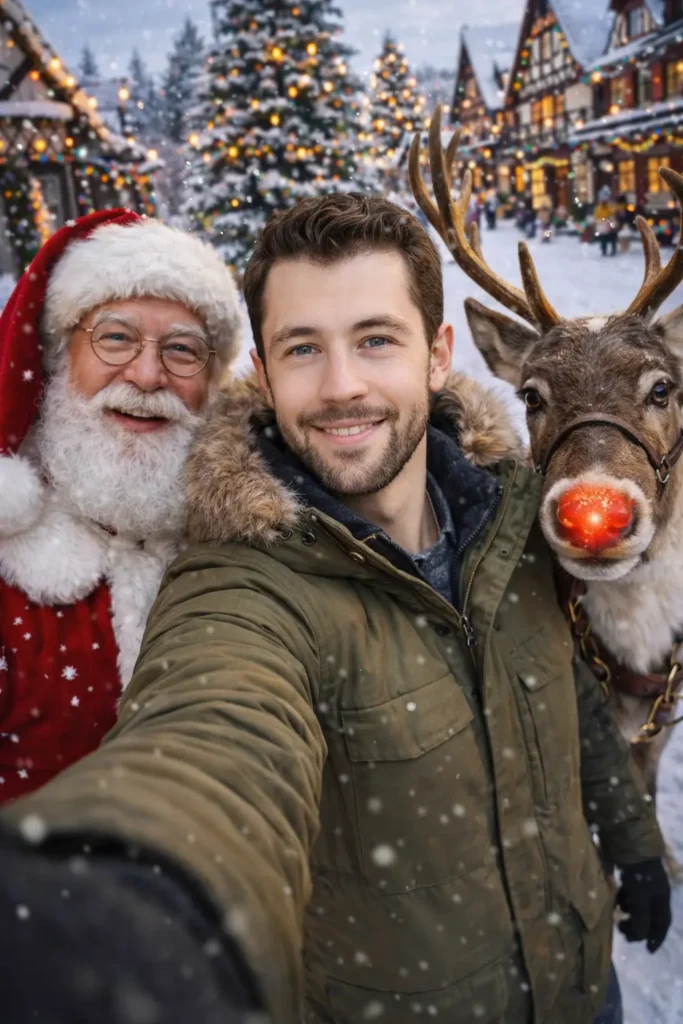
Create a cheerful winter selfie set in a festive snow-covered village. In the foreground, a young man holds the camera at arm’s length, creating a natural wide-angle selfie perspective. He wears a warm olive-green winter parka with a fur-trimmed hood, dark gloves, and a casual winter outfit, smiling confidently at the camera. Standing closely beside him is a classic Santa Claus figure in a traditional red velvet suit with white fur trim, round glasses, a full white beard, and a friendly, joyful expression. On the other side is a reindeer wearing a harness, complete with a shiny bright red nose that adds a playful, whimsical touch. Use aspect ratio 9:16.2. Glam Winter Selfie With Santa (Female)
This type of christmas photo works extremely well for creators in fashion, lifestyle, or beauty niches. From testing similar image prompts, high-contrast outfits almost always generate sharper, more shareable results.
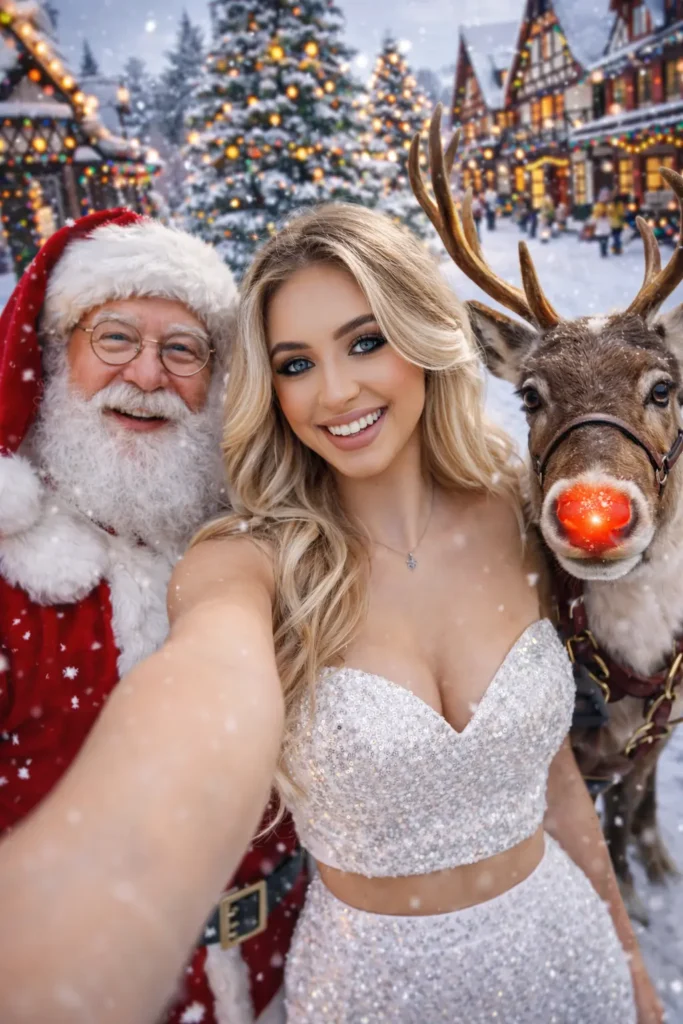
Create a cheerful winter selfie set in a festive snow-covered village. In the foreground, a young woman holds the camera at arm’s length, creating a natural wide-angle selfie perspective. SHe wearing a white sequin crop top with matching high-waist skirt, smiling confidently at the camera. Standing closely beside him is a classic Santa Claus figure in a traditional red velvet suit with white fur trim, round glasses, a full white beard, and a friendly, joyful expression. On the other side is a reindeer wearing a harness, complete with a shiny bright red nose that adds a playful, whimsical touch. Use aspect ratio 9:16.3. Ski Resort Selfie (Ultra-Realistic 8K)
This chat gpt photo prompts feels cinematic. It is perfect for brands, travel pages, or anyone wanting a polished photo holiday aesthetic.
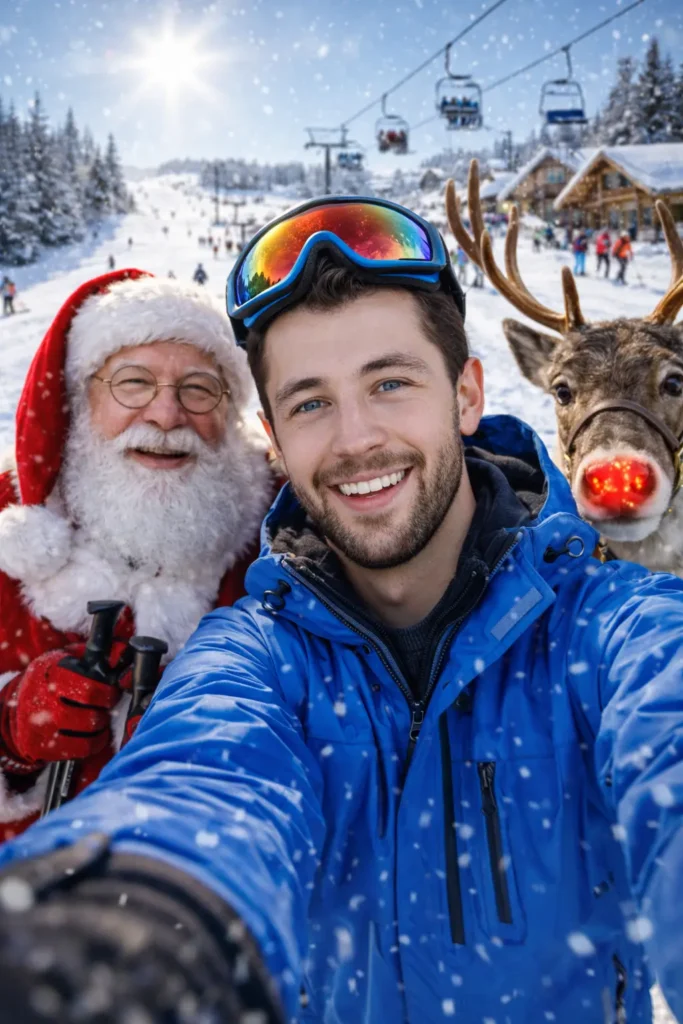
"Create an ultra-realistic 8K winter selfie, aspect ratio 3:4. (Use attached image for facial features and as a reference). The young man holds the camera, wearing a vibrant blue technical ski jacket with reflective goggles pushed up on his forehead and snow gloves. He is smiling broadly. Beside him, Santa Claus is wearing his red suit and holding ski poles, and the red-nosed reindeer is peeking over their shoulders. The background is a bustling snowy ski resort with chairlifts, skiers down a slope, and a rustic wooden lodge under a bright winter sun. The color grading is crisp, bright, and festive."4. Night Christmas Market Selfie
This is one of the strongest examples of the chatgpt prompts for holiday photos style that feels magical rather than staged.
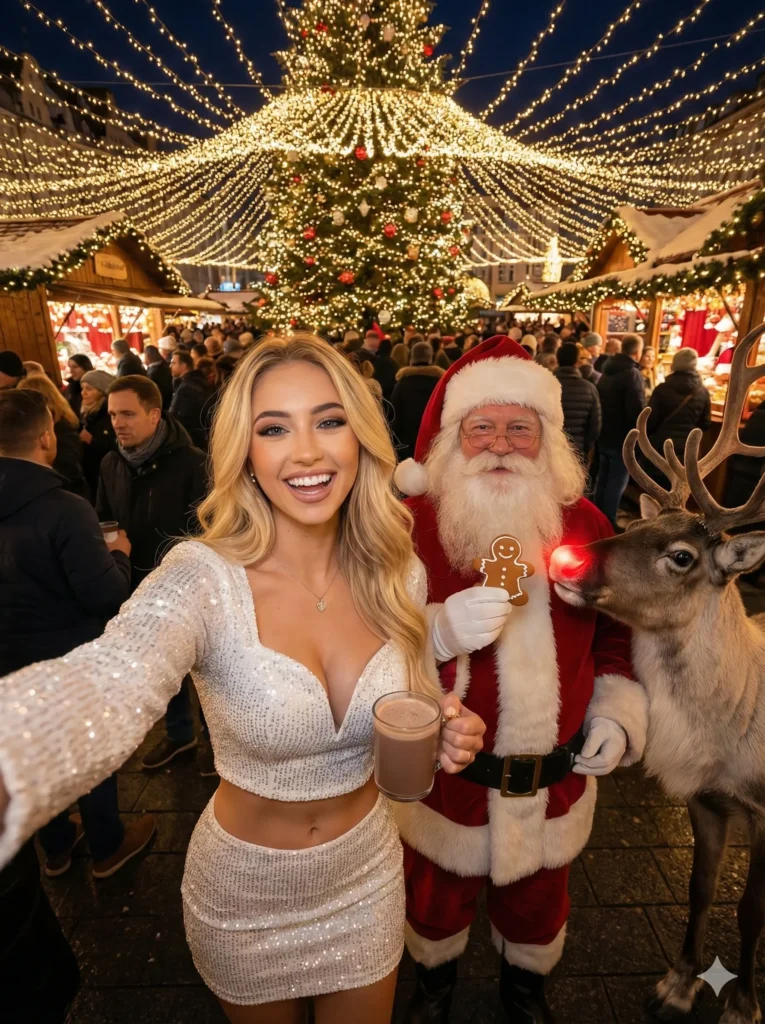
"A cheerful, wide-angle 8K selfie at night, aspect ratio 3:4. (Use attached image for facial features and as a reference). The woman a white sequined long-sleeve mini dress. She is holding a warm mug of cocoa. Santa Claus is next to him, holding a gingerbread cookie, and the red-nosed reindeer is nudging Santa's arm. They are in the middle of a crowded, snow-dusted European Christmas market lit by thousands of warm fairy lights, wooden stalls, and a large decorated tree. The lighting is warm, glowing, and magical."
5. Frozen Lake Action Selfie
Dynamic scenes like this often outperform static poses, especially on short-form platforms. If you want engagement, this style of chat gpt holiday photo prompt is gold.
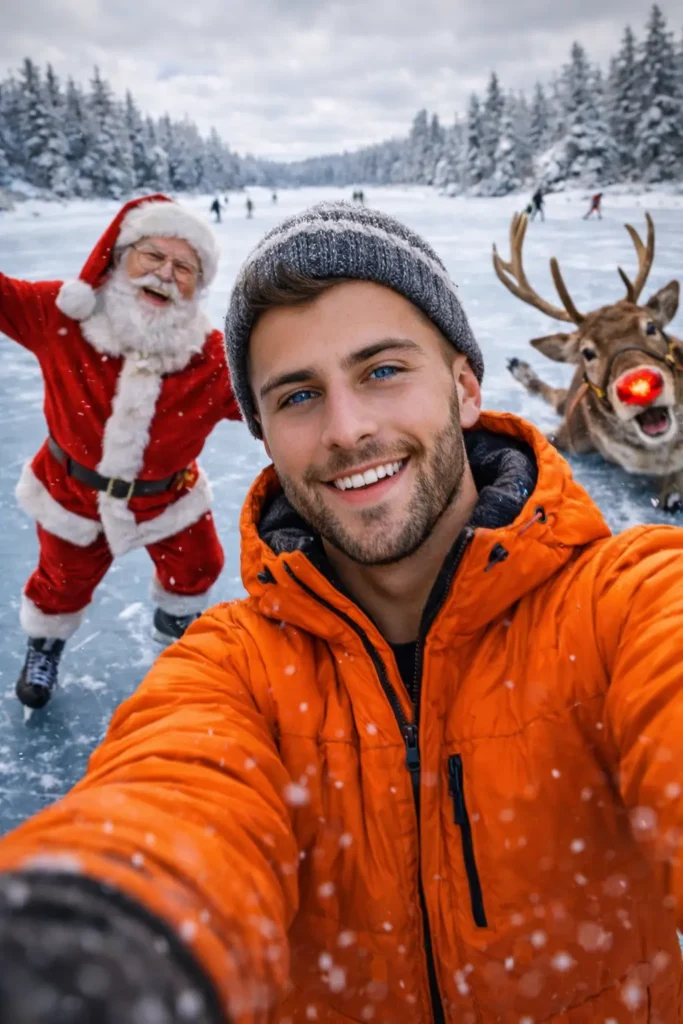
"A dynamic 8K winter selfie, aspect ratio 3:4. (Use attached image for facial features and as a reference). The young man is wearing a bright orange puffer jacket and a knit beanie, breathing out visible steam in the cold air. He is on a frozen lake. Santa Claus is balancing on ice skates beside him, laughing, and the red-nosed reindeer is sliding comically on the ice. The background features snow-covered pine trees lining the frozen lake and other skaters in the distance under a soft, cloudy sky. The color grading is cool but cheerful."How To Use chatgpt holiday photo editing prompts In Chatgpt
Using ChatGPT holiday photo prompts inside the ChatGPT app is actually simple once you know the right flow. I will walk you through it like I would explain it to a friend who is trying this for the first time.
Step 1: Open the ChatGPT App
Open the ChatGPT app on your phone or desktop and make sure you are using a version that supports image generation.
If you see options like Create image, Image, or you can type “create an image,” you are good to go.
Step 2: Decide What Kind of Holiday Photo You Want
Before pasting any viral chatgpt christmas photo prompt, be clear about three things:
- Who is in the photo (man, woman, couple, Santa, reindeer)
- Where it happens (snowy village, ski resort, Christmas market)
- The mood (cheerful, cozy, glamorous, playful)
This helps you choose or slightly adjust the prompt instead of pasting blindly.
Step 3: Paste the Holiday Photo Prompt
Copy one full chat gpt holiday photo prompts and paste it directly into the chat box.
Step 4: Add a Reference Photo (Optional but Powerful)
If you want the face to match a real person:
- Tap the image upload icon
- Upload a clear front-facing photo
- Add one line at the top of the prompt like:
“Use the attached image for facial features. Do not change the face.”
From personal testing, this single line dramatically improves likeness.
Step 5: Keep Aspect Ratio and Quality Clear
Always keep these details inside the chatgpt holiday pictures prompt:
- Aspect ratio (9:16 or 3:4 for social media)
- Quality (8K or ultra-realistic)
These two lines control how professional the final holiday photo looks.
Step 6: Send and Wait (Do Not Edit Mid-Generation)
Once you send the prompt:
- Do not add follow-up messages
- Let the image fully generate
- Judge the result only after it finishes
Interrupting often lowers image quality.
Step 7: Refine With Small Changes Only
If the result is close but not perfect, tweak just one thing at a time:
- Change outfit color
- Adjust lighting (warm, soft, bright)
- Change facial expression (soft smile, joyful laugh)
Avoid rewriting the entire christmas photo chat gpt prompt. Small edits give better results.
FAQs About viral chatgpt christmas prompts
What tools work best with these prompts?
Most AI image generators that support detailed text chat gpt christmas photo prompts work well. Choose one that allows aspect ratio control and high resolution.
Are ChatGPT holiday photo prompts safe for beginners?
Yes. They are beginner-friendly as long as you follow clear structure and avoid vague descriptions.
Can I use these images commercially?
That depends on the image tool’s license. Always check usage rights before commercial use.
Why do selfie-style prompts look more realistic?
Selfies naturally allow minor imperfections, which AI handles better than posed studio shots.
How can I make my Christmas AI prompts look more real?
Add lighting details, natural expressions, and simple interactions between characters.
Conclusion
The chatgpt christmas photo trend is not about replacing real memories. It is about creativity, fun, and accessibility.
With the right chatgpt holiday photo prompts, anyone can create festive images that look professional, emotional, and share-worthy. Whether you are posting for fun, growing a page, or building a brand, these prompts give you a strong seasonal edge.
chatgpt christmas photo prompts for couplesIf you are new, start simple. Test one chatgpt christmas photo prompt. Adjust lighting or outfit details. You will be surprised how fast the results improve.
Now is the best time to experiment. Christmas content has a short window, and festive visuals always win.