
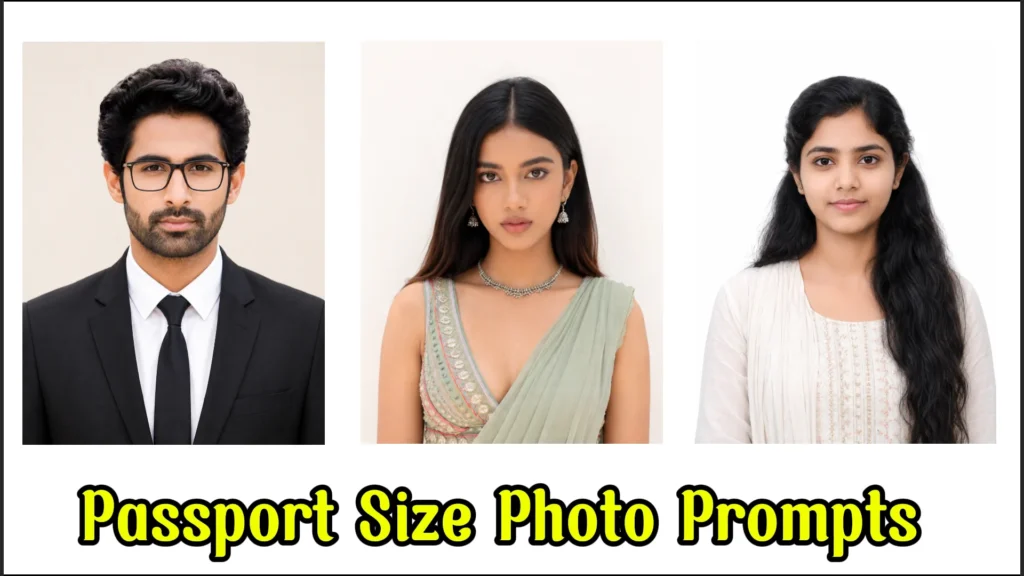
If you’ve been scrolling through Instagram lately, you’ve probably seen those ultra-clean AI-generated passport photos and formal suit edits everywhere. From LinkedIn profile upgrades to visa applications, people are now using ChatGPT AI prompts to create professional-looking passport size photos in minutes.
The good news? You don’t need expensive studio photography anymore.
With the right passport size photo prompt for ChatGPT, you can generate realistic, studio-quality photos with formal outfits, white backgrounds, blue backgrounds, corporate suits, and even official passport framing using AI tools.

Whether you’re a student, job seeker, freelancer, or content creator, this article will help you create better AI passport photos without looking fake or over-edited.
Why Passport Size Photo AI Prompts Are Trending
AI-generated passport photos became popular because people want:
- Quick professional photos
- LinkedIn-ready headshots
- Resume profile pictures
- Visa and ID photos
- Instagram trending edits
- Corporate-style portraits without a studio
Earlier, editing apps made faces look artificial. But now, advanced AI Photo Editing tools can preserve facial structure, skin tone, lighting, and even clothing realism.
Trending Passport Size Photo Prompt for ChatGPT & Instagram
Try the latest trending passport size photo prompts for ChatGPT and Instagram to generate realistic studio-style portraits with formal suits and clean backgrounds.
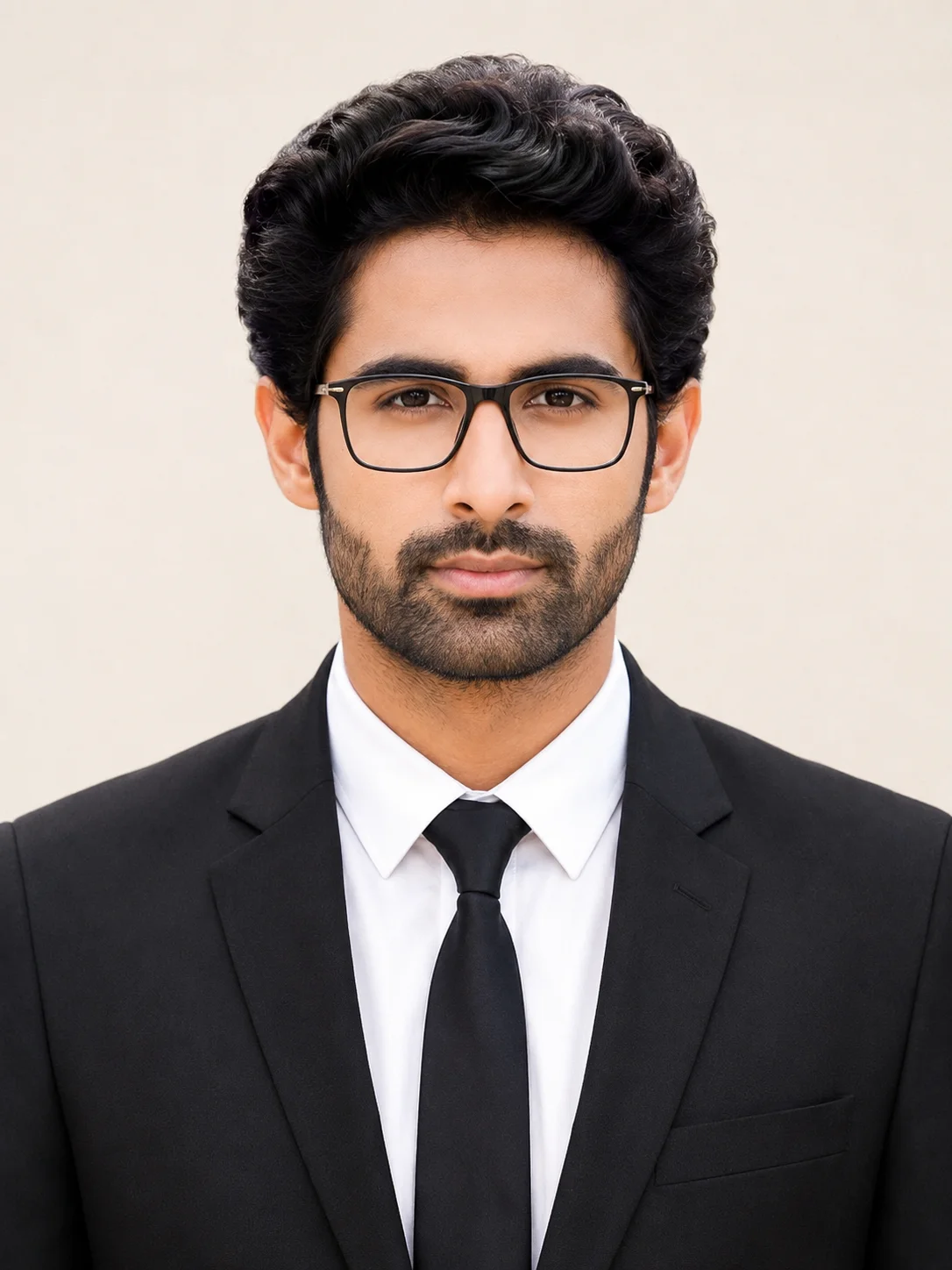
1. Studio-Quality Formal Portrait with Modern Professional Look
Create a highly realistic and professional-looking portrait with natural facial details, balanced lighting, and a formal black suit combination. This coat suit passport size photo prompt is ideal for generating clean studio-style images suitable for resumes, office profiles, LinkedIn accounts, and official documentation. The realistic skin texture, modern eyeglasses, and soft cream background help create a polished and authentic appearance without over-editing.
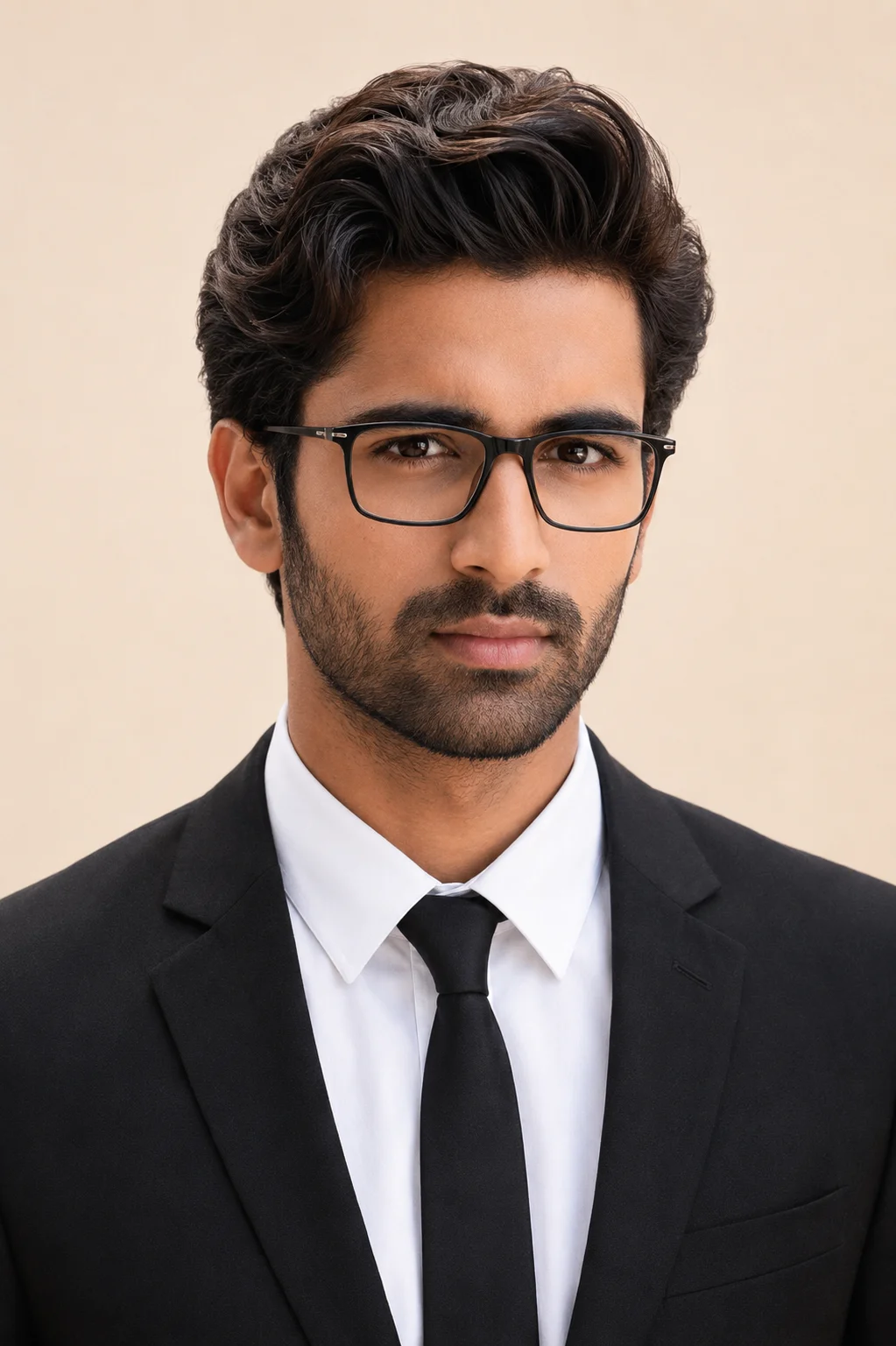
2. Corporate Style Portrait with Natural Indian Look
This passport size photo prompt is perfect for generating a sharp and elegant business-style portrait with realistic Indian skin tones and professional attire. The combination of soft lighting, formal clothing, and a neutral expression creates a clean and confident studio-quality image suitable for professional and official use. It works especially well for users who want a realistic and polished appearance.
3. Clean White Background Portrait for Official Use
Designed for clear and minimalistic results, this prompt for passport size photo with blue background creates a centered portrait with soft lighting and natural facial details. The white background and professional framing make the image suitable for official documents, application forms, and professional profiles. It delivers a simple yet highly realistic output with balanced clarity and natural skin tone.
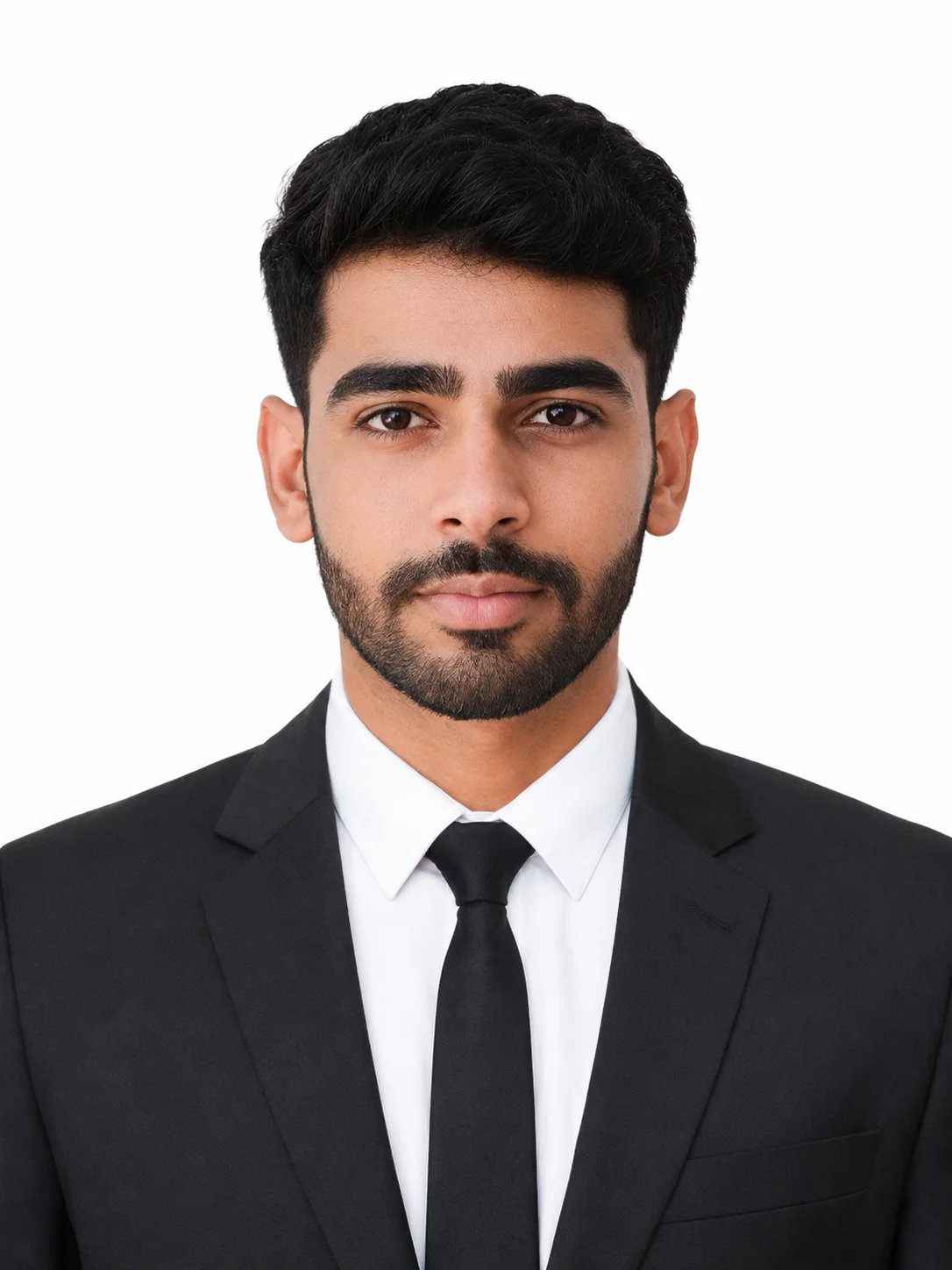
4. Professional ID Style Portrait with Balanced Lighting
This passport size photo with suit prompt helps generate a formal and realistic portrait with proper framing and clean studio lighting. The natural facial appearance, centered composition, and plain background create a professional image suitable for identification documents, business profiles, and digital applications. It focuses on realism and clean presentation for a polished final result.
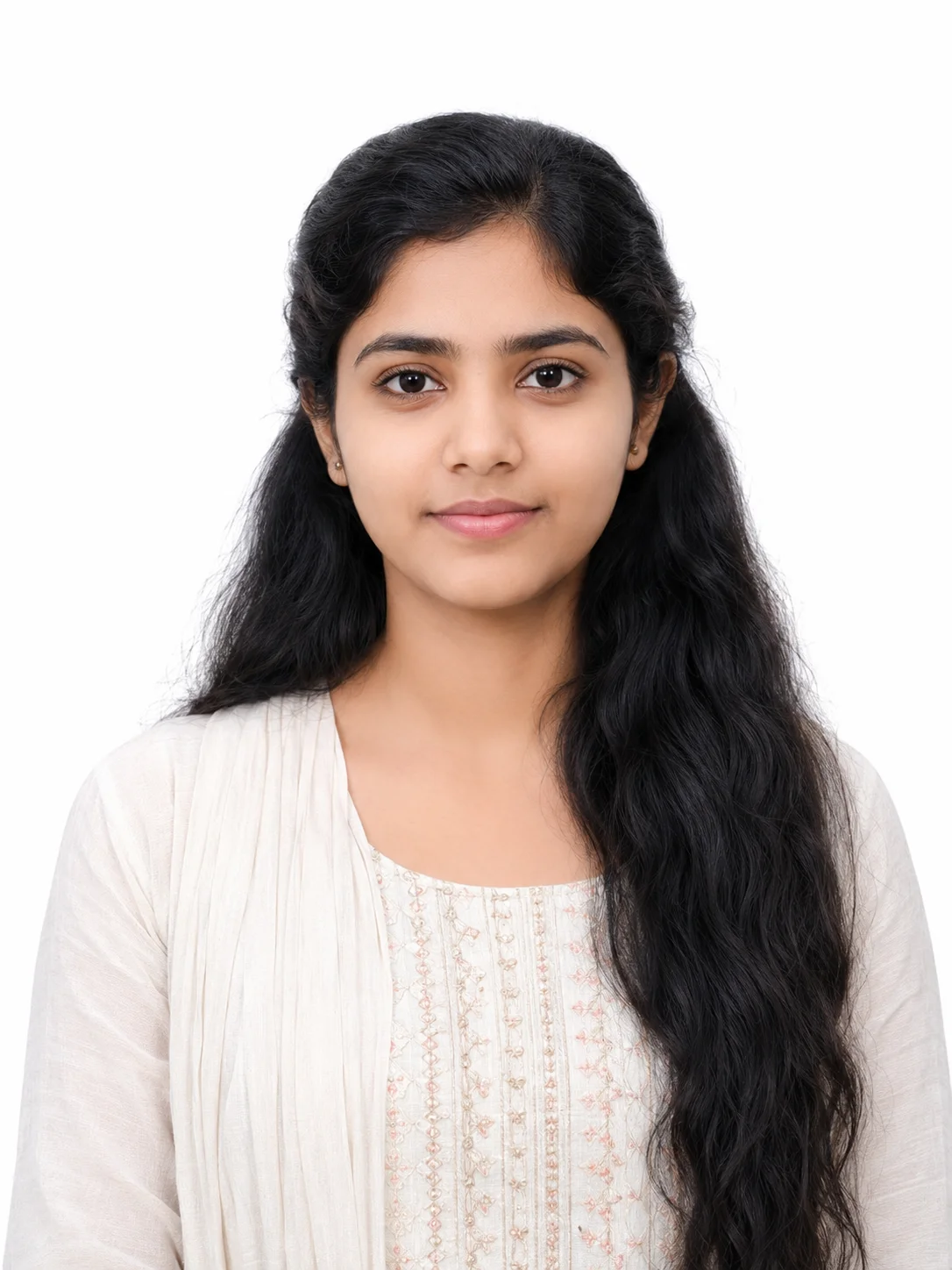
5. Elegant Formal Portrait for Women with Natural Styling
Create a refined and realistic portrait with soft lighting, minimal makeup, and formal attire. This passport size photo ai prompt is ideal for women looking for a clean and professional studio-style image with natural skin texture and balanced framing. The realistic appearance and simple background help maintain a professional and authentic look.
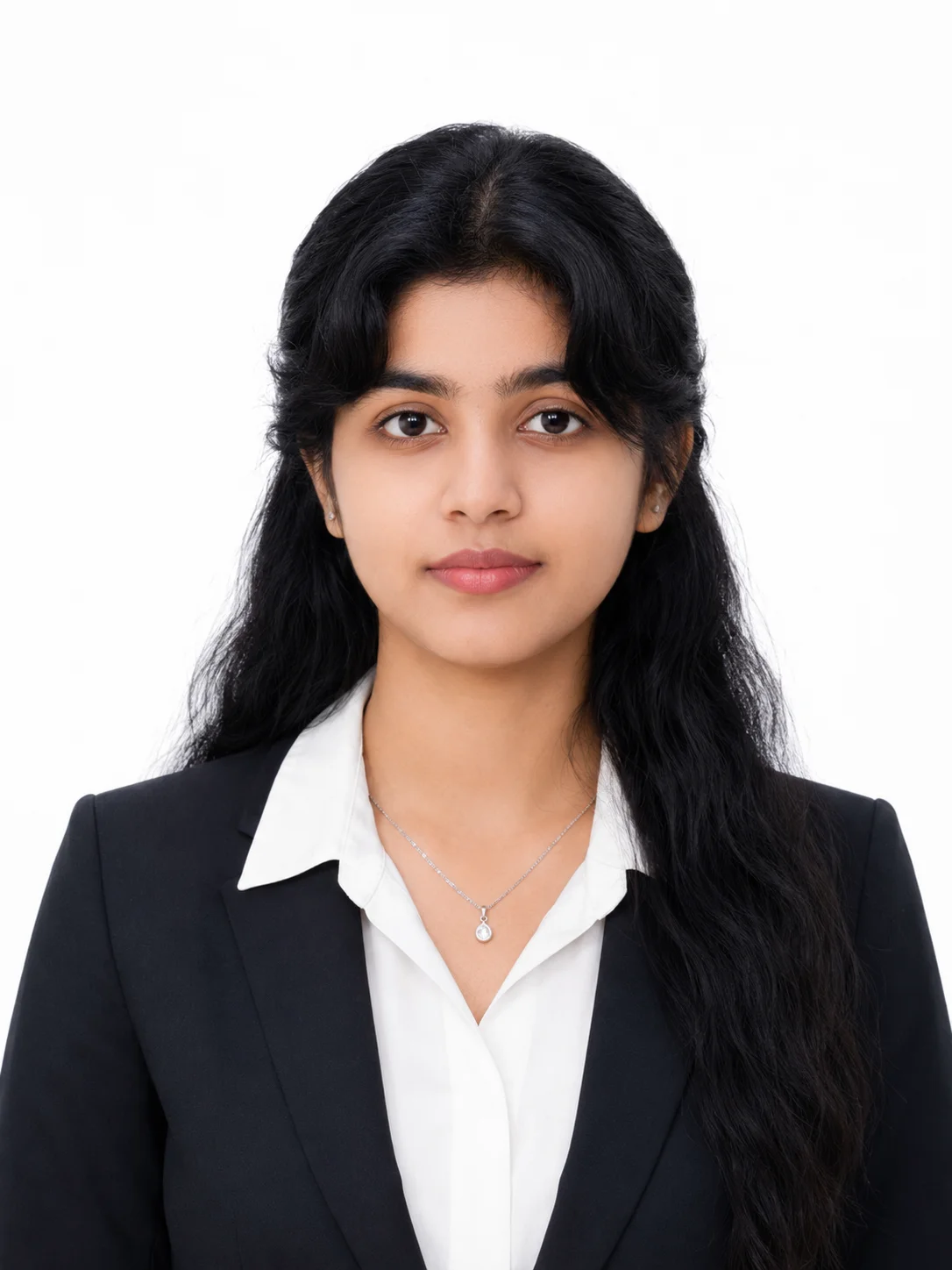
6. High-End Business Portrait with Realistic Facial Details
Generate a premium-quality professional portrait with accurate facial structure, realistic lighting, and formal business clothing. This passport size photo prompt for chatgpt is perfect for creating modern corporate-style images suitable for resumes, office IDs, LinkedIn profiles, and branding purposes. The DSLR-style quality and natural appearance make the image look authentic and professional.
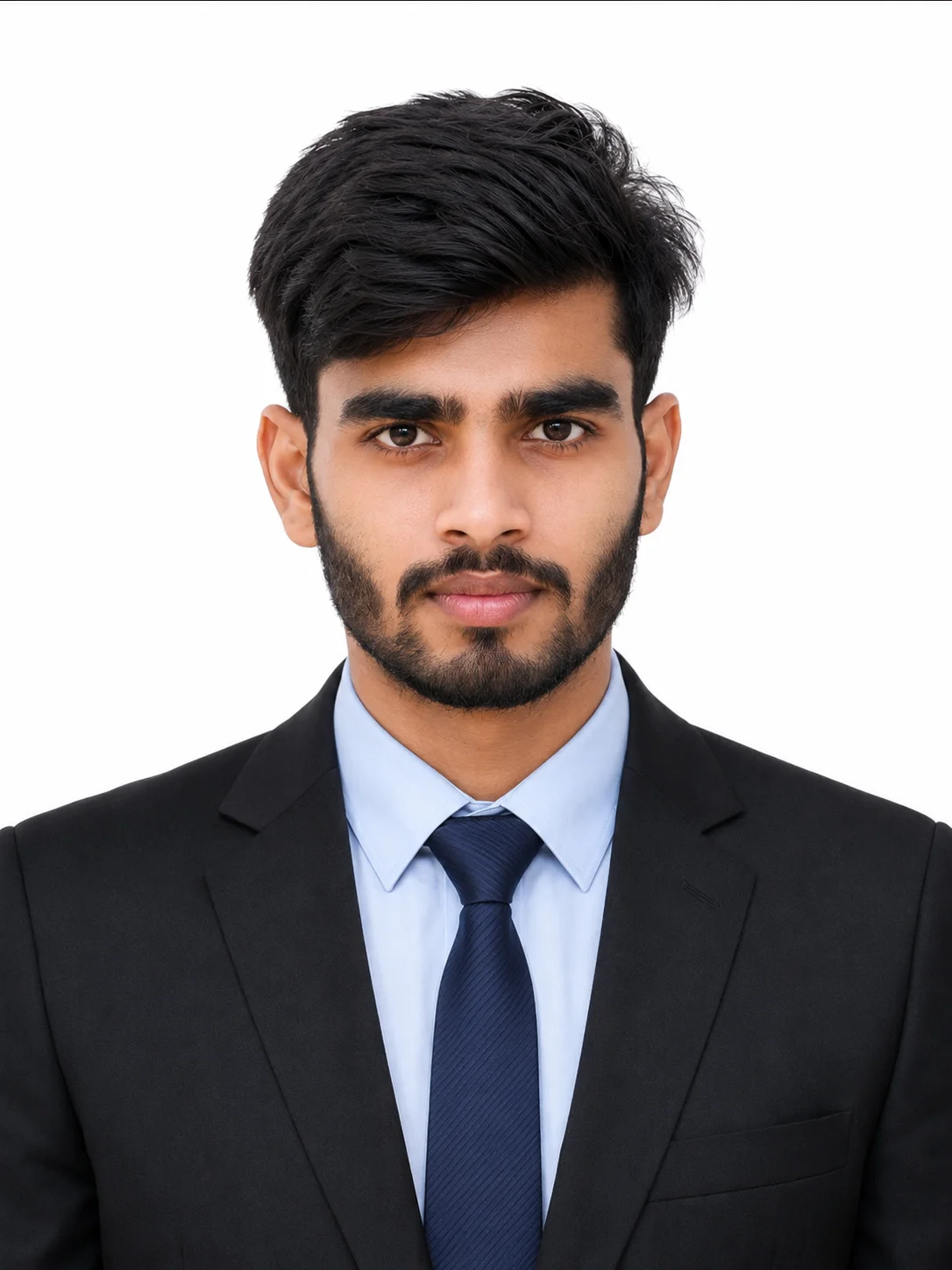
7. Natural Daylight Portrait with Soft and Realistic Appearance
This prompt for passport size photo in chatgpt to creates a natural-looking portrait with smooth skin tones, minimal shadows, and a relaxed expression. The daylight-style lighting and simple background produce a realistic and clean image that feels less artificial and more authentic. It is ideal for users who prefer a soft and modern portrait style.
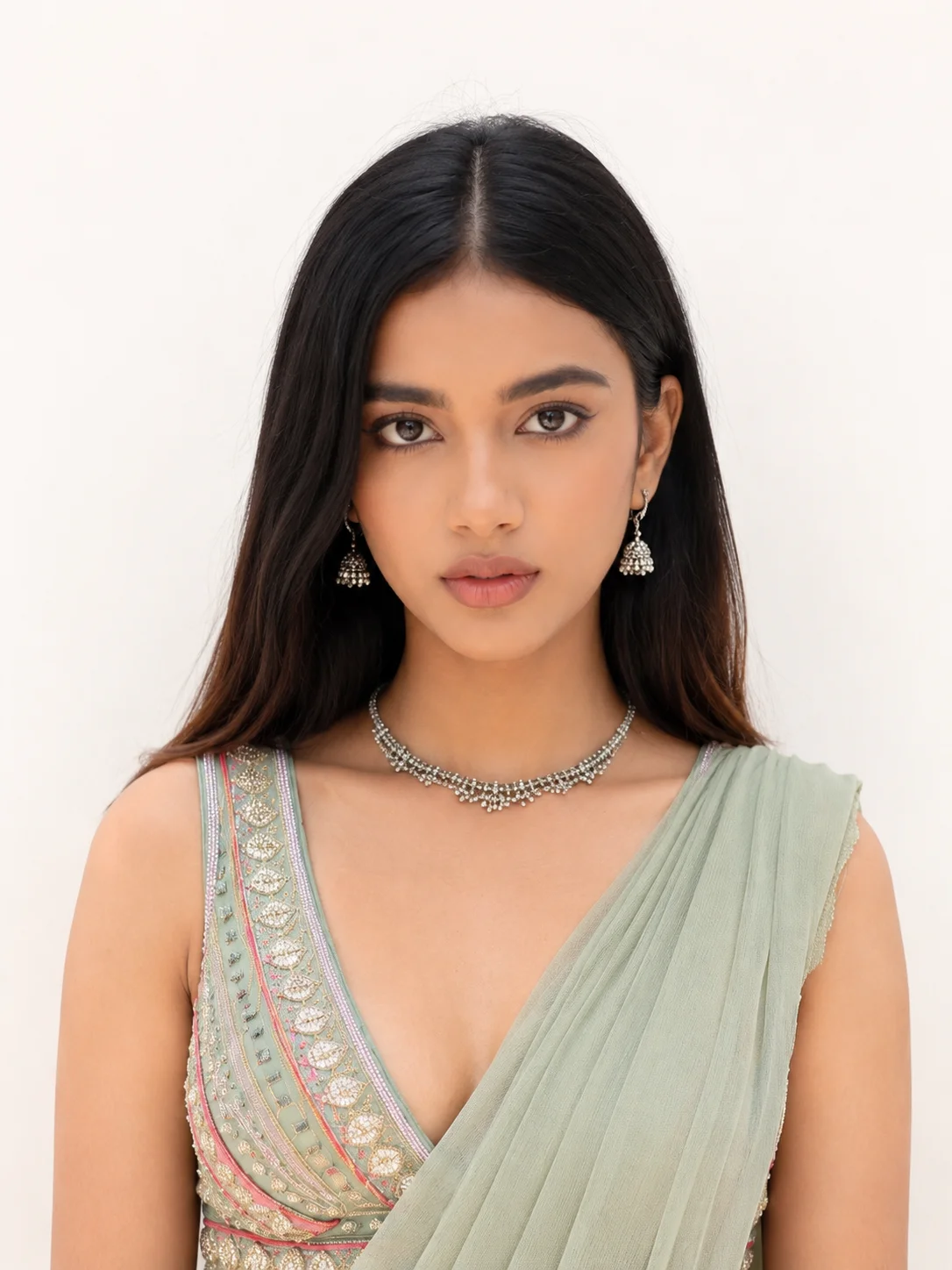
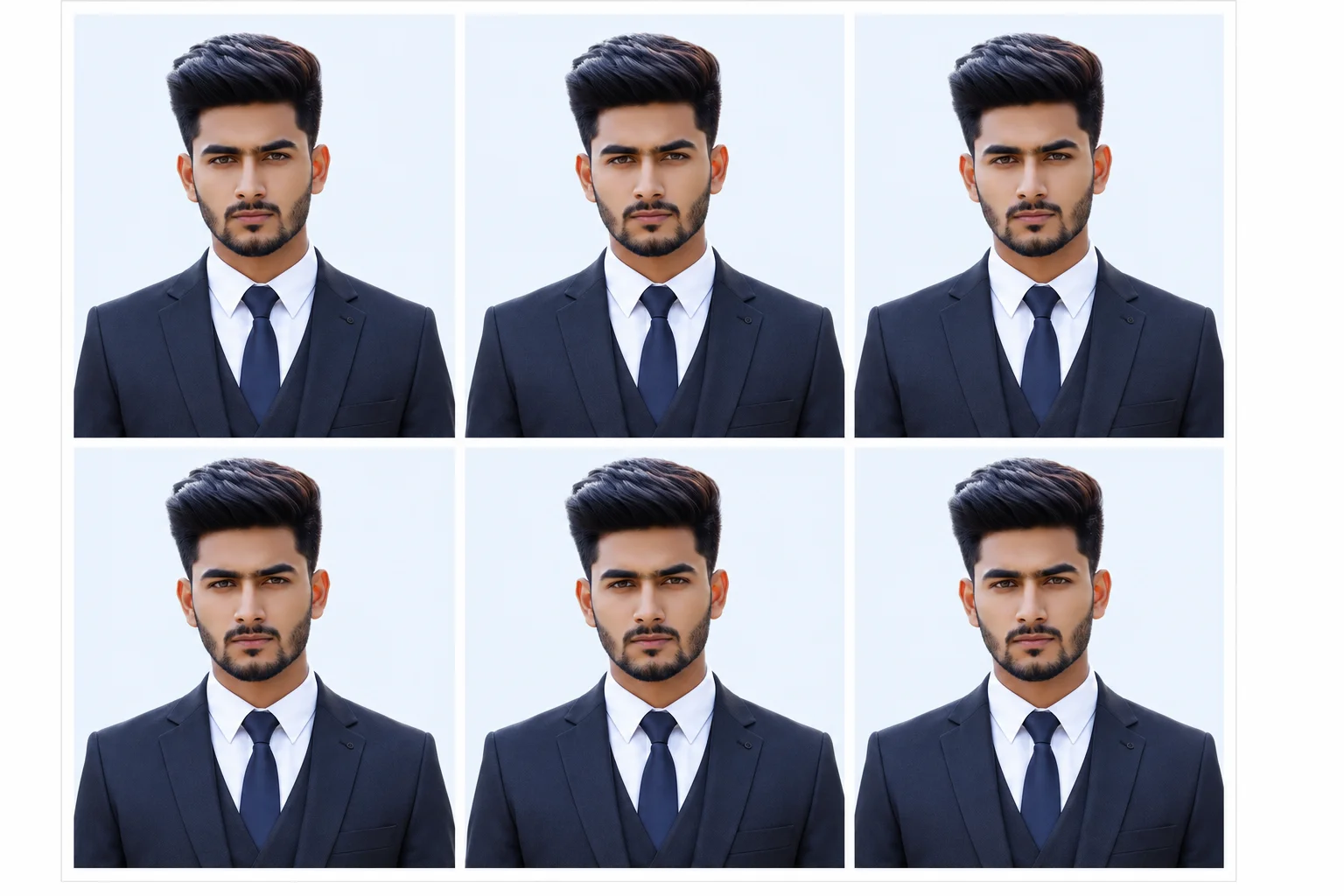
8. Formal Three-Piece Suit Portrait with Multi-Photo Layout
Create a sharp and professional portrait featuring a formal three-piece suit, neutral expression, and balanced lighting. This prompt for passport size photo with suit is ideal for generating multiple identical photos on a single sheet for printing and official use. The clean background and studio-quality finish help create a modern and professional appearance.
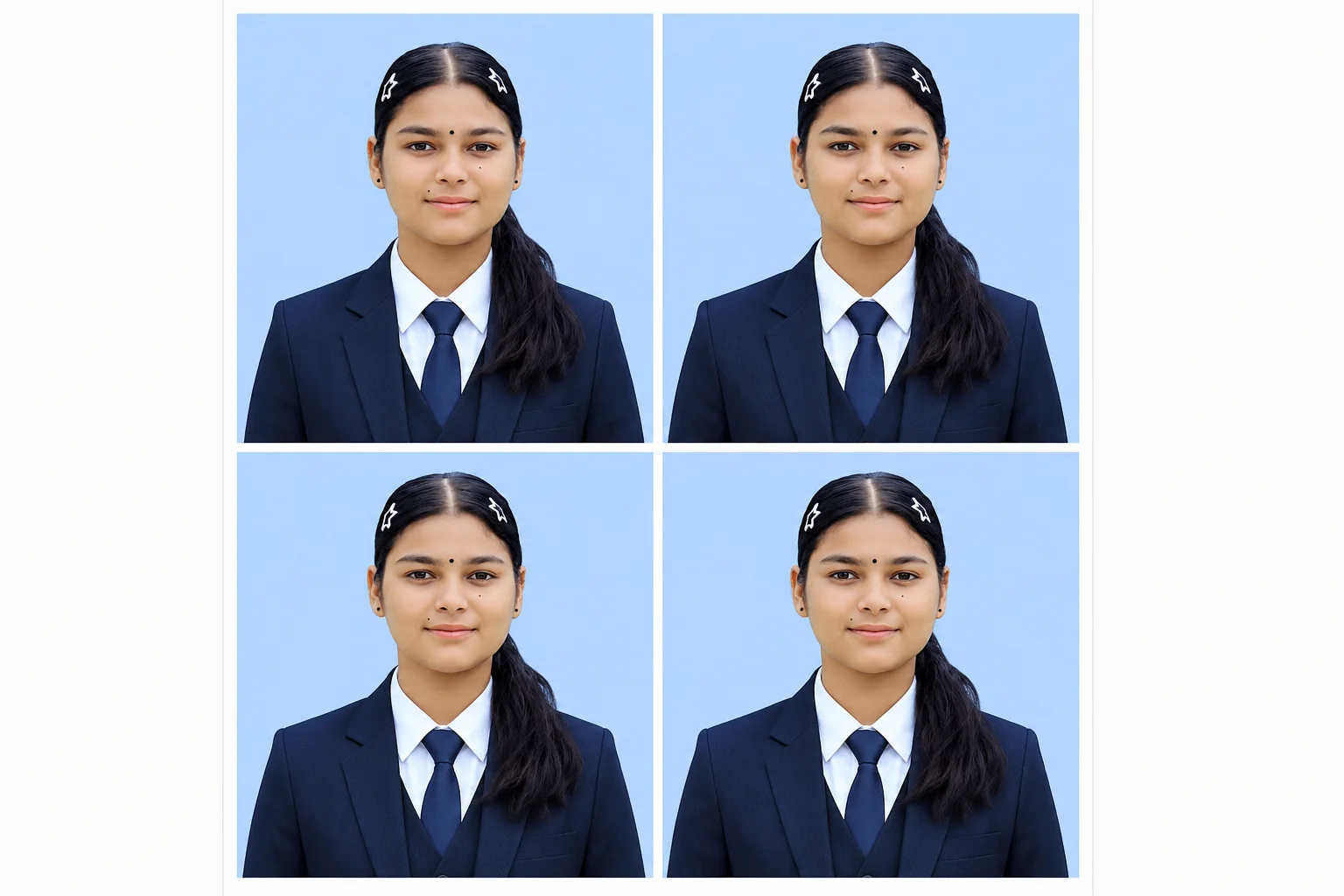
9. Compact Professional Portrait with Blue Background Style
This indian passport size photo prompt generates a realistic and high-resolution portrait with formal attire, natural facial details, and a soft blue background. The clean composition and studio-quality lighting create a polished and stylish result suitable for professional profiles, office documents, and modern digital use. The multi-photo layout also makes it useful for print-ready formats.
FAQs
How can I create a realistic passport-size photo using AI?
You can create a realistic passport-style photo by using a detailed best prompt for passport size photo with clear instructions about facial accuracy, lighting, background color, outfit, and photo framing. For best results, upload a clear front-facing image and mention details like natural skin texture, soft studio lighting, and professional attire.
Which background color works best for passport-style photos?
Plain white backgrounds are the most commonly accepted for official documents. Light cream and light blue backgrounds are also popular for professional headshots, office IDs, and LinkedIn-style portraits because they give a cleaner and more modern appearance.
Can AI-generated passport photos be used for official documents?
AI-generated photos may work for resumes, office profiles, social media, and LinkedIn accounts. However, for passports, visas, or government applications, always check the official photo guidelines of your country because some authorities may not accept heavily edited or AI-generated images.
What should I wear in a professional passport-style photo?
Formal clothing usually gives the best results. A black or navy suit, white shirt, tie, blazer, or simple formal outfit helps create a clean and professional appearance. Avoid flashy colors, heavy accessories, or distracting patterns.
Why does AI sometimes change the face too much?
AI can alter facial structure if the pp size photo prompt is too generic or if the uploaded image is unclear. To reduce changes, always mention exact facial likeness, preserve original face structure, and realistic appearance in the id card photo prompt.
What makes a passport-style AI photo look professional?
A professional-looking portrait usually includes balanced lighting, clean background, realistic skin tone, sharp focus, centered framing, and formal clothing. Proper passport size photo ai prompt details help AI generate studio-quality results with a natural appearance.
Final Words
AI-powered passport-style photo generation has become one of the biggest trends for creating professional portraits quickly and easily. With a well-written passport size photo prompt for chatgpt, you can generate realistic studio-quality images for LinkedIn profiles, resumes, office IDs, social media, and personal branding without visiting a photography studio. The right combination of lighting, background, outfit, and facial accuracy helps create a clean and natural-looking result.
One of the most important things when creating AI-generated portraits is keeping the image realistic and professional. Using detailed passport size photo prompts with natural skin texture, soft studio lighting, centered framing, and formal clothing can significantly improve the final output. Whether you prefer a white background, light blue background, or a formal coat-suit style, clear passport size photo ai prompt instructions help achieve more accurate and high-quality results.
As AI tools continue to improve, creating passport-size and professional profile photos is becoming easier for everyone. You can experiment with different styles, lighting setups, and outfit combinations to find the look that matches your personal or professional needs. A simple but detailed coat suit passport size photo prompt can make a huge difference in generating sharp, realistic, and visually appealing portraits.
Sushil Kumar is a results-focused digital marketer specializing in SEO, content planning, and AI-powered workflows. His platform offers easy-to-use AI prompts for creating professional photos.
Good post. I learn something new and challenging on sites I stumbleupon everyday.
It will always be exciting to read through articles from other writers and use something from
their websites.