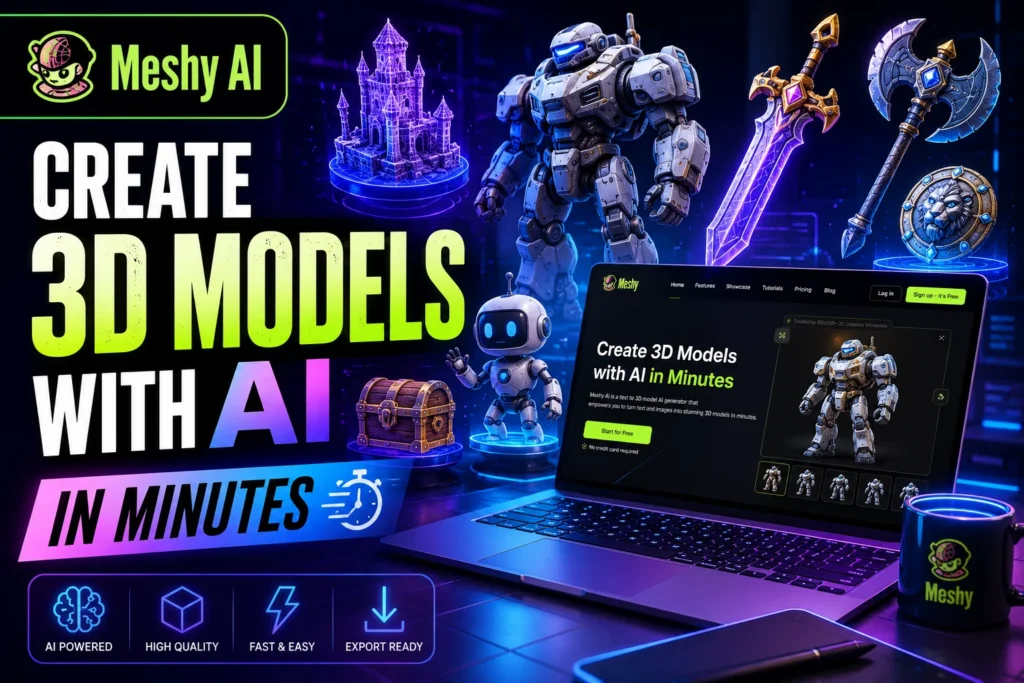
If you’ve ever wanted to create a 3D model without spending months learning Blender or hiring an expensive designer, you’re going to love the meshy ai 3d model generator.
AI is transforming creative work faster than most people expected. We’ve already seen AI write content, generate images, and edit videos. Now it’s entering the world of 3D design, and honestly, it’s impressive. What used to take hours of manual modeling can now happen in minutes.
That’s where Meshy AI comes in.
Whether you’re a game developer, 3D printing hobbyist, indie creator, marketer, or someone simply curious about AI-powered design tools, Meshy AI makes 3D creation feel approachable for beginners.
What is Meshy AI?
Meshy AI is an AI-powered 3D content creation platform that helps users generate 3D models using text prompts or images.
Instead of manually sculpting objects, users can simply describe what they want, such as:
“A futuristic cyberpunk motorcycle with neon lights”
The AI then creates a 3D model based on that prompt.
The platform also includes image-to-3D generation, AI texture creation, and fast exporting for games, animation, AR/VR projects, and even 3D printing.
One reason why many creators consider it the best AI 3D model generator is because it removes technical barriers and speeds up production dramatically.
Quick Overview
| Feature | Details |
|---|---|
| Tool Name | Meshy AI |
| Category | AI 3D Model Generator |
| Best For | Game developers, designers, 3D artists, beginners |
| Main Features | Text-to-3D, Image-to-3D, AI texturing |
| Free Plan | Yes |
| Pricing | Freemium with paid plans |
| Export Formats | OBJ, FBX, GLB, STL |
| Platforms | Web-based |
| Skill Level | Beginner to Advanced |
Why AI 3D Modeling Matters in 2026
Traditional 3D modeling has always had a steep learning curve.
Tools like:
- Blender
- Maya
- ZBrush
are incredibly powerful, but they can overwhelm beginners.
A lot of people give up before finishing their first model.
AI changes that completely.
Instead of focusing on technical complexity, creators can focus on ideas.
That’s a huge shift.
According to NVIDIA Research and multiple industry reports, AI-assisted 3D workflows are expected to become a major part of gaming, simulation, and digital content pipelines over the next few years.
Meshy AI sits right in the middle of this transition.
Key Features of Meshy AI 3D Model Generator
1. Text-to-3D Generation
This is the feature most people start with.
You type a prompt, and Meshy AI creates a 3D object based on your description.
Example prompts:
- “Low-poly fantasy sword”
- “Cute cartoon dragon”
- “Sci-fi spaceship”
- “Modern wooden chair”
The AI handles:
- Shape generation
- Texture creation
- Material mapping
- Basic geometry
For beginners, this feels almost magical the first time you use it.
2. Meshy AI Image to 3D
One of the most exciting features is meshy ai image to 3d conversion.
You upload:
- A drawing
- Character art
- Product image
- Concept sketch
Then Meshy attempts to turn it into a usable 3D model.
This is especially useful for:
- Game artists
- Product designers
- NFT creators
- Marketing teams
- 3D printing hobbyists
I tested this workflow with a rough fantasy weapon sketch, and while the output wasn’t studio-perfect, it created a surprisingly usable base model in under five minutes.
That alone can save hours of blocking and sculpting work.
3. AI Texture Generation
Textures are often the most time-consuming part of 3D creation.
Meshy AI automatically generates textures and UV mappings for many models.
That means beginners don’t need deep technical knowledge of:
- UV unwrapping
- PBR materials
- Texture baking
For indie creators, this is a huge time saver.
4. Export Compatibility
Meshy AI supports exports for common 3D workflows.
You can typically export models in formats like:
- OBJ
- FBX
- GLB
That means your creations can move into tools like:
- Unity
- Unreal Engine
- Blender
without much trouble.
Why Many Creators Call It the Best AI 3D Model Generator
There are now dozens of AI art tools online.
But 3D generation is harder than image generation.
A 3D model needs:
- Geometry
- Depth
- Proper mesh structure
- Texture consistency
- Export functionality
That’s why the competition is still relatively small.
Meshy AI stands out because it balances:
- Simplicity
- Speed
- Decent output quality
- Accessibility for beginners
Compared to many alternatives, the learning curve feels much lighter.
That’s a big reason many users consider it the best ai 3d model generator available today.
How to Use Meshy AI
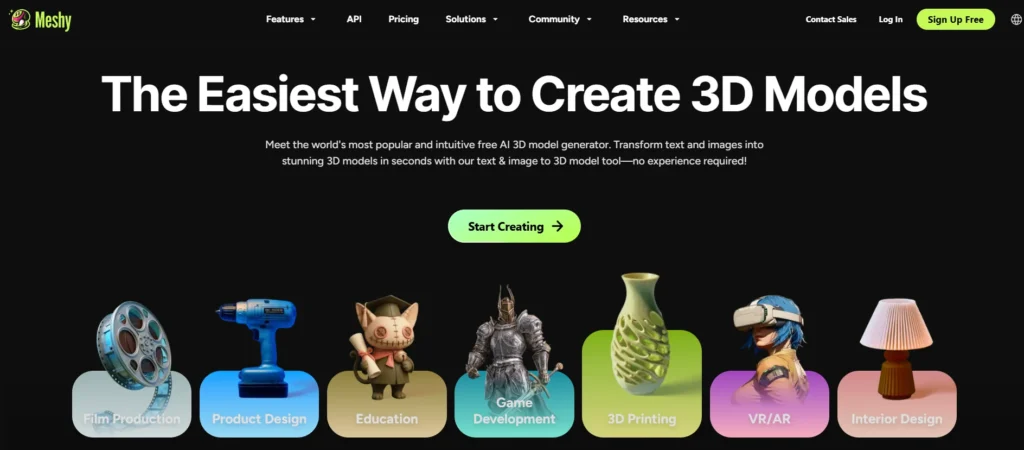
Using Meshy AI is surprisingly simple.
- Visit the official Meshy AI website and sign up for a free account.
- Choose a Generation Mode: Text-to-3D, Image-to-3D or AI Texturing
- Enter Your Prompt
- Click Generate.
- The AI processes the request and creates a 3D asset within minutes.
- Download the final model in your preferred format like OBJ or STL.
This workflow is one reason why Meshy AI is often mentioned in discussions about the best AI 3D model generator for 3D printing.
Meshy AI Tool Pricing
A common question people ask is:
“Is Meshy AI free?”
Yes, Meshy AI offers a free plan, but with limitations.
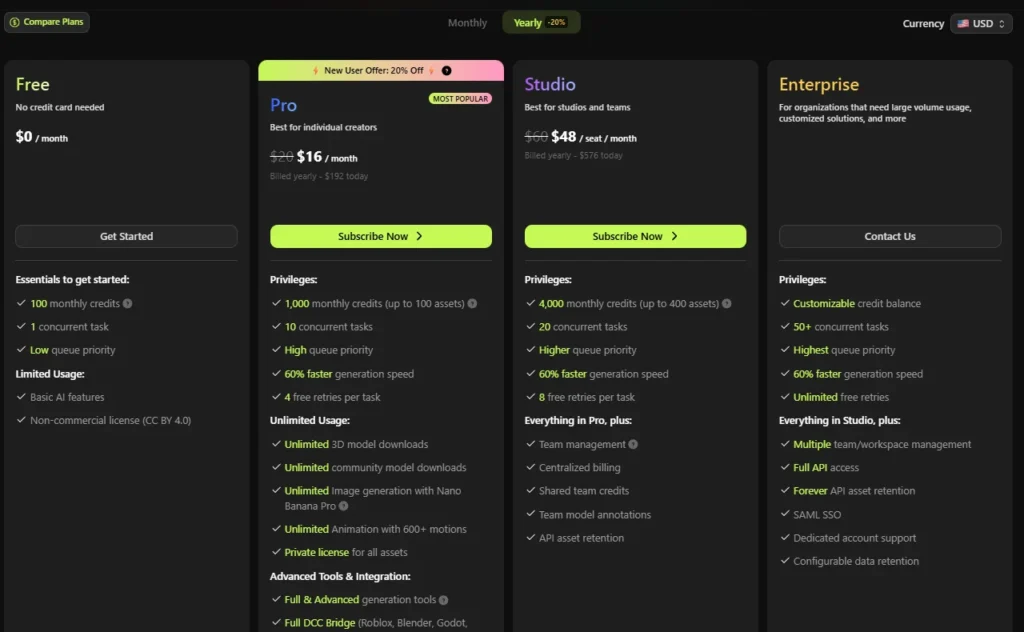
Here’s a general pricing breakdown:
| Plan | Features |
|---|---|
| Free | Limited generations and credits |
| Basic Paid Plan | More generations and faster processing |
| Pro Plan | High-resolution exports and commercial usage |
| Enterprise | Team and studio features |
Pricing may change over time, but the free plan is enough for beginners to test the platform.
If you plan to create many assets regularly, a paid plan may be necessary.
Meshy AI for Game Development
Game developers are some of the biggest users of AI-generated 3D assets.
Creating game-ready assets manually takes serious time.
With best ai 3d model generator for games tools like Meshy AI, developers can rapidly prototype:
- Weapons
- Props
- Environments
- NPC concepts
- Stylized assets
This is especially useful for:
- Indie game studios
- Solo developers
- Mobile game creators
- Rapid prototyping teams
Instead of spending days modeling placeholder assets, developers can generate concepts instantly and refine them later.
That speeds up production dramatically.
Meshy AI for 3D Printing
A growing number of users are exploring meshy ai for 3d printing workflows.
This is where things get interesting.
You can generate creative models quickly, then refine them for printing.
Popular use cases include:
- Miniatures
- Figurines
- Decorative objects
- Prototypes
- Cosplay accessories
However, there’s an important reality check here.
AI-generated meshes often need cleanup before printing.
You may still need tools like:
- Meshmixer
- Blender
- Tinkercad
to:
- Fix geometry
- Repair holes
- Improve mesh integrity
- Add supports
So while Meshy AI is among the best ai 3d model generator for 3d printing options for ideation and concept generation, it’s not always “one-click perfect” for physical printing.
Still, for brainstorming and early-stage modeling, it’s incredibly useful.
Pros & Cons
Pros
- Beginner-friendly and easy to use
- Fast text-to-3D model generation
- Powerful image-to-3D feature
- Great for game asset prototyping
- Saves time with automatic textures and materials
- Supports OBJ, FBX, and GLB exports
- Useful for 3D printing concepts and prototypes
- Free plan available for beginners
- Good for stylized and low-poly models
- Helps creators generate ideas quickly
Cons
- Models often need manual cleanup
- Realistic human characters can look inaccurate
- Limited control compared to professional 3D software
- AI results can sometimes be inconsistent
- Free version has usage limits
- Complex engineering models may not generate well
- Not fully production-ready for AAA projects
- Some 3D printing files need fixing before printing
- Requires prompt experimentation for best results
- Cannot fully replace skilled 3D artists
The Future of AI 3D Generation
AI-generated 3D content is still early.
But the pace of improvement is wild.
A few years ago, generating usable 3D assets from text sounded unrealistic.
Now beginners can do it from a browser.
Companies like OpenAI, NVIDIA, and major gaming studios are investing heavily in generative workflows.
That tells us this technology is not a temporary trend.
It’s becoming part of the creative pipeline.
Meshy AI is positioned well in that space because it lowers the barrier to entry for everyday users.
FAQs
Is Meshy AI good for beginners?
Yes. Meshy AI is designed with simplicity in mind, making it beginner-friendly even if you have no previous 3D modeling experience.
Is Meshy AI free to use?
Yes, Meshy AI offers a free plan with limited generations and features. Paid plans unlock higher-quality exports and additional credits.
Can I use Meshy AI for 3D printing?
Yes, many creators use Meshy AI for 3D printing concepts and prototypes. However, some models may require cleanup before printing.
What makes Meshy AI one of the best AI 3D model generators?
Its combination of text-to-3D, image-to-3D, speed, and beginner accessibility makes it stand out in the growing AI 3D market.
Can Meshy AI create game assets?
Absolutely. Many indie developers use Meshy AI to generate props, stylized objects, and prototype assets for games.
Final Thoughts
The meshy ai 3d model generator is making 3D creation more accessible than ever.
Is it perfect?
Not yet.
Professional artists will still need advanced tools and manual refinement for high-end production work.
But for beginners, indie creators, rapid prototyping, and creative experimentation, Meshy AI is genuinely impressive.
What stands out most is how approachable it feels.
You no longer need years of technical training just to bring an idea into 3D space.
That changes everything.
If you’ve been curious about AI-powered 3D design, this is honestly one of the best places to start.
And considering how quickly this technology is evolving, learning these tools now could give creators a serious advantage in the future.

Sushil Kumar is a results-focused digital marketer specializing in SEO, content planning, and AI-powered workflows. His platform offers easy-to-use AI prompts for creating professional photos.