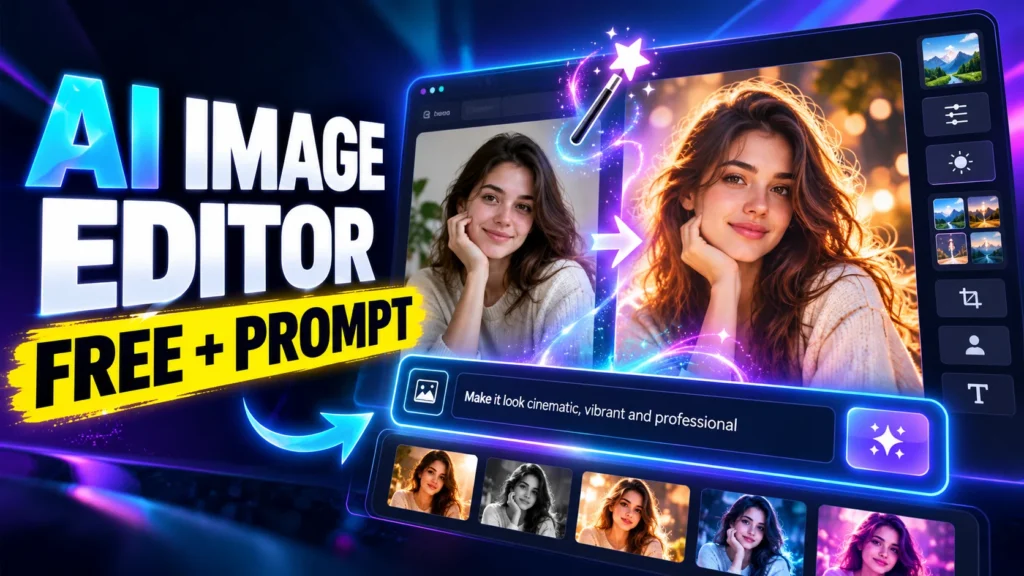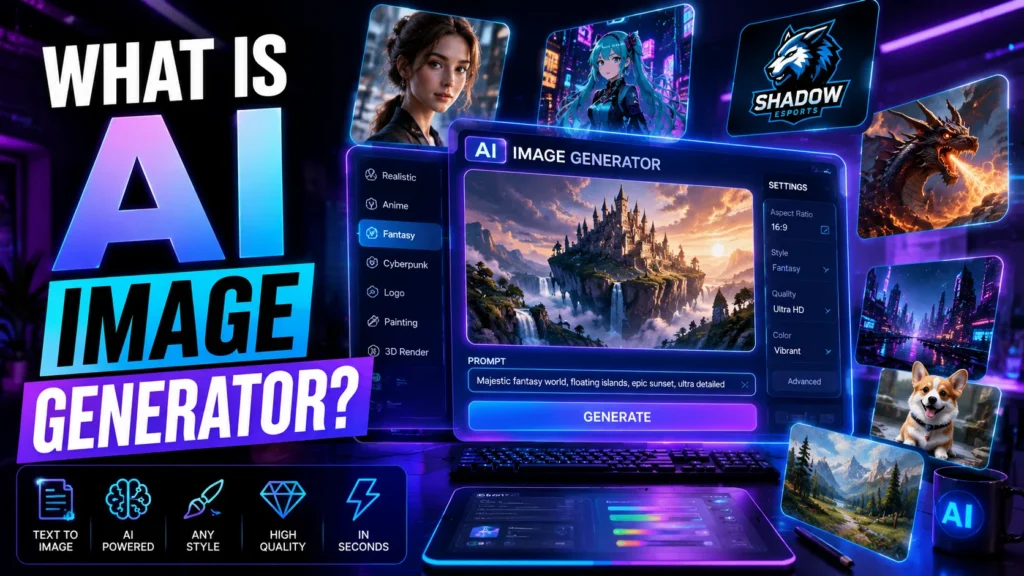
Artificial intelligence is changing the way we create content online. From writing articles to designing logos, AI tools are helping people save time and unlock creativity faster than ever before. One of the most exciting innovations right now is the AI image generator.
If you’ve ever typed a sentence like “a futuristic city at sunset” and instantly received a beautiful image, you’ve already seen the magic of AI-generated art.
In this guide, we’ll break down what an AI image generator is, how it works, the best AI tools available today, and how beginners can start using AI to create professional-looking images without design skills.
Whether you’re a blogger, student, marketer, designer, or just curious about AI, this article will help you understand everything in simple language.
What Is AI Image Generator?
An AI image generator is a software tool powered by artificial intelligence that creates images from text descriptions, existing images, or prompts.
In simple terms, you tell the AI what you want, and it generates artwork or graphics automatically.
For example, if you type:
“A futuristic city at sunset with flying cars and neon lights”
the AI will create an image based on that description.
These AI Photo Generator tools use advanced machine learning models trained on millions of images, patterns, styles, colors, and artistic concepts.
Today’s modern tools can create:
- Digital paintings
- Realistic photos
- Anime characters
- Logos
- Social media graphics
- Avatars
- Product mockups
- Fantasy artwork
- Marketing visuals
That’s why AI art generators have become extremely popular among creators and businesses.
Why AI Image Generators Are Becoming So Popular
A few years ago, creating professional artwork required expensive software and advanced graphic design skills. Today, AI has completely changed that.
Here’s why millions of users are switching to AI image generators:
- Fast image creation
- No design experience required
- Affordable or free tools available
- Endless creative possibilities
- Useful for social media, blogs, ads, and branding
According to reports from McKinsey & Company and Adobe, generative AI adoption has increased rapidly among marketers, creators, and businesses because it reduces production time and improves creative workflows.
How Does an AI Image Generator Work?
Most AI image generator tools use a technology called generative AI.
At a basic level, here’s how the process works:
Step 1: The AI Learns from Massive Datasets
The model is trained using millions or even billions of images paired with text descriptions.
It learns patterns such as:
- What a cat looks like
- How sunsets appear
- The difference between watercolor and anime styles
- Human faces, lighting, shadows, textures, and composition
Step 2: User Enters a Prompt
This is called an AI image generator prompt.
Example prompts:
- “A cyberpunk samurai standing in Tokyo rain”
- “Minimalist coffee logo design”
- “Cute anime girl in Studio Ghibli style”
The better your prompt, the better the result.
Step 3: AI Generates the Image
The system predicts and builds a brand-new image pixel by pixel.
Modern systems can generate highly detailed visuals in under 10 seconds.
Some advanced tools even allow:
- Image editing
- Background removal
- Style transfer
- Image expansion
- Face swaps
- AI avatar creation
Types of AI Image Generators
Not all AI tools work the same way. Here are the main categories beginners should know.
1. Text-to-Image Generators
These are the most popular tools.
You type text, and the AI creates an image.
Examples include:
- DALL·E
- Midjourney
- Adobe Firefly
- Gemini AI image generator
- Bing AI image generator
Best For:
- Blog graphics
- Marketing visuals
- Concept art
- Social media posts
2. Image-to-Image Generators
An AI image generator from image uses an existing image and transforms it into another style or version.
For example:
- Turn a sketch into realistic art
- Convert photos into anime
- Improve low-quality images
Best For:
- Designers
- Photo editing
- Creative experiments
3. AI Avatar Creators
These tools create profile pictures or digital avatars.
Popular for:
- Gaming
- YouTube branding
- LinkedIn photos
- Social media profiles
4. AI Logo Generators
Businesses use AI to create logos quickly without hiring a designer.
These tools generate:
- Brand logos
- Icons
- Typography concepts
- Business identity kits
Best AI Image Generator Tools in 2026
Here are some of the most popular platforms beginners are using right now.
1. ChatGPT AI Image Generator (DALL·E 3)
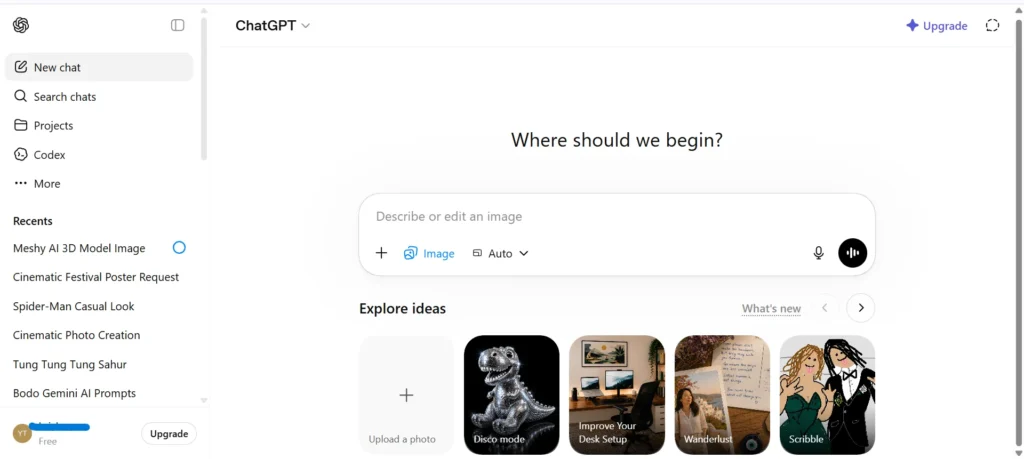
The ChatGPT AI image generator powered by DALL·E 3 is one of the easiest tools for beginners.
Why People Like It:
- Extremely simple interface
- Great prompt understanding
- Excellent for realistic and creative art
- Built directly into ChatGPT
Best For:
- Content creators
- Bloggers
- Marketing images
- Story illustrations
Many users search for:
- AI image generator ChatGPT
- ChatGPT AI image generator free
- DALL·E 3 AI image generator
because it combines conversation and image creation together.
2. Google AI Image Generator (Gemini)
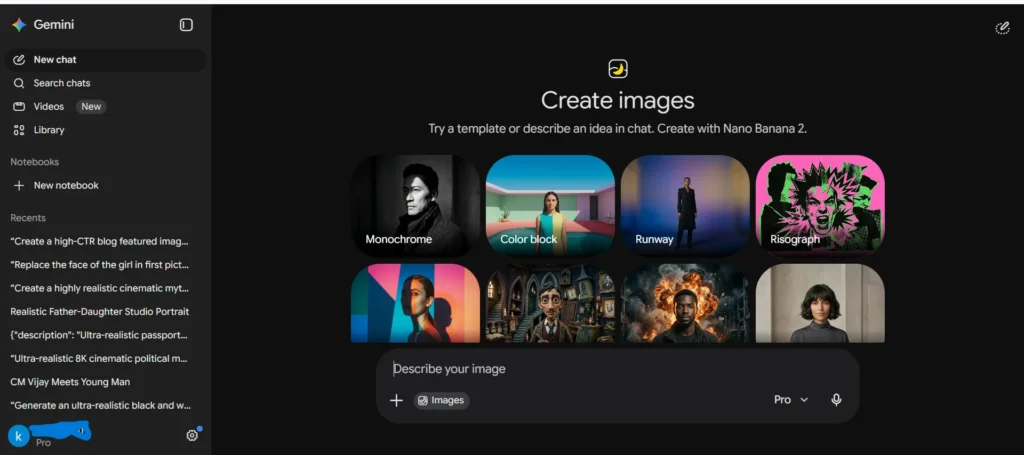
The Google AI image generator inside Gemini has improved significantly.
It can:
- Generate visuals from prompts
- Help refine prompts
- Create educational graphics
- Assist with creative brainstorming
People often search:
- AI image generator Gemini
- Gemini AI prompt
- Google AI image generator
Best For:
- Productivity users
- Students
- Workspace integration
3. Adobe Firefly AI Image Generator
The Adobe Firefly AI image generator is highly popular among professional designers.
Key Features:
- Commercial-safe images
- Photoshop integration
- Advanced editing tools
- Typography generation
Best For:
- Graphic designers
- Brand agencies
- Professional creatives
4. Canva AI Image Generator
The Canva AI image generator is beginner-friendly and works directly inside Canva’s design platform.
Why Beginners Love It:
- Drag-and-drop editing
- Fast social media design
- Easy templates
- No technical knowledge required
Best For:
- Small businesses
- Social media creators
- Students
5. Bing AI Image Generator
The Bing AI image generator uses Microsoft’s AI technology and offers free image generation.
Advantages:
- Free credits
- Strong realistic outputs
- Simple access with Microsoft account
People also search:
- Microsoft AI image generator
- Bing AI image generator free
6. Perchance AI Image Generator
The Perchance AI image generator has gained popularity because it offers fewer restrictions and free usage.
Best For:
- Experimental art
- Anime images
- Creative exploration
Many users look for:
- AI image generator without restrictions
- Free AI image generator
How to Write the Best AI Image Generator Prompt
A prompt is the instruction you give the AI.
Good prompts create better images.
Here’s a simple structure:
Subject + Style + Lighting + Background + Quality
Example:
“A realistic astronaut walking on Mars, cinematic lighting, ultra HD, detailed background.”
Best Prompt Tips for Beginners
Be Specific
Instead of:
“cat”
Write:
“A fluffy white cat sitting near a rainy window in anime style.”
Mention Art Style
Examples:
- Realistic
- Watercolor
- Pixar-style
- Anime
- Cyberpunk
Add Camera and Lighting Details
Examples:
- Soft lighting
- 4K
- Close-up shot
- Wide-angle lens
Are AI Image Generators Free?
Some are completely free, while others use subscription models.
Free AI Image Generator Options
Popular free tools include:
- Bing AI image generator
- Perchance AI image generator
- Canva AI image generator (limited)
- Adobe Firefly free credits
AI Image Generator Without Restrictions
Many users search for tools with fewer content limitations.
Platforms like:
- Perchance
- Open-source Stable Diffusion tools
offer more flexibility compared to stricter commercial platforms.
However, responsible usage still matters. Ethical AI use is becoming increasingly important across industries.
Can AI Image Generators Replace Designers?
This is one of the biggest debates in the creative world.
From practical experience, AI is more like a creative assistant than a full replacement.
AI can:
- Speed up workflows
- Generate concepts quickly
- Help with brainstorming
But human designers still provide:
- Strategy
- Branding expertise
- Emotional storytelling
- Creative direction
The best results usually happen when humans and AI work together.
Benefits of AI Image Generators
1. Saves Time
Creating visuals manually can take hours. AI tools reduce that to minutes.
2. Beginner-Friendly
You don’t need Photoshop skills or artistic experience.
3. Cost Effective
Hiring designers for every small project can be expensive.
AI tools help startups and creators save money.
4. Unlimited Creativity
You can generate:
- Fantasy worlds
- Product concepts
- Storyboards
- Character art
- Marketing banners
almost instantly.
Limitations of AI Image Generators
AI tools are powerful, but not perfect.
Common Problems:
- Hands and facial details can still look strange
- Some prompts produce inconsistent results
- Copyright and ownership concerns exist
- Overused styles can feel repetitive
Professional designers still play a major role in branding and creative direction.
Tips for Beginners Using AI Image Generators
If you’re just starting, here are a few practical tips that genuinely help:
- Start with free tools first
- Learn prompt writing slowly
- Save prompts that work well
- Study examples from AI communities
- Don’t expect perfection instantly
One thing many beginners discover quickly is that creativity matters more than technical skill.
Sometimes a simple, imaginative idea creates better art than a complicated prompt.
The Future of AI Image Generators
AI image technology is evolving incredibly fast.
In the next few years, we’ll likely see:
- Real-time AI video generation
- More realistic human images
- Personalized AI art assistants
- Voice-to-image creation
- Advanced 3D generation
Companies like OpenAI, Google, and Adobe are investing heavily in generative AI research.
This industry is still growing, which means creators who learn AI tools early may have a huge advantage later.
FAQs
What Is AI Image Generator and How Does It Work?
An AI image generator is a tool that uses artificial intelligence to create images from text prompts or existing images. It works by analyzing millions of images and patterns to generate unique visuals based on user instructions. Popular AI art generators include DALL·E, Midjourney, Adobe Firefly, and Bing AI Image Creator.
Which Is the Best AI Image Generator in 2026?
The best AI image generator depends on your needs. ChatGPT with DALL·E 3 is great for beginners, Midjourney is known for artistic quality, Adobe Firefly is ideal for professional design work, and Canva AI is perfect for social media graphics and quick edits.
Is There Any Free AI Image Generator Available?
Yes, several free AI image generators are available online. Popular options include Bing AI Image Generator, Canva AI Image Generator, Perchance AI Image Generator, and Adobe Firefly free credits. Some tools offer limited daily generations for free users.
Can AI Generate Images From Text?
Yes. AI image generators can create images directly from text descriptions. This technology is called text-to-image generation. Users simply type a prompt like “a futuristic city at sunset,” and the AI creates a matching image within seconds.
Are AI Generated Images Copyright Free?
Not always. Copyright rules depend on the AI platform and local laws. Some tools allow commercial use, while others have restrictions. Always review the licensing terms before using AI-generated images for business or marketing purposes.
Can I Use AI Image Generators for Business and Marketing?
Yes. Many businesses use AI image generators for social media posts, advertisements, product mockups, blog graphics, logos, and branding materials. Tools like Adobe Firefly and Canva AI are especially popular for commercial projects.
Can ChatGPT Generate AI Images?
Yes. ChatGPT integrated with DALL·E 3 can generate AI images from prompts. Users can describe scenes, characters, logos, or artwork, and the AI creates visuals directly inside the chat.
Is Google Gemini an AI Image Generator?
Yes. Google Gemini includes AI image generation capabilities that allow users to create images from prompts, brainstorm ideas, and generate creative visual content.
Are AI Art Generators Safe to Use?
Most well-known AI art generators are safe when used responsibly. It’s important to avoid generating misleading, harmful, or copyrighted content and to follow each platform’s content policies.
Final Thoughts
AI image generators are making creativity more accessible than ever before.
You no longer need advanced design skills or expensive software to create impressive visuals. Whether you want social media graphics, anime art, logos, marketing images, or digital paintings, AI tools can help you create them in minutes.
The key is learning how to write better prompts, experiment with styles, and choose the right platform for your needs.
If you’re new to AI image creation, start simple, stay curious, and keep practicing. The technology is evolving fast, and this is honestly one of the most exciting creative shifts happening online right now.
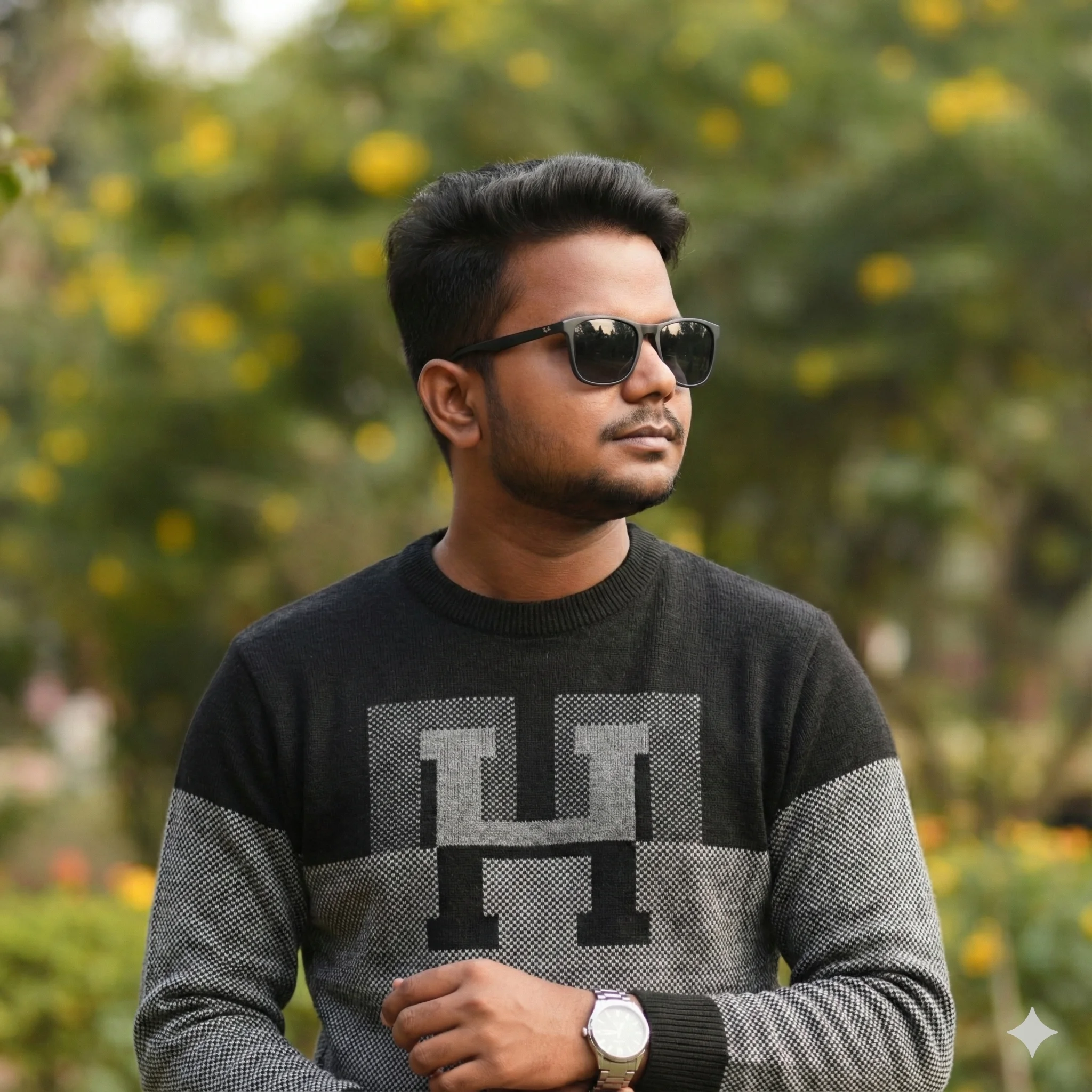
Sushil Kumar is a results-focused digital marketer specializing in SEO, content planning, and AI-powered workflows. His platform offers easy-to-use AI prompts for creating professional photos.