In today’s digital age, your LinkedIn profile picture is your virtual business card. A poor, outdated, or low-quality photo can directly harm your perceived Trustworthiness. With AI image generation tools like Gemini, Midjourney, or ChatGPT/DALL-E, you can create a perfect, studio-quality portrait in seconds.
This guide will teach you how to use the [best ai prompt for linkedin profile picture] to generate an ultra-realistic and highly professional LinkedIn profile photo. We will provide expert-level prompt for linkedin profile picture gemini or chatgpt.
Why Your LinkedIn Profile Picture Matters
Your picture is the first thing people see when they check your profile. Recruiters glance at it before reading your headline. Clients judge your credibility based on it. Small tweaks in lighting, styling, and expression change how people perceive your experience.

A good photo communicates:
- Professional confidence
- Approachability
- Leadership
- Industry expertise
- Trust
AI-generated photos can do this well, as long as your linkedin profile photo prompt is clear, structured, and aligned with LinkedIn’s best practices.
Trending Gemini & ChatGPT Prompts for LinkedIn Profile Pictures You Can Use Today
Below are four polished linkedin profile prompt for gemini girl and boys based on your reference instructions. They work across ChatGPT image models, Gemini, Midjourney, DALL·E, and Adobe Firefly.
These examples cover male and female portraits, corporate and business-casual looks, and different lighting moods.

“Generate a highly professional, ultra-realistic portrait suitable for a LinkedIn profile. The man in the reference photo should appear confident, approachable, and well-groomed, wearing a tailored dark blazer or business-casual attire. The background should be clean, softly blurred (bokeh- style), in neutral tones like light gray or soft blue, evoking a corporate office or modern workspace. Lighting should be soft and even, highlighting natural skin texture and eye contact. The overall look must convey leadership, trustworthiness, and professionalism – ideal for a business executive, entrepreneur, or industry expert on LinkedIn.”
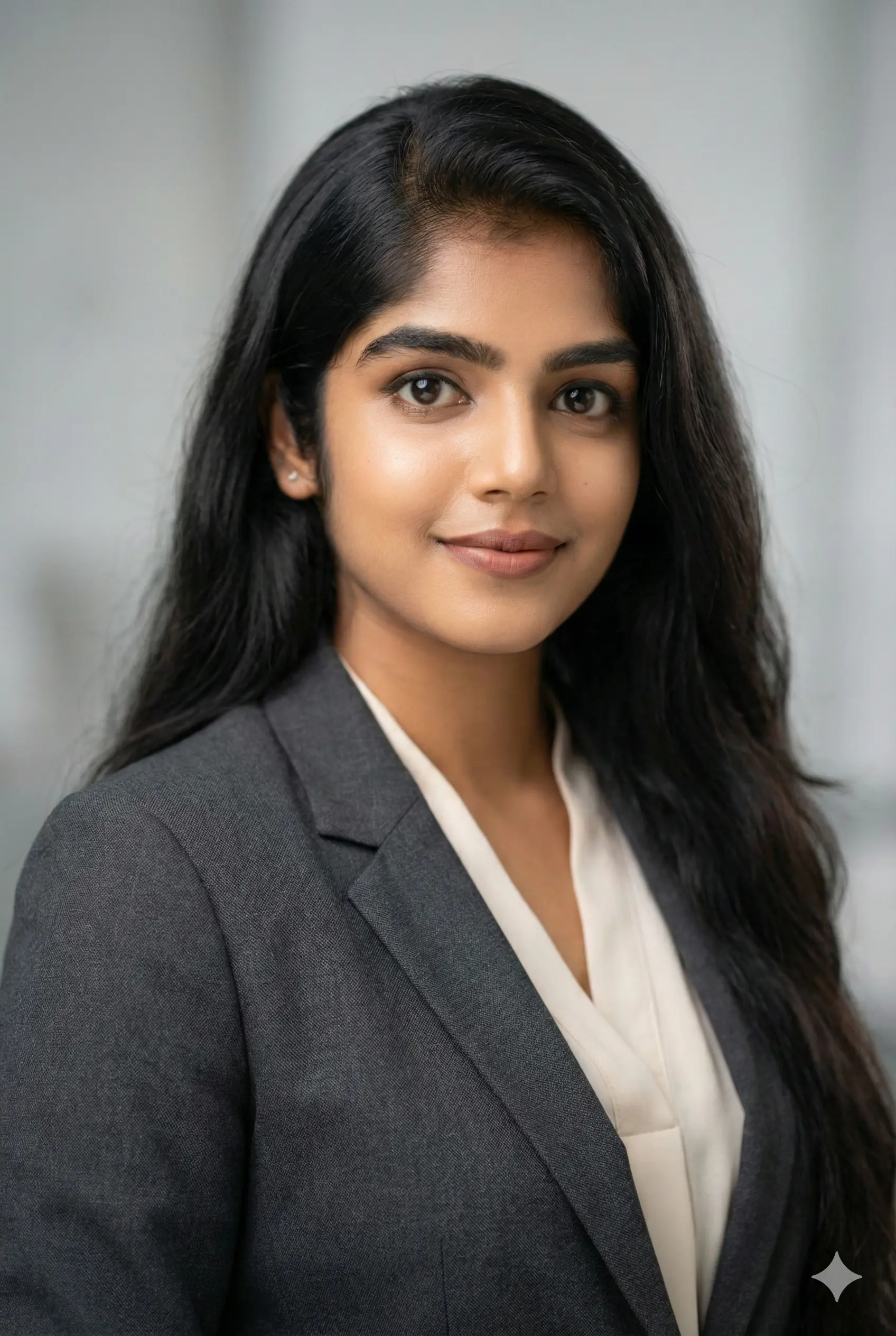
“Use 100% face of uploaded image. Generate a hyper-realistic, high-resolution portrait suitable for a LinkedIn profile. The woman should appear confident, highly professional, and approachable, wearing a dark, tailored blazer over a light-colored blouse. Makeup should be minimal and natural. The background must be a softly blurred (bokeh) light gray, suggesting a modern corporate office. Lighting should be soft, even, and flattering, emphasizing clear eye contact and a subtle, genuine smile. Color grading should be warm and neutral to convey trustworthiness and executive leadership.”
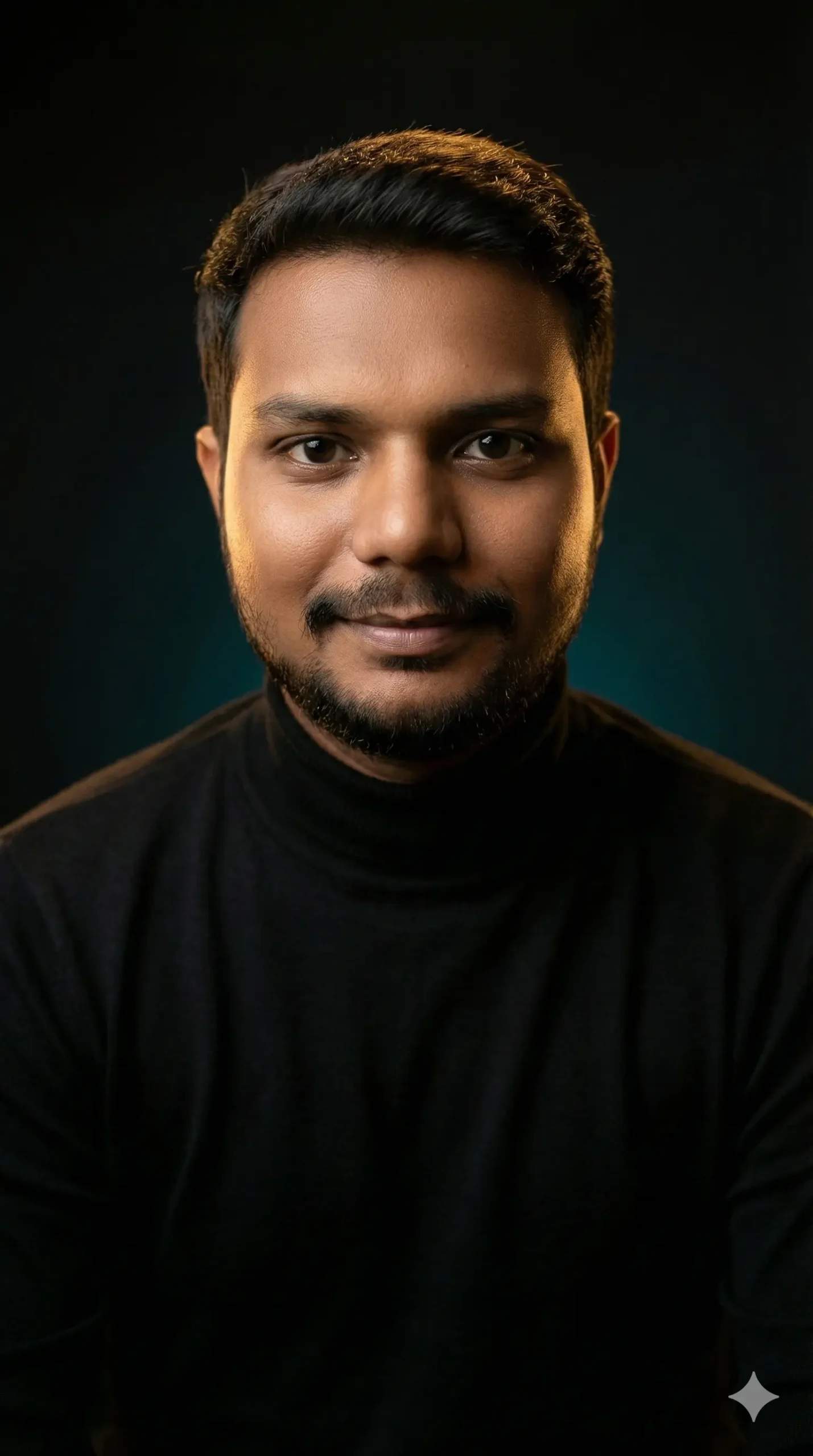
“A professional studio portrait of a young man sitting straight with relaxed shoulders, facing the camera directly. He has a gentle smile and confident expression. His head is slightly tilted forward. Lighting setup: cinematic three-point lighting – warm rim light behind him creating a soft golden glow on hair and shoulder edges, and a soft diffused key light illuminating his face from the front-left side, with smooth shadows on the right cheek. Background: dark gradient background fading from deep black to subtle teal/amber tones. Outfit: plain black turtleneck sweater, simple and elegant, no logos. Mood: calm, modern, intelligent, slightly cinematic. Photo style: high-quality portrait photography, shallow depth of field, 16K resolution, perfect skin tone, realistic lighting, studio photography, centered composition”

“Use 100% face of uploaded image. Generate an ultra-realistic, professional portrait for LinkedIn. The woman should embody an entrepreneurial and expert persona, wearing business-casual attire, such as a high-quality knit sweater or a light-colored, professional top. Maintain a confident, direct gaze. The background should be a soft, out-of-focus light blue/teal, providing a subtle pop of color while remaining professional. Use studio-quality softbox lighting to highlight natural skin texture and keep the overall image bright. The final look must convey approachability and industry expertise.”

“Take my provided photo and retouch it into a professional Linkedin profile picture. Keep my face natural and realistic, without changing my identity. Dress me in a formal business outfit (suit or blazer with light shirt) to give an executive professional look. Use a blurred modern office background, and add the provided company logo of ‘Sushil Prompt’ appear like it’s embossed on the office glass wall.”* professional way, as if it is part of the office branding. Make sure the logo blends naturally with the environment. The final image must be ultra-realistic, ultra HD, front-facing with direct eye contact and a confident executive look, perfectly suitable for Linkedin.”
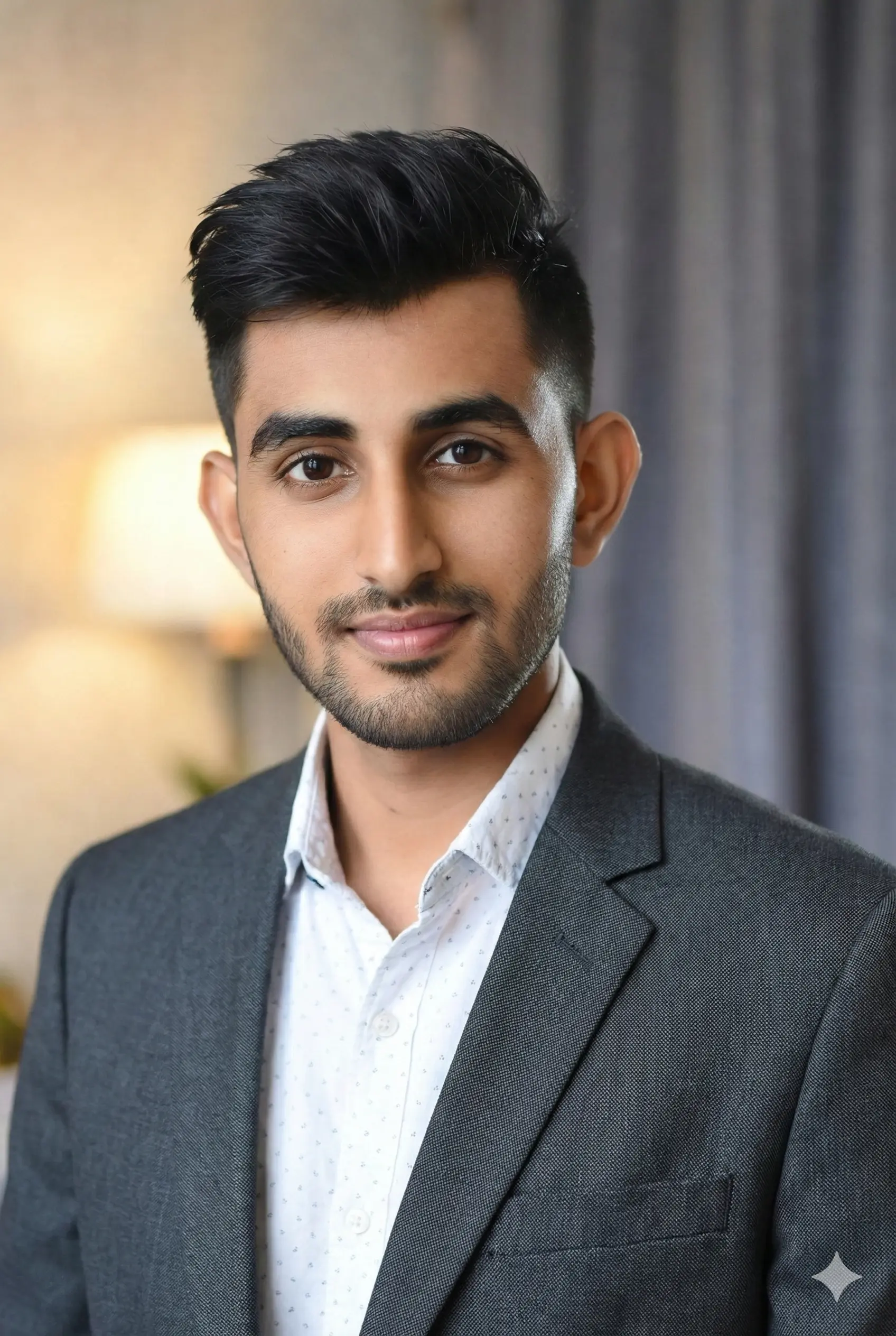
“Convert this to a professional linkedin profile picture, make him/her wear a coat.”
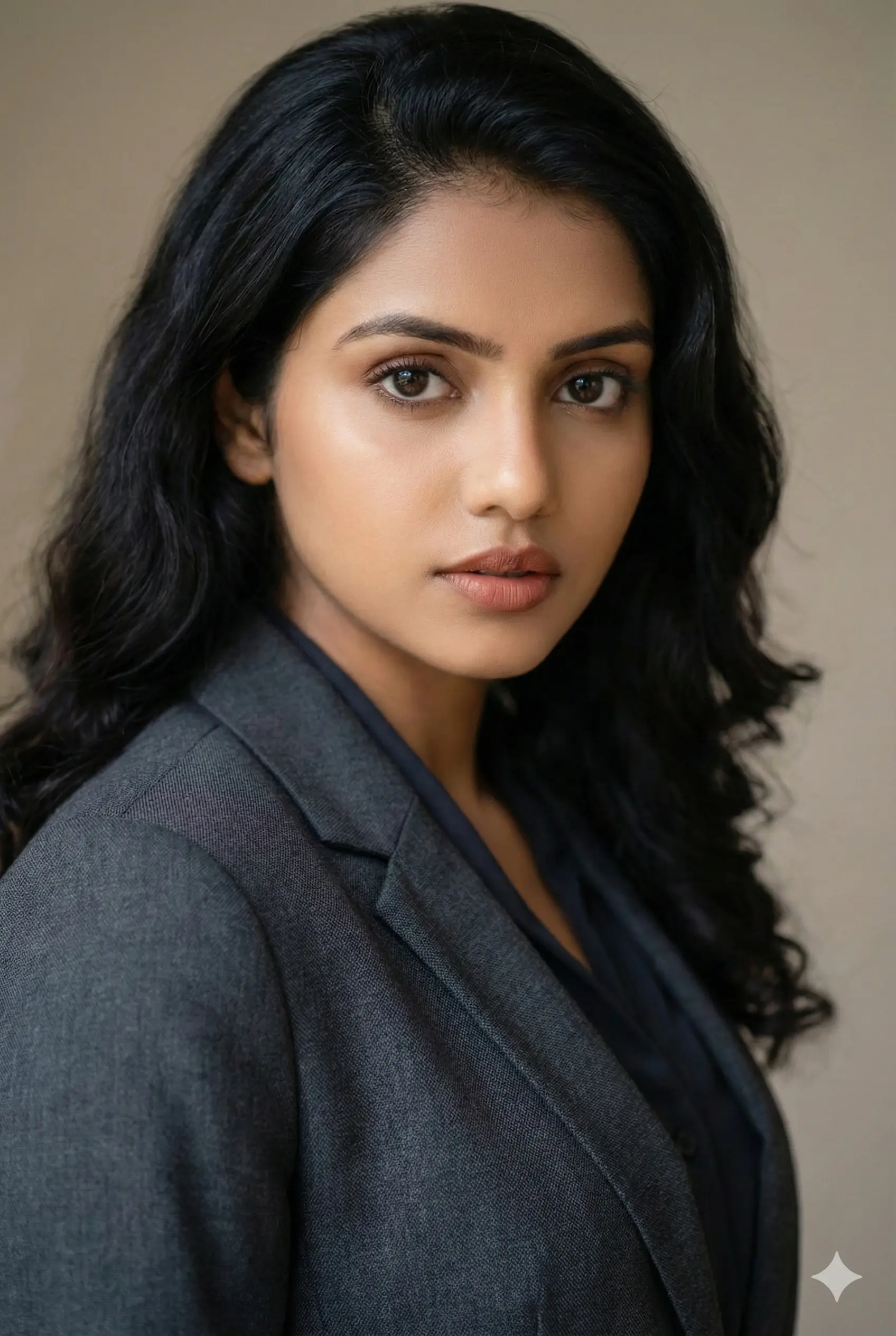
“Use 100% face of uploaded image. Generate a compelling, ultra-realistic headshot for a business executive’s LinkedIn profile. The woman is wearing a professional, charcoal gray or black ensemble. Her expression should be focused and serious, yet inviting. The lighting must be perfect: soft, even illumination that gives depth without harsh shadows. The background is a very clean, smooth, neutral beige or off-white with deep, subtle bokeh. The photo must be cropped tightly for a profile picture, projecting strong leadership and reliability. Maintain the same color grading as the original photo.”
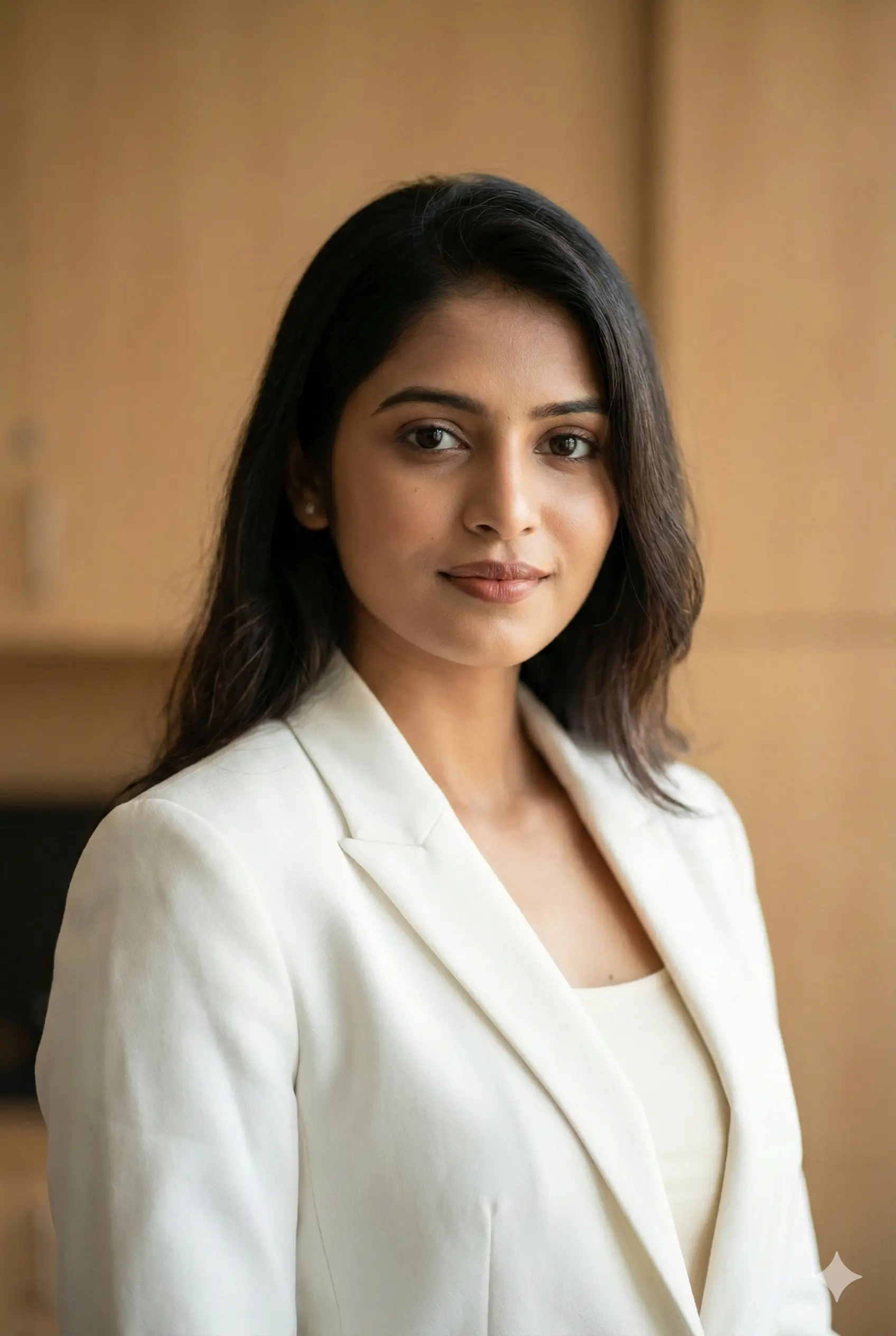
“Use 100% face of uploaded image. Generate an ultra-realistic, highly detailed LinkedIn portrait. The woman should be dressed in a crisp, professional white or cream blazer/top to convey clarity and freshness. Her posture should be upright and her expression confident and subtly powerful. The background should be an extremely soft-focused light brown or taupe, reminiscent of a high-end office setting. Employ cinematic, yet natural, soft lighting to ensure a flattering and professional appearance. The image should project a sense of empowerment and high-level professionalism.”

“A modern professional headshot of a stylish young professional (use the uploaded picture as reference for the face) with contemporary glasses. Wearing a fitted navy blue blazer over a crisp white shirt, no tie for a modern look. Confident, warm smile with direct eye contact. Premium studio lighting setup with a key light and subtle rim light. Background: soft gradient from charcoal gray to light gray, slightly out of focus. Shot with 85mm prime lens, f/2.0 aperture for beautiful bokeh. Magazine-quality portrait photography, Linkedin profile perfect. Sharp facial features, natural skin tones, professional grooming. Clean, minimalist, corporate-modern aesthetic. Vertical format 4:5.”

“Generate a corporate headshot of the person in the attached pictures. Only use the face as shown in the picture. You can enhance the face to make it look slimmer, younger, brighter and more professional for a LinkedIn profile picture. Change his clothes to business attire”
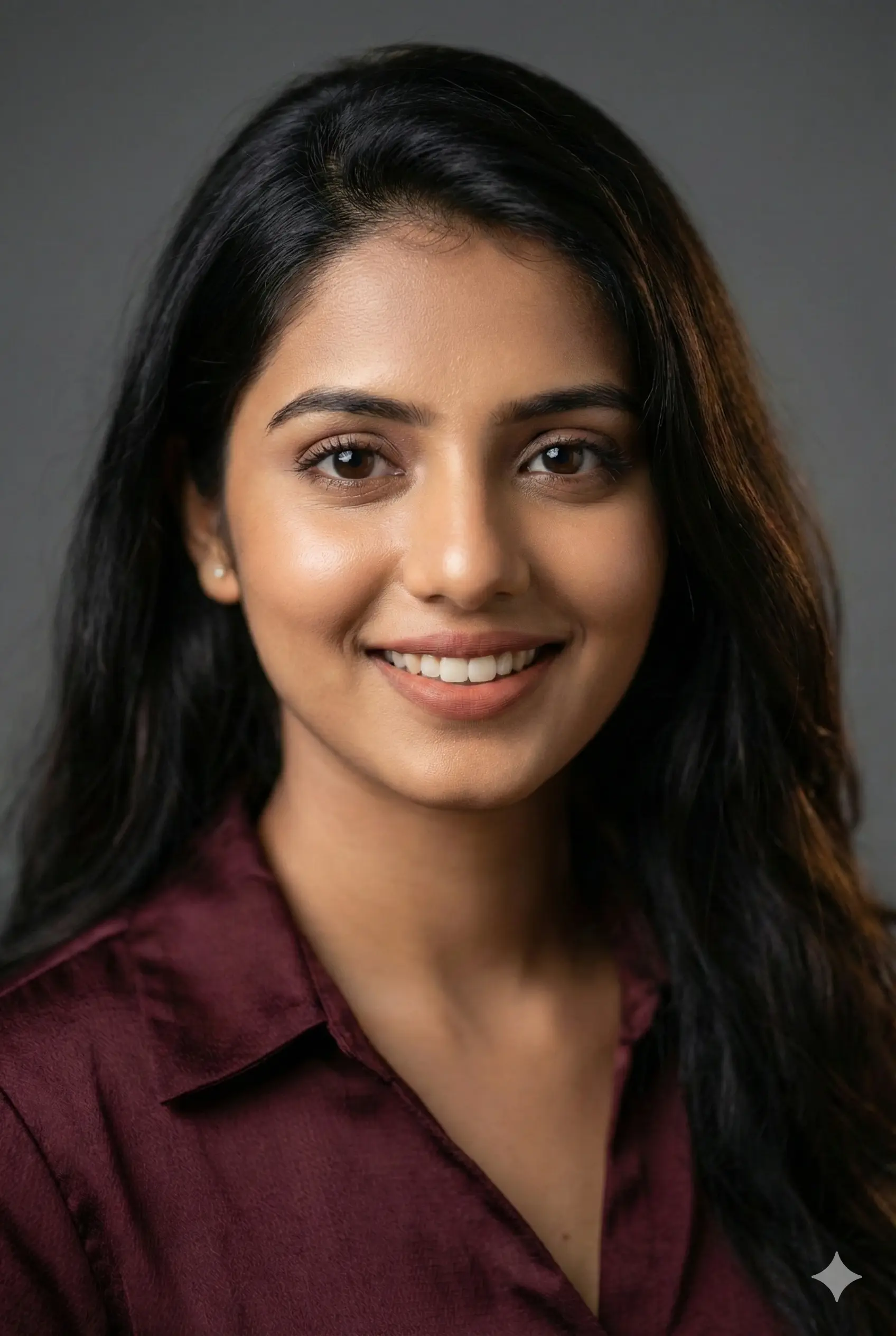
“Use 100% face of uploaded image. Generate a professional, hyper-realistic profile photo for LinkedIn. The woman should appear exceptionally approachable and trustworthy, wearing a dark maroon or navy blue blouse/top (collar optional). The lighting must be soft and warm, highlighting the eyes and facial structure naturally. The background must be a very clean, deeply blurred medium gray (bokeh effect) to ensure the face is the absolute focus. The image quality must be of magazine-level realism, with color grading optimized for warmth and professionalism. photo quality DSLR camera 16k”
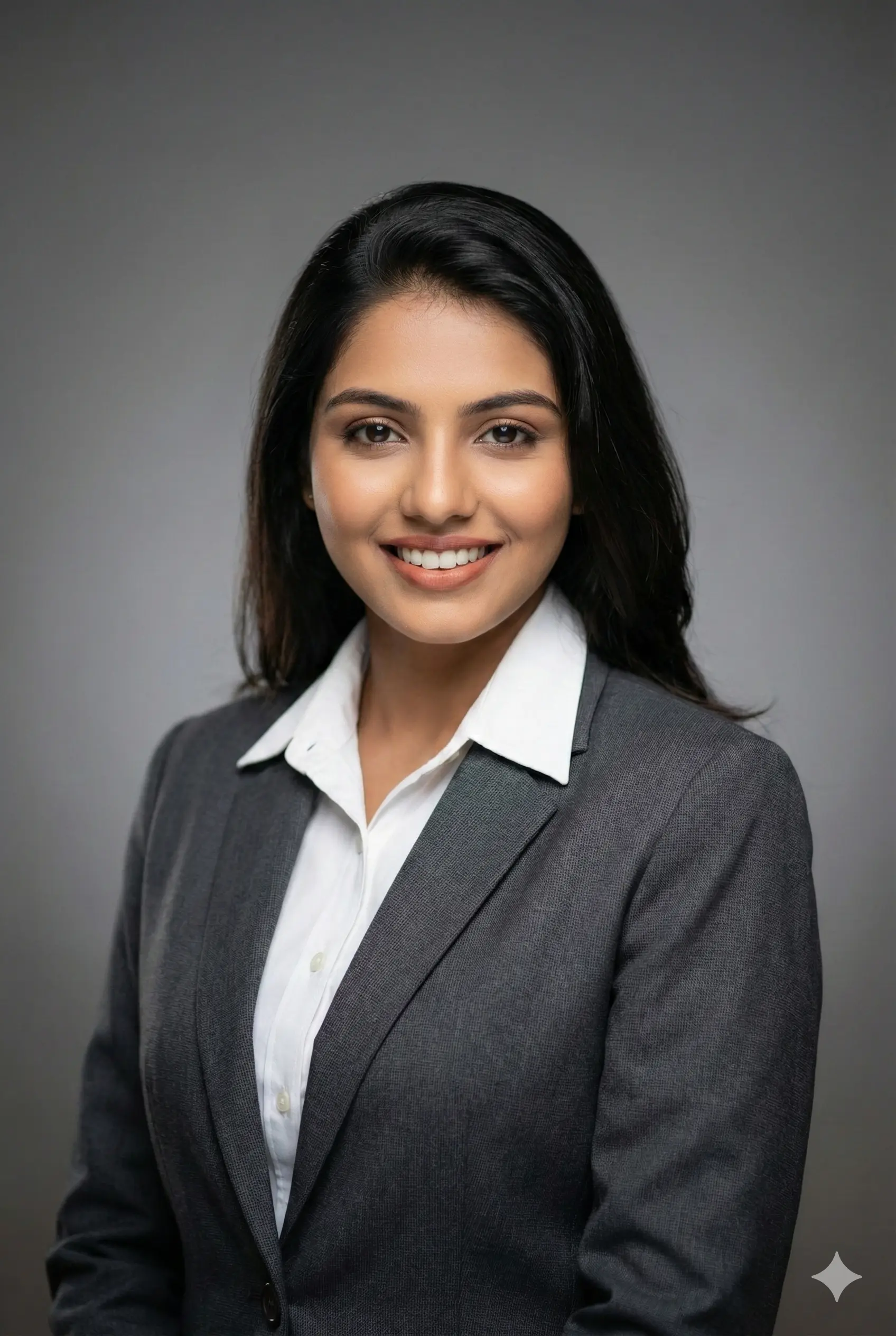
“Subject & Composition: Create a photorealistic, high-resolution corporate headshot of the individual from the provided image, framed from the chest up. The subject should be rendered with a confident yet approachabie expression, featuring a subtle and genuine smile to.convey trustworthiness and professionalism. Ensure their posture is upright and relaxed, with shoulders slightly angled towards the camera for a dynamic composition. Professional Attire: Dress the subject in sharp, contemporary business attire. This should consist of a well-tailored dark suit jacket, in either navy blue or charcoal gray, worn over a crisp, white or light-blue collared shirt or blouse. The clothing must appear to be of high-quality fabric, perfectly fitted, and free of any wrinkles. Studio Lighting: Employ a classic and flattering studio lighting scheme. Use a soft key light to gently define and sculpt the facial features (Icop lighting is preferred). Add a subtle fill light to soften shadows on the opposite side of the face, ensuring detail is preserved. include a gentle hair light or rim light from behind to create clear separation from the background. It is critical that there are distinct, professional catchlights visible in the subject’s eyes to bring them to life. Background: Place the subject against a seamless, solid, neutral-gray studio background. The background should be clean and unobtrusive; featuring a subtle, smoath gradient that is slightly darker at the bottom and lighter tewards the tap. Thi will add a sense of depth while ensuring the subject remains the sole focus. Photographic Specifications: The final image must emulate the quality of a professional DSLR camera equipped with an 85mm prime portrait lens, shot at an aperture of f/2.8. This will produce a shallow depth of field, rendering the subject’s eyes and facial features in tack-sharp focus while the background is softly and pleasingly blurred (bokeh). The final output must be high-resolution, sharp, and entirely free of digital noise or artifacts.”
How to Use Linkedin Profile Prompts in Any AI Tool
Whether you’re using Gemini, ChatGPT, Midjourney, or another tool, the process is simple.
- Choose a photo where your face is visible, well-lit, and in focus.
- Use one of the prompts above. Add details like “keep hairstyle exact” or “use same skin tone” if needed.
- Most AI tools accept commands like: “4:5 ratio”, “portrait orientation”, “LinkedIn headshot framing”
- AI tools produce slightly different results each time. Save 4–6 options.
FAQs
What is the best AI prompt for a LinkedIn profile picture?
A linkedin profile ai prompts that specifies lighting, outfit, expression, background, and intended mood. The examples above follow best practices for LinkedIn.
Can AI photos look natural enough for LinkedIn?
Yes, as long as your prompt avoids over-editing. Stick to natural lighting, minimal retouching, and realistic skin texture.
Will AI-generated photos violate LinkedIn rules?
LinkedIn allows AI photos as long as they reflect your real appearance. Avoid heavily altered or unrealistic edits.
Which AI tool creates the best LinkedIn headshots?
Gemini, ChatGPT (DALL·E), and Midjourney all work well. For the most natural results, choose tools that support face consistency.
Do I need a professional camera photo to start?
No. A clear smartphone photo with good lighting is usually enough for a strong AI transformation.
Conclusion
A powerful LinkedIn profile picture builds trust before you even send a connection request. With the right prompt, you can create a polished, studio-grade portrait that shows confidence and professionalism.
Start with one of the prompt for linkedin profile picture gemini above, test variations, and choose the one that feels the most like you. The right photo can open doors in your career, so treat it like an investment.
More Prompts:
Best hand drawing sketch prompt latest: Create Stunning Notebook-Style Portraits in Minutes
Trending Brother and Sister Prompt for Gemini AI: The Ultimate Guide to Viral Sibling Photos
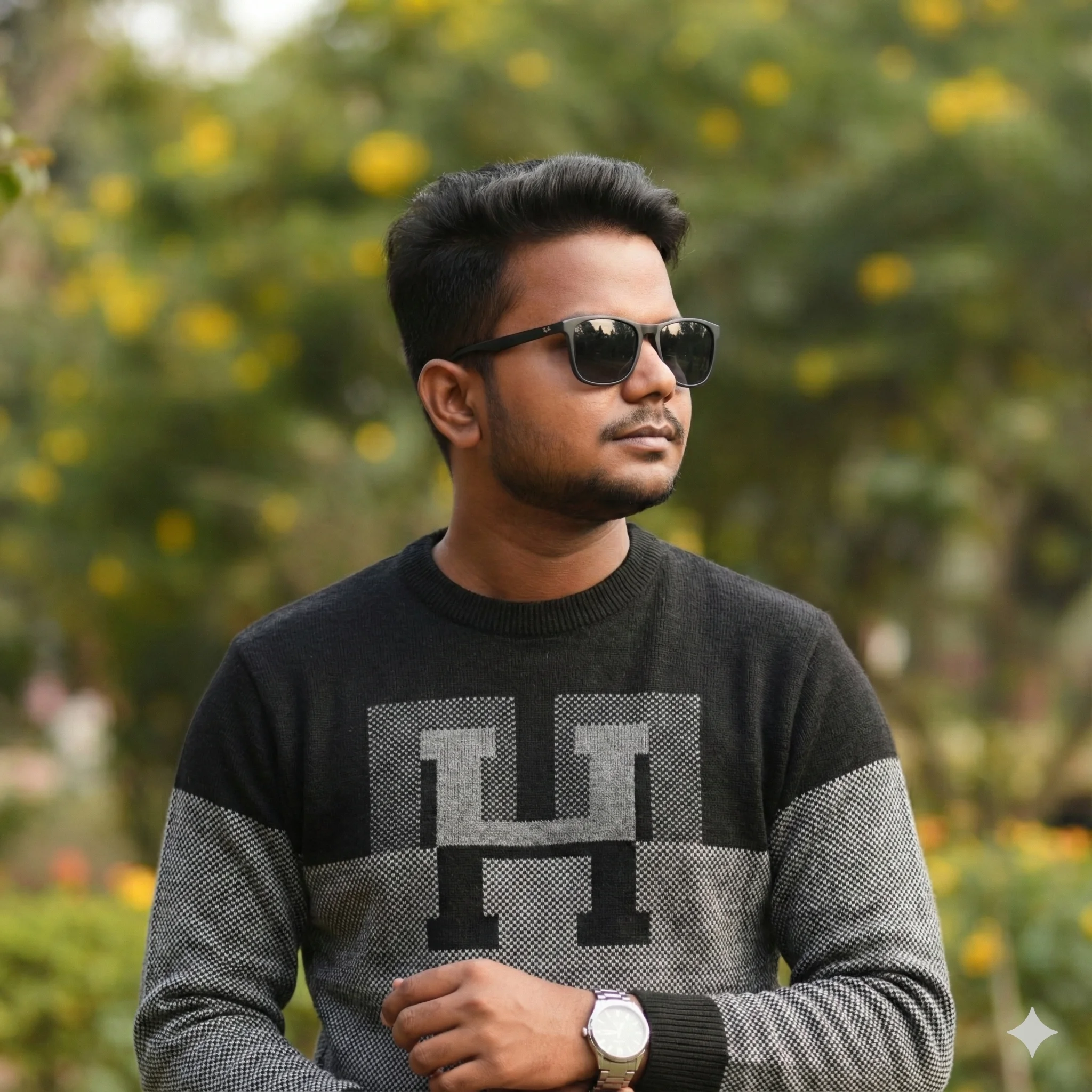
Sushil Kumar is a results-focused digital marketer specializing in SEO, content planning, and AI-powered workflows. His platform offers easy-to-use AI prompts for creating professional photos.