Free EAN-13 Barcode Generator Online
“Create EAN-13 format barcodes online for free. Calculate check digits, validate barcode numbers, customize designs, and download high-quality barcode images.”
| First 12 Digits: | — |
| Odd Position Sum (x1): | — |
| Even Position Sum (x3): | — |
| Weighted Sum: | — |
| Check Digit Formula: | (10 – (Sum % 10)) % 10 |
| Calculated Check Digit: | — |
| Complete 13-Digit Code: | — |
| Validation Status: | Enter 12 or 13 digits |
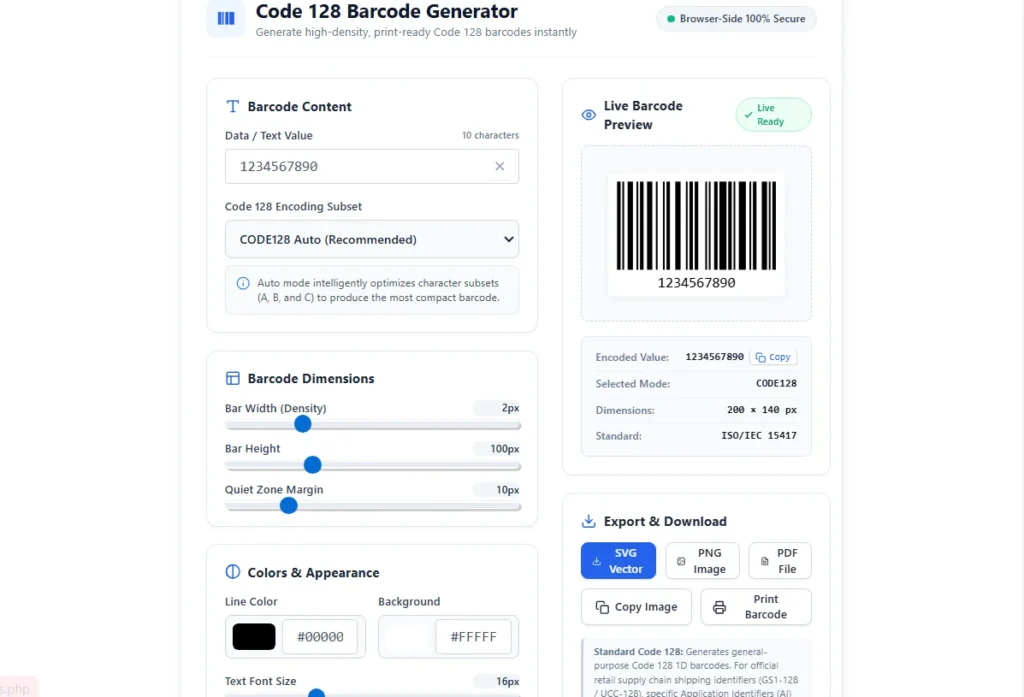
Looking for a simple way to create EAN-13 barcodes? Our free EAN-13 barcode generator lets you create, customize, and validate 13-digit barcode numbers directly in your browser. Whether you need a barcode for product labeling, inventory management, retail projects, or testing, this online tool makes the process quick and easy.
Enter the first 12 digits to calculate the check digit automatically, or provide a complete 13-digit number to verify its validity. You can customize barcode dimensions, colors, margins, and text settings, then download your finished barcode in SVG, PNG, or PDF format.
What Is an EAN-13 Barcode?
EAN-13 stands for European Article Number with 13 digits. It is a one-dimensional barcode format commonly used for identifying retail products in stores, supermarkets, and supply chains.
An EAN-13 barcode contains 13 numeric digits. The first 12 digits represent the identification number, while the final digit is a check digit used to verify that the number has been entered or structured correctly.
EAN-13 is part of the GS1 EAN/UPC barcode family and is commonly used to represent GTIN-13 product identifiers. Compatible barcode scanners read the black and white barcode pattern and retrieve the encoded number.
A valid EAN-13 check digit confirms the mathematical structure of a 13-digit number. It does not prove that the number has been officially assigned to your product by GS1.
How to Use the Free EAN-13 Barcode Generator
You don't need special software or technical experience to create an EAN-13 barcode. Follow these simple steps:
Step 1: Enter Your 12-Digit Number
Open the EAN-13 generator and enter the first 12 digits of your barcode number. The tool automatically calculates the 13th check digit and displays the completed number.
Step 2: Verify an Existing 13-Digit Number
If you already have a complete EAN-13 number, select the 13-digit verification mode. Enter all 13 digits and let the tool check whether the final digit matches the calculated check digit.
Step 3: Customize Your Barcode
Adjust the barcode width, height, margin, foreground color, and background color. You can also change the appearance of the human-readable number below the barcode.
Step 4: Preview and Download
Review the generated barcode in the live preview. Once you're satisfied with the result, download it as an SVG, PNG, or PDF file. You can also copy the barcode image or print it directly.
How Does the EAN-13 Check Digit Calculator Work?
The EAN-13 check digit is the final digit of the barcode. It is calculated using a weighted sum of the first 12 digits. This calculation helps detect many common data entry errors.
The calculation uses alternating weights of 1 and 3, starting from the leftmost digit with a weight of 1.
EAN-13 Check Digit Formula
Example of Check Digit Calculation
Let's use the following 12-digit number as an example:
Odd-position sum (×1): 4 + 0 + 3 + 1 + 3 + 9 = 20
Even-position sum (×3): 0 + 6 + 8 + 3 + 3 + 3 = 23
Step 2: Calculate the weighted sum. 20 + (23 × 3) = 89Step 3: Calculate the check digit. (10 - (89 mod 10)) mod 10 = 1Final EAN-13 number: 4006381333931The final digit is 1, so the completed EAN-13 number is 4006381333931. You can enter this example into our EAN-13 barcode generator to see the result.
12-Digit vs. 13-Digit EAN-13 Barcode Input
Our EAN-13 generator supports two input methods. Understanding the difference helps you create and verify barcode numbers correctly.
| Feature | 12-Digit Input | 13-Digit Input |
|---|---|---|
| Input length | 12 digits | 13 digits |
| Check digit | Calculated automatically | Verified against input |
| Main purpose | Complete a number | Validate an existing number |
| Barcode output | 13-digit EAN-13 | 13-digit EAN-13 if valid |
EAN-13 Barcode Examples
Here are some sample EAN-13 numbers that you can use to test the generator and understand its output.
| EAN-13 Number | Example Type | Check Digit |
|---|---|---|
| 4006381333931 | Sample EAN-13 | 1 |
| 5901234123457 | Sample EAN-13 | 7 |
| 9780201379624 | Book / ISBN-related example | 4 |
These numbers are examples for testing barcode generation and check digit verification. Their mathematical validity does not establish ownership, GS1 allocation, or permission to use them for commercial product identification.
What Is an EAN-13 Barcode Used For?
EAN-13 barcodes are widely used in retail and product identification workflows. Here are some common applications.
1. Retail Product Identification
Retailers use EAN-13 barcodes to identify products at checkout counters. Scanners read the barcode and retrieve the corresponding product information from a connected point-of-sale system.
2. Supermarkets and Grocery Stores
Grocery stores and supermarkets use compatible product identifiers to manage product catalogs, checkout operations, and inventory records.
3. Inventory Management
Businesses can use EAN-13 identifiers to organize product records and connect physical products with inventory management software.
4. Product Packaging and Labels
EAN-13 barcode graphics can be included in packaging artwork and product labels when the corresponding number is authorized for that product.
5. E-Commerce and Distribution
Product identification numbers can help businesses organize product listings, warehouse records, and distribution workflows across different systems.
Features of Our Free EAN-13 Barcode Generator
Automatic Check Digit Calculation
Enter 12 digits and the tool calculates the final check digit using the EAN-13 modulo-10 algorithm.
13-Digit Barcode Validation
Already have a complete barcode number? Enter all 13 digits and verify whether its check digit is correct.
Random EAN-13 Test Number Generation
Generate a random 13-digit sample number with a correctly calculated check digit. Random numbers are intended for testing and should not be treated as officially assigned GS1 product identifiers.
Custom Barcode Dimensions
Adjust barcode width, height, and margins to suit your digital designs, documents, or printing requirements.
Custom Barcode Colors
Customize foreground and background colors to match your design requirements. For reliable scanning, use strong contrast between dark bars and a light background.
Multiple Download Formats
Export your generated barcode in different file formats:
- SVG: A scalable vector format suitable for design and print workflows.
- PNG: A raster image format useful for websites and digital documents.
- PDF: A convenient format for sharing and printing barcode files.
Browser-Based Processing
Barcode generation and check digit calculations happen directly in your browser. No software installation or account registration is required.
EAN-13 Barcode vs. Official GS1 Product Numbers
An EAN-13 barcode is the visual representation of a 13-digit number. A GS1 GTIN-13 is an identification number allocated through the GS1 system and used to identify trade items.
Although a number can pass the EAN-13 check digit calculation, that does not automatically make it an officially allocated product identifier.
If you need a barcode number for products that will be sold through retailers, supermarkets, or major marketplaces, obtain the appropriate GTIN through GS1 or the relevant authorized GS1 Member Organisation. A randomly generated number should not be used as a substitute for an allocated GTIN.
Learn more: Official GS1 Website
Tips for Creating Scannable EAN-13 Barcodes
Generating a barcode is only one part of the process. The printed or displayed barcode should also be easy for compatible scanners to read.
- Use dark bars on a light background.
- Maintain the required quiet zones around the barcode.
- Avoid stretching or distorting the barcode.
- Choose an appropriate barcode height and width.
- Use a high-quality output for printing.
- Do not place text, logos, or graphics over the barcode bars.
- Test the printed barcode with a compatible scanner.
- Follow GS1 symbol specifications when creating retail product labels.
Frequently Asked Questions About EAN-13 Barcodes
1. What is an EAN-13 barcode?
EAN-13 is a 13-digit, one-dimensional barcode format commonly used for retail product identification. Its final digit is a check digit used to verify the number's mathematical structure.
2. Is this EAN-13 barcode generator free?
Yes. You can use this online EAN-13 generator for free without installing additional software or creating an account.
3. How do I generate an EAN-13 barcode online?
Enter the first 12 digits, allow the tool to calculate the check digit, customize your barcode, and download the generated result.
4. Can I generate an EAN-13 barcode from 12 digits?
Yes. An EAN-13 number consists of 12 data digits followed by one check digit. This generator calculates the final digit automatically.
5. How do I validate a 13-digit EAN barcode?
Enter the complete 13-digit number in verification mode. The tool calculates the expected check digit and compares it with the final digit you entered.
6. What is the EAN-13 check digit?
It is the final digit of an EAN-13 number. It is calculated using alternating weights of 1 and 3 applied to the first 12 digits.
7. Can I download EAN-13 barcodes as PNG or SVG?
Yes. This generator supports SVG and PNG downloads, along with PDF export. You can choose the format that best fits your project.
8. Can I create a barcode with a custom color?
Yes. You can customize the barcode line color and background color. For better scanner compatibility, maintain strong contrast.
9. Are randomly generated EAN-13 numbers official product barcodes?
No. A random number can have a mathematically valid check digit without being officially allocated by GS1. Use officially assigned GTINs for commercial product identification.
10. Does an EAN-13 barcode expire?
The barcode format itself does not contain an expiration date. However, the number's assignment and permitted use are governed by the relevant GS1 allocation rules.
11. Is EAN-13 the same as UPC-A?
No. EAN-13 contains 13 digits, while UPC-A contains 12 digits. Both belong to the GS1 EAN/UPC barcode family and are commonly used for trade item identification.
12. Can I use EAN-13 for my own products?
You can generate EAN-13 format barcode graphics, but commercial retail product identification requires an appropriately allocated product identifier. Check the requirements of GS1 and your retailer.
Create Your EAN-13 Barcode Online for Free
Creating and checking EAN-13 barcodes doesn't have to be complicated. With our free EAN-13 barcode generator, you can calculate check digits, verify 13-digit numbers, customize barcode designs, and download your results in convenient file formats.
Whether you're working on product labels, inventory records, barcode testing, or design projects, this online EAN-13 generator gives you a simple way to create barcode graphics directly in your browser.
Enter your number, generate your barcode, and test the result with a compatible barcode scanner before using it in your workflow.

Sushil Kumar is a results-focused digital marketer specializing in SEO, content planning, and AI-powered workflows. His platform offers easy-to-use AI prompts for creating professional photos.