Code 128 Barcode Generator
Generate high-density, print-ready Code 128 barcodes instantly
What Is a Code 128 Barcode?
Code 128 is a high-density, linear barcode format used to encode letters, numbers, and other printable ASCII characters. It is widely used in shipping, inventory management, product labeling, warehouse operations, and business applications.
Unlike some barcode formats that only support numbers, Code 128 can store both numeric and alphanumeric information. This makes it a flexible option for businesses that need to label products, packages, documents, equipment, and other items.
Our free Code 128 Barcode Generator lets you create barcodes online without installing software or creating an account. Simply enter your data, select an encoding mode, customize the barcode, and download it as an SVG, PNG, or PDF file.
You can use this online barcode generator for personal projects, business labels, inventory tracking, and other general-purpose barcode applications.
How to Use the Free Code 128 Barcode Generator
Creating a Code 128 barcode with our free online tool is simple. Follow these steps:
Step 1: Enter Your Barcode Data
Type the information you want to encode into the barcode input field. You can use numbers, uppercase letters, lowercase letters, and supported special characters.
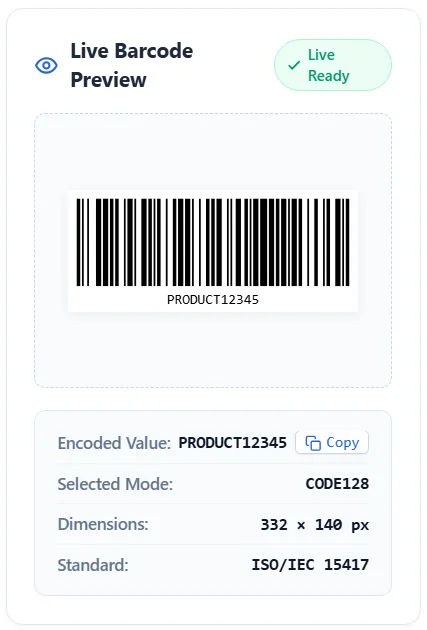
For example:
- PRODUCT12345
- INV20260001
- ORDER987654
- BOX-A1025
- 123456789012
Make sure your information is correct before generating the barcode.
Step 2: Select a Code 128 Encoding Mode
Choose the encoding mode that matches your data. You can select Auto, Code 128 A, Code 128 B, or Code 128 C.
If you're unsure which mode to use, select Auto. It automatically chooses a suitable encoding method.
Step 3: Customize Your Barcode
Adjust the barcode width, height, margin, foreground color, and background color. You can also customize the human-readable text displayed below the barcode.
Step 4: Generate and Download
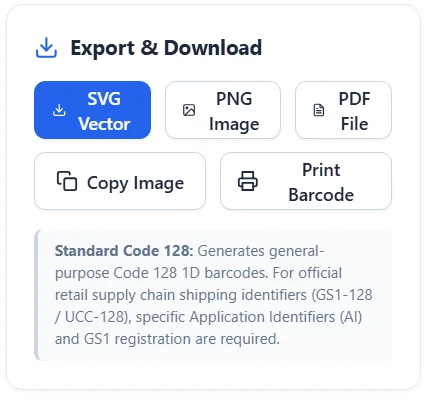
Click the Generate Barcode button to create your barcode. Review the live preview and choose your preferred download format.
You can download the barcode as an SVG, PNG, or PDF file, copy the barcode image, or print it directly.
Code 128 A vs. Code 128 B vs. Code 128 C
Code 128 uses three character sets: A, B, and C. Each subset is designed for different types of information.
Understanding these encoding modes can help you choose the right option for your barcode.
Code 128 A
Code 128 A supports uppercase letters, numbers, control characters, and selected special characters.
It can be useful when encoding data that includes uppercase text and control characters.
Code 128 B
Code 128 B supports uppercase letters, lowercase letters, numbers, punctuation, and standard printable ASCII characters.
It is a practical choice for general-purpose alphanumeric barcodes, including product references, order numbers, and inventory labels.
Code 128 C
Code 128 C is optimized for numeric data. It encodes two digits per symbol, making it more compact for long numeric strings.
For example, numeric data such as 123456789012 can be encoded efficiently using Code 128 C.
Code 128 C generally requires an even number of digits for direct numeric encoding. When your data does not meet this requirement, use Auto mode or another suitable encoding method.
Which Code 128 Mode Should You Choose?
- Choose Auto for general use when you're unsure.
- Choose Code 128 A for supported uppercase and control-character data.
- Choose Code 128 B for standard printable alphanumeric information.
- Choose Code 128 C for numeric strings that benefit from compact encoding.
Code 128 Barcode Examples
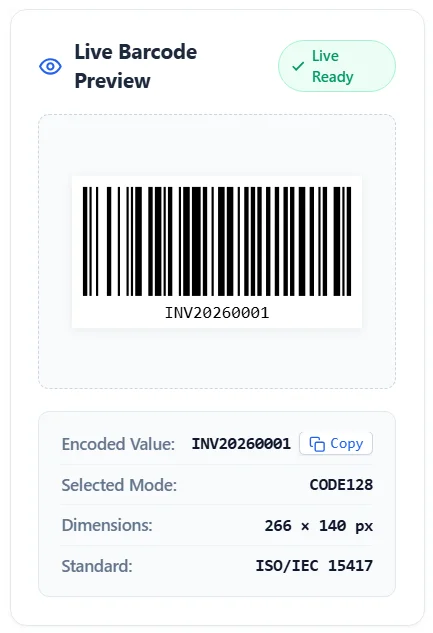
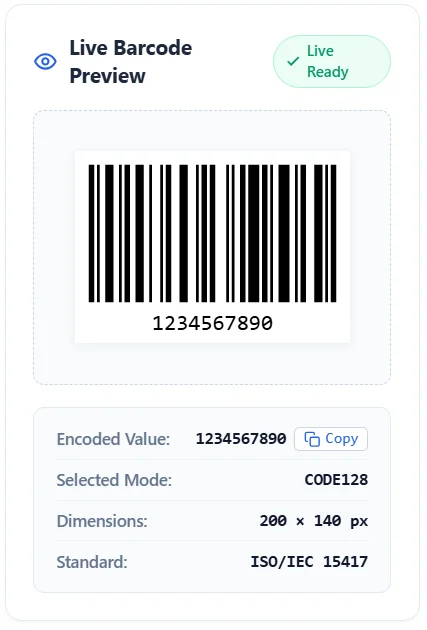
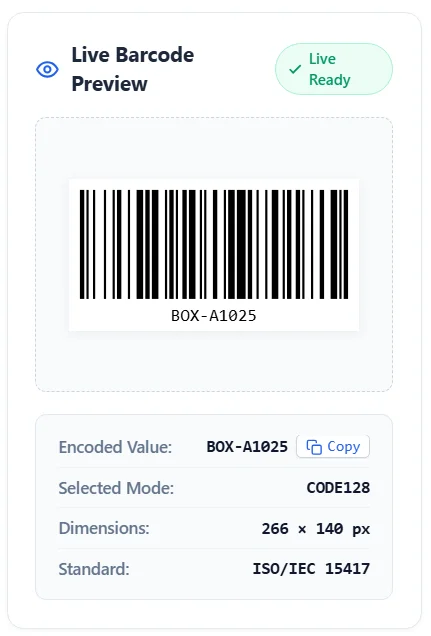
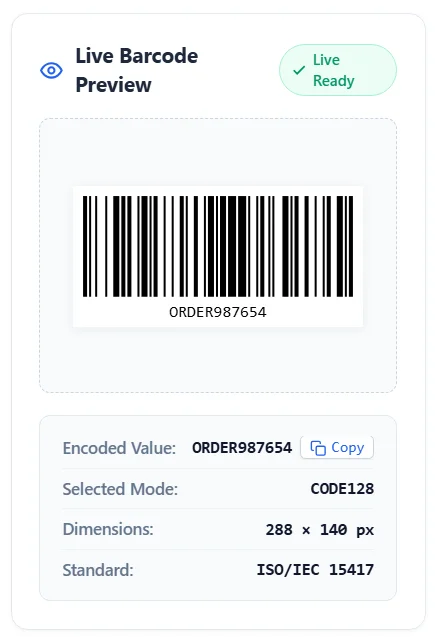
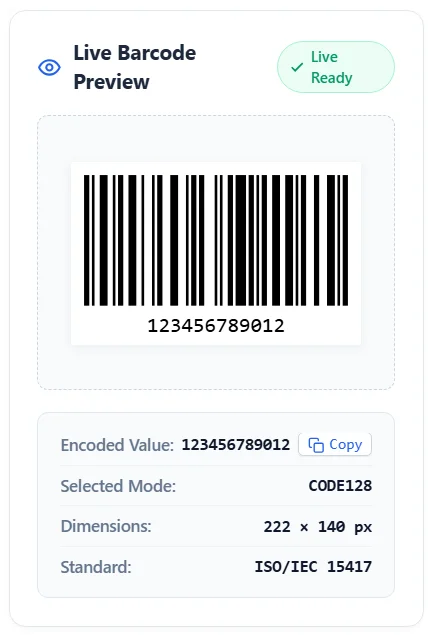
Here are some sample values you can use to understand how Code 128 barcodes work.
| Example Data | Possible Application |
|---|---|
| PRODUCT12345 | Product identification |
| INV20260001 | Inventory reference |
| ORDER987654 | Order tracking |
| BOX-A1025 | Package labeling |
| 123456789012 | Numeric identification |
| SERIAL-2026-001 | Equipment tracking |
These are example data values, not officially assigned product identifiers.
A Code 128 barcode can represent the information entered into the generator. When scanned by a compatible barcode reader, the encoded value can be retrieved as text.
The exact barcode pattern depends on the data and encoding mode.
Features of Our Free Code 128 Generator
Our Code 128 generator online tool includes several customization and export options to make barcode creation easier.
Multiple Encoding Modes
Create barcodes using Code 128 Auto, A, B, and C modes. Choose the encoding method that best matches your information.
Custom Barcode Dimensions
Adjust barcode width, height, and quiet zone margin to suit your printing or labeling requirements.
Custom Colors
Change the barcode line color and background color to create a design that matches your project.
For the best scanning results, use dark barcode lines against a light background with strong contrast.
Human-Readable Barcode Text
Display the encoded value below your barcode. You can also customize the font size and text appearance.
Multiple Download Formats
Download your generated barcode in different formats:
- SVG: Suitable for scalable graphics and professional design workflows.
- PNG: Useful for websites, documents, and digital projects.
- PDF: Convenient for printing and sharing.
Browser-Based Barcode Generation
The barcode is generated directly in your browser. You don't need to install desktop software or create an account to use the generator.
Your entered barcode data is processed locally by the tool rather than being submitted to a barcode generation server.
What Is a Code 128 Barcode Used For?
Code 128 is used in many industries because it can encode both numbers and letters in a compact barcode.
Here are some common applications.
1. Inventory Management
Businesses can use Code 128 barcodes to label inventory items, storage bins, equipment, and warehouse locations.
When an item is scanned, its encoded reference can help staff identify and track it within an inventory system.
2. Shipping and Packaging
Code 128 is commonly used for internal shipping references, package identification, and logistics workflows.
It helps businesses label packages with tracking references and other operational information.
For official GS1 supply chain applications, GS1-128 requirements must be followed.
3. Product and Asset Labels
Businesses can generate Code 128 barcodes for product references, equipment numbers, and internal asset identification.
These labels can make it easier to organize and identify physical items.
4. Retail and Warehouse Operations
Code 128 can support internal product references and warehouse processes. However, it should not automatically be treated as a replacement for retail barcode standards such as EAN-13 or UPC-A.
Choose the barcode format required by your retailer, supplier, or inventory system.
5. Document and Order Tracking
Code 128 can encode order references, invoice numbers, document IDs, and other business-related information.
This can make it easier to retrieve information through compatible barcode scanning systems.
How to Use a Code 128 Barcode Generator with Excel
You can use Code 128 barcodes alongside Microsoft Excel to organize product numbers, inventory references, serial numbers, and other business data.
For example, you might maintain an Excel spreadsheet with columns for product names, item numbers, and barcode values.
A simple spreadsheet could look like this:
| Product Name | Barcode Value |
|---|---|
| Wireless Mouse | WM2026001 |
| Keyboard | KB2026002 |
| USB Hub | UH2026003 |
| Laptop Stand | LS2026004 |
To create individual barcodes from Excel data:
- Open your Excel spreadsheet.
- Find the column containing your barcode values.
- Copy the value you want to encode.
- Open this free Code 128 barcode generator.
- Paste the value into the input field.
- Generate and download the barcode.
- Repeat for other values.
Important: This online tool currently generates individual barcodes from entered data. It does not directly import Excel spreadsheets or create bulk barcode sheets. If you need automatic Excel-to-barcode conversion, you'll need a dedicated bulk barcode generator.
Code 128 vs. Other Barcode Formats
Different barcode formats are designed for different purposes. Code 128 is a flexible option for alphanumeric data, while other formats may be more suitable for retail products or specialized applications.
| Barcode Format | Main Purpose |
|---|---|
| Code 128 | General-purpose alphanumeric data |
| Code 39 | Industrial and alphanumeric labeling |
| EAN-13 | Retail product identification |
| UPC-A | Retail product identification, especially in North America |
| ITF-14 | Shipping containers and packaging |
| QR Code | Two-dimensional data storage |
Choose a barcode format based on the requirements of your scanner, business system, retailer, or application.
Code 128 vs. GS1-128: What's the Difference?
Code 128 and GS1-128 are related but are not interchangeable terms.
Code 128 is a general-purpose barcode symbology that can encode different types of data.
GS1-128 is an application of Code 128 that uses GS1 Application Identifiers to structure standardized business information, such as product identification, batch numbers, expiration dates, and logistics details.
GS1-128 requires correct GS1 data formatting and application identifiers. Simply generating a standard Code 128 barcode does not make it a valid GS1-128 barcode.
If your business needs official supply chain or logistics labels, follow the relevant GS1 specifications and requirements.
Tips for Creating Scannable Code 128 Barcodes
A barcode should be easy for compatible scanners to read. Keep these practical tips in mind:
- Use dark barcode lines on a light background.
- Maintain sufficient quiet zones on both sides of the barcode.
- Avoid making barcode lines too thin.
- Choose an appropriate barcode height.
- Do not stretch or distort the barcode image.
- Use high-resolution output for printing.
- Test the printed barcode with your intended scanner.
- Avoid placing text, graphics, or logos over the barcode bars.
Always test a barcode before using it for product labeling, shipping, or inventory operations.
Frequently Asked Questions
1. What is a Code 128 barcode?
Code 128 is a high-density, one-dimensional barcode format that can encode numbers, letters, and supported ASCII characters. It is commonly used in inventory, shipping, packaging, and asset tracking.
2. Is this Code 128 barcode generator free?
Yes. You can use this online Code 128 barcode generator for free without creating an account or installing additional software.
3. How do I generate a Code 128 barcode online?
Enter your data, select an encoding mode, customize the barcode settings, and click Generate Barcode. You can then download your barcode in your preferred format.
4. What is the difference between Code 128 A, B, and C?
Code 128 A supports uppercase characters and control characters, Code 128 B supports standard printable ASCII characters, and Code 128 C efficiently encodes pairs of numeric digits.
5. Can Code 128 encode letters and numbers?
Yes. Code 128 supports both numeric and alphanumeric information, along with supported special characters.
6. Can I download Code 128 barcodes as PNG or SVG?
Yes. This generator provides PNG and SVG download options, along with PDF export for supported browser environments.
7. Can I create a Code 128 barcode using Excel?
You can copy barcode values from Excel and paste them into this generator to create individual barcodes. Direct Excel file importing and bulk barcode generation are not currently supported by this tool.
8. Is Code 128 the same as GS1-128?
No. GS1-128 uses the Code 128 symbology with additional GS1 data formatting rules and Application Identifiers. A standard Code 128 barcode is not automatically a valid GS1-128 barcode.
9. Can I use Code 128 for retail products?
Code 128 can be used for internal product identification and inventory workflows. However, many retail systems require specific formats such as EAN-13 or UPC-A. Always check the requirements of your retailer or business system.
10. Does a Code 128 barcode expire?
A standard Code 128 barcode does not have an expiration date built into the barcode format. The encoded information remains the same unless you create a different barcode or change the underlying data.
Code 128 is a versatile barcode format for businesses, warehouses, inventory systems, shipping operations, and general labeling needs.
With our free Code 128 Barcode Generator, you can create custom barcodes online, choose the appropriate encoding mode, adjust barcode dimensions, customize colors, and download your results as SVG, PNG, or PDF files.
Enter your information, generate your barcode, and test it with a compatible scanner before using it in your workflow.
Explore More Free Barcode Tools
Discover our comprehensive suite of professional barcode utilities on SushilPrompt.com:

Sushil Kumar is a results-focused digital marketer specializing in SEO, content planning, and AI-powered workflows. His platform offers easy-to-use AI prompts for creating professional photos.