If you’ve been seeing insanely realistic edits, cinematic posters, or viral AI photos on social media lately, chances are they’re powered by a strong chatgpt image edit prompt.
The truth is, the result you get from AI doesn’t depend on the tool… it depends on your chatgpt photo editing prompts.
In this guide, I’ll break everything down in a simple, beginner-friendly way using real examples (including your prompts ). By the end, you’ll know exactly how to create powerful, viral-level AI photo edits.
What is a ChatGPT Image Edit Prompt?
A chatgpt image edit prompt is a detailed instruction you give to AI to transform or enhance an image.
Think of it like giving directions to a professional editor:
- What to change
- What to keep
- What style to apply
- What mood or lighting to create
The more specific you are, the better the output.
Viral ChatGPT Image Editor Prompt Ideas: Create Stunning AI Images
Master chatgpt prompt for photo editing with simple steps, best editing prompt examples, and trending AI photo ideas to enhance your images like a pro.
1. Cinematic Red Gangster Style ChatGPT Image Edit Prompt (Viral Trend)
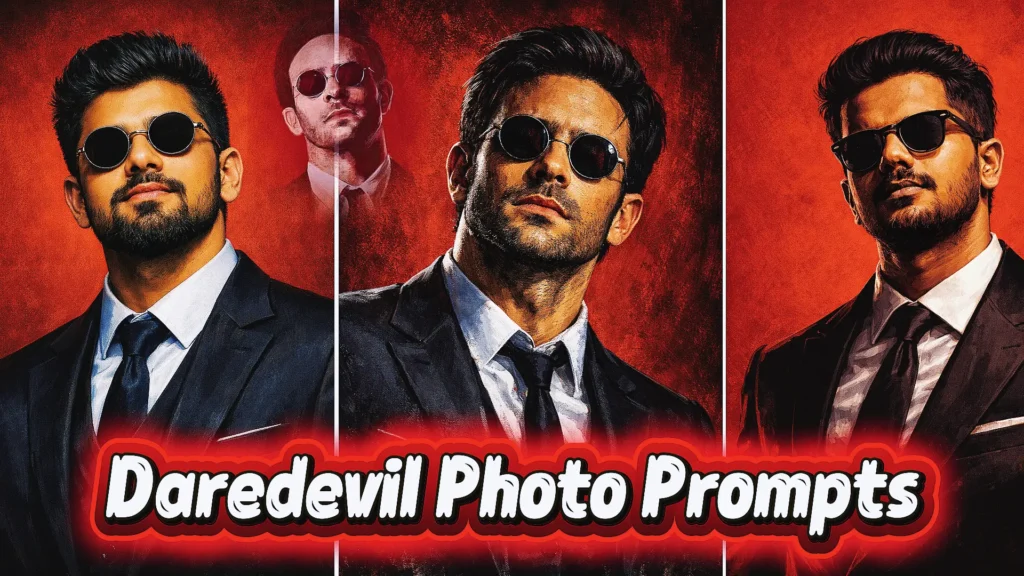
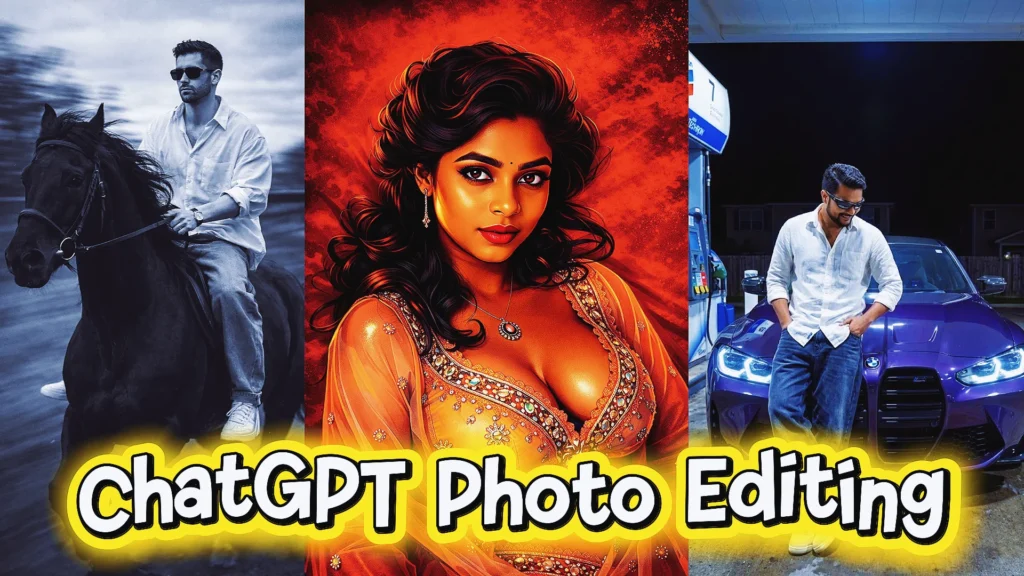
This chatgpt image edit prompt transforms any photo into a bold cinematic poster with deep red tones, smoky backgrounds, and dramatic lighting. It’s one of the most viral chatgpt photo editing prompts trending, perfect for creating high-impact visuals with a professional movie-style look using an advanced A23 ai photo editor prompt.
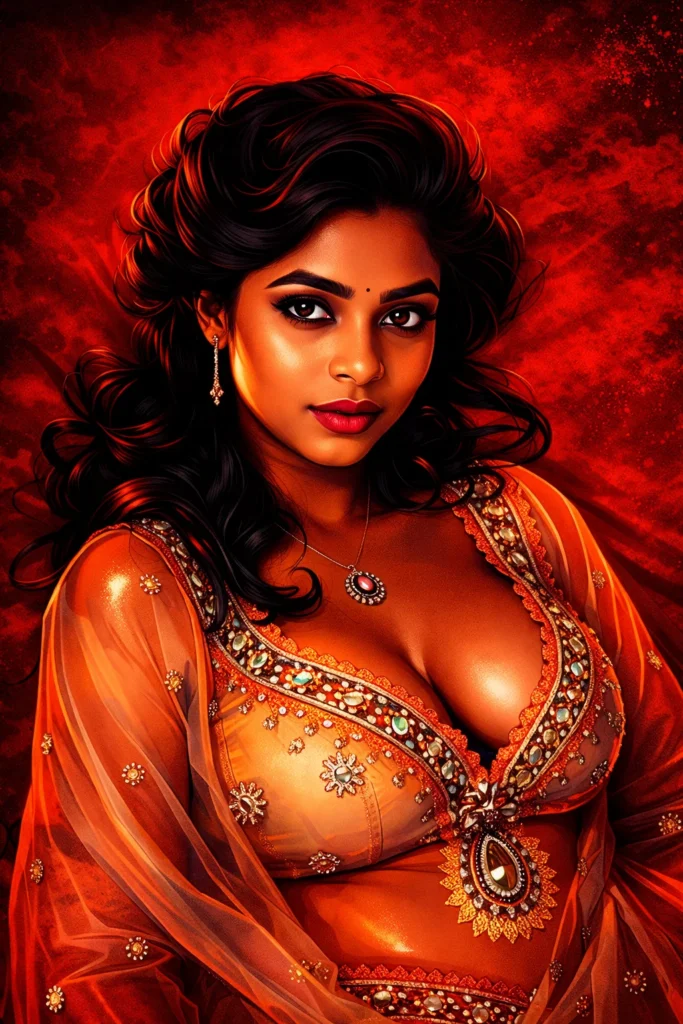
"create a cinematic digital illustration of the person in the reference photo maintain the exact face identity hairstyle, expression skin tone and pose with zero distortion transform the entire scene into a deep red high contrast tamil gangster movie poster style. replace the background with red gradients smoky atmosphere and subtle textures. add bold comic book shading thick outlines, strong black shadows and glossy highlights on the skin and clothes. stylize the outfit with richer tones clean folds and dynamic lighting while keeping the original clothing design add intense highlights to the jawline cheekbones and edges of the body. maintain the original pose and attitude create a gritty powerful cinematic mood with dramatic lighting and high contrast ultra-detailed sharp lines vibrant red atmosphere action movie poster energy, 4k illustration"2. Black Horse Cinematic Motion Photo Editing Prompt for Boys
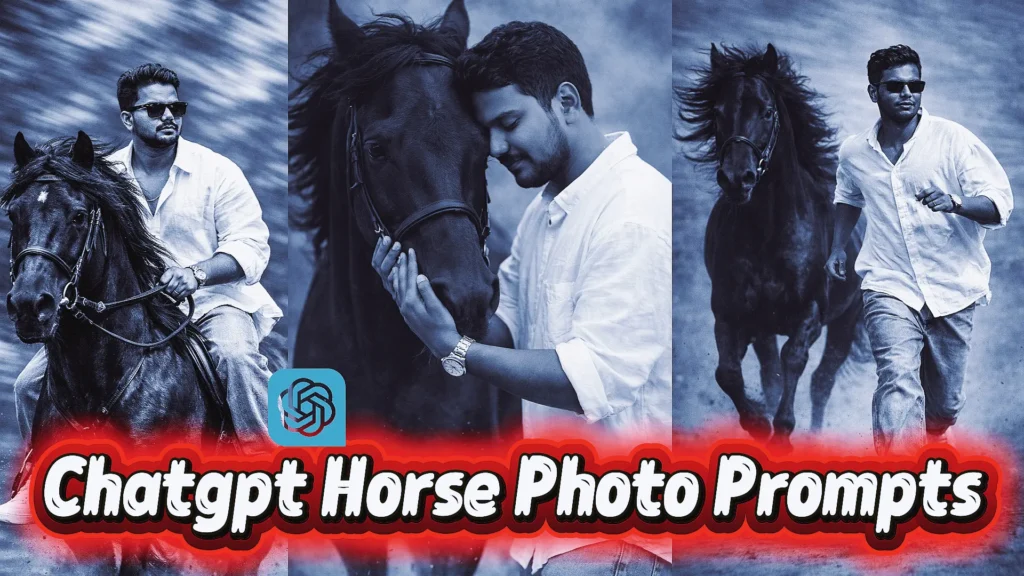
This powerful boys prompt creates a dynamic storytelling scene with motion blur, cinematic angles, and editorial-style composition. It’s one of the best chatgpt prompts for image editing if you want realistic action shots using a detailed chatgpt prompt for photo editing with strong depth and movement.
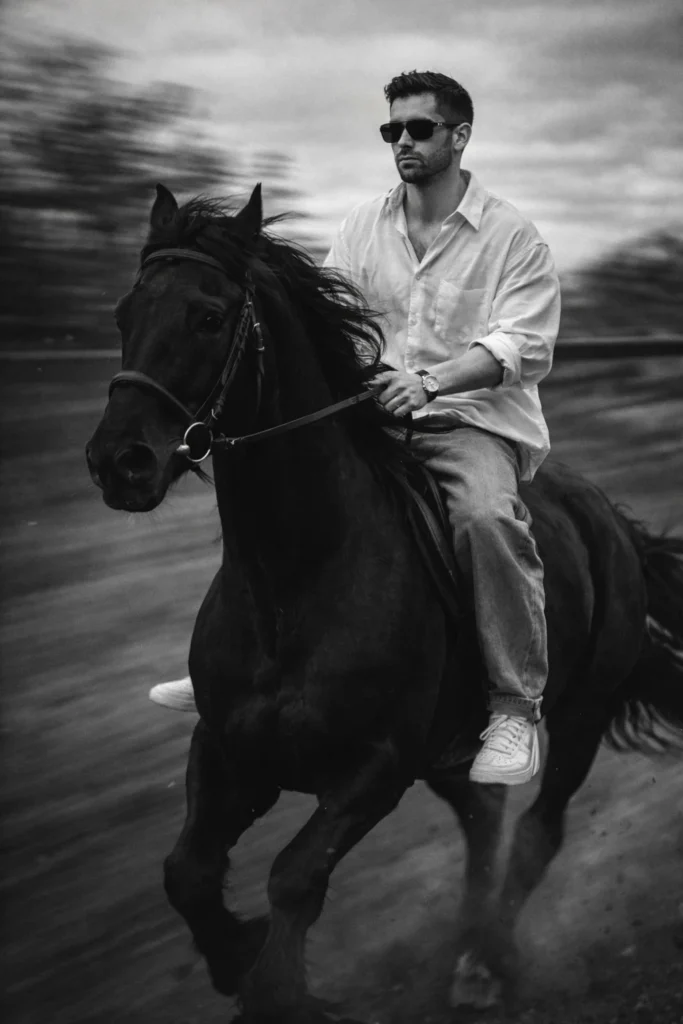
"Black Horse A slim-fit 5'7 young man riding a powerful black hairy horse, captured from a frontside angle (three-quarter frontal view). The camera is positioned slightly lower, facing him as the horse moves forward, creating a strong, confident cinematic presence. He is glancing slightly to the side with a composed, fearless expression, fully visible face.

He sits upright and balanced, holding the reins naturally while leaning subtly into the horse's forward motion. The horse is muscular and majestic, with a thick flowing mane, captured mid-stride, emphasizing strength and speed.

He is wearing an oversized white linen shirt with the top buttons open, light blue baggy jeans, and clean white Nike Air Force 1 sneakers. A subtle silver wristwatch reflects light on his wrist, and narrow-frame rectangular classy sunglasses complete his modern, stylish look.

His face must he preserved 100% exactly as provided. Do NOT change facial structure, proportions, skin texture, eye shape, nose, lips, jawline, expression, or identity. No beautification, no face swap, no smoothing, no Al alteration of facial features.

The background is strongly motion-blurred, with streaking blur lines to clearly indicate forward movement, while the subject and horse remain sharp and in focus. Dust particles and slight blur around the horse's legs enhance realism and dynamic speed. The image features a vintage cinematic grain aesthetic, inspired by Leica M11 Monochrome, with rich black-and-white tones, deep contrast, dramatic shadows, soft highlights, and a timeless editorial feel. Add subtle film grain and cinematic depth of field for a high-end fashion photography look. Ultra-realistic, cinematic composition, shallow depth of field, dynamic motion blur, dramatic storytelling, monochrome masterpiece."
3. AI Photo Restoration ChatGPT Prompt for Old Images
This photo editing prompt focuses on restoring damaged or vintage photos by removing scratches and enhancing clarity. A highly practical chatgpt image editor prompt, it uses AI to preserve identity while improving quality, making it a must-have edit prompt for historical or personal memories.
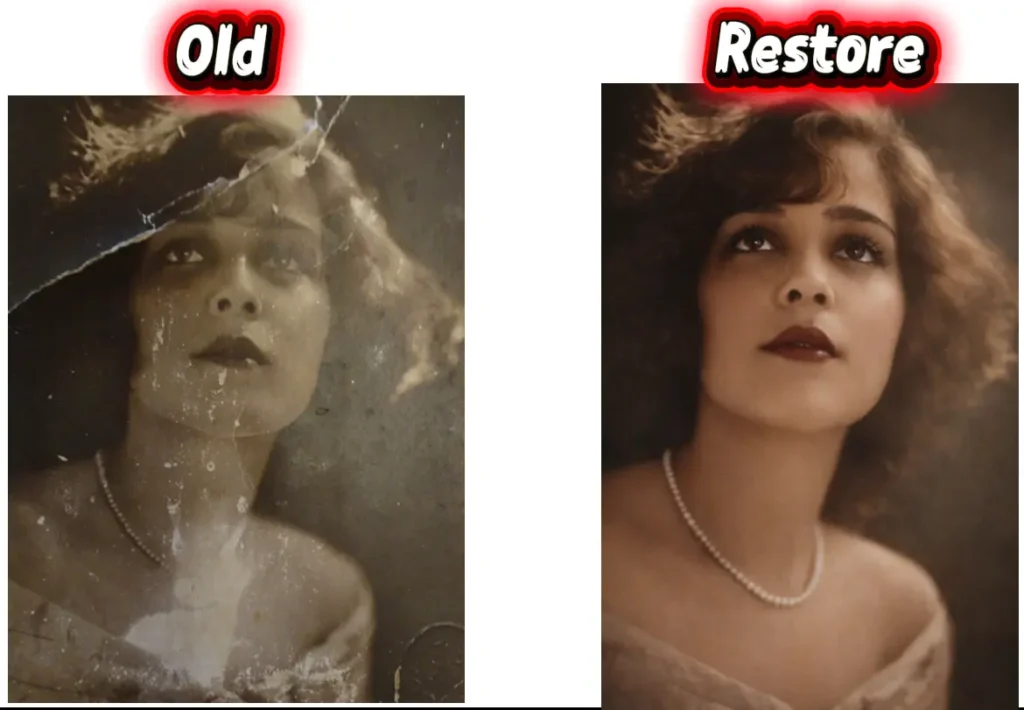
“Restore this old, heavily damaged photo by removing all visible scratches, dents, folds, and stains. Reconstruct missing or distorted facial features naturally and realistically while preserving the original identity and expressions of the person. Maintain the authentic vintage look, but enhance clarity, sharpness, and detail to look like a high-quality modern photo. If the photo is black and white, convert it to realistic color based on skin tone, hair, eyes, and background elements, ensuring the result looks natural and true to life.”4. Creative Caricature ChatGPT Photo Prompt Generator Idea
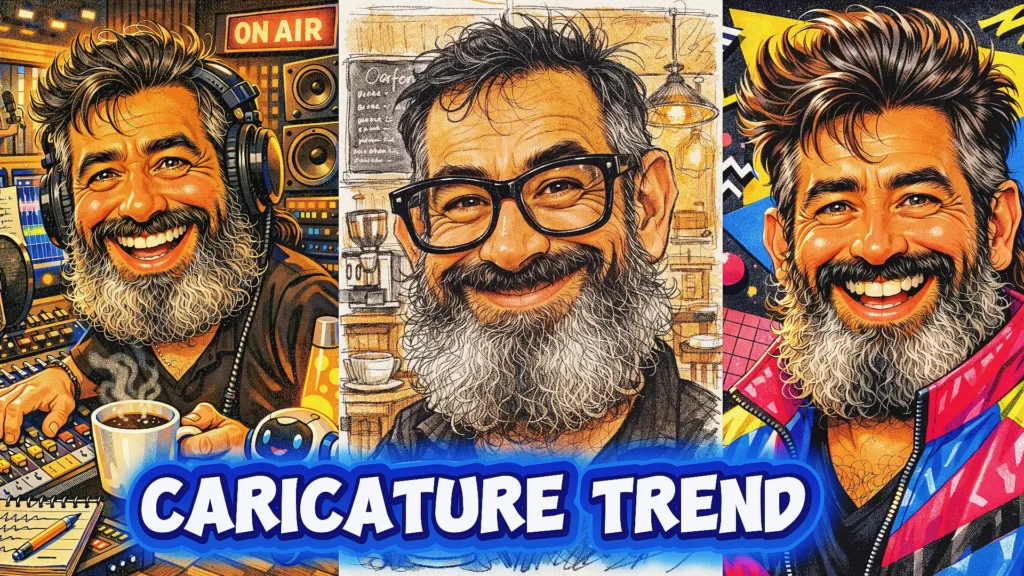
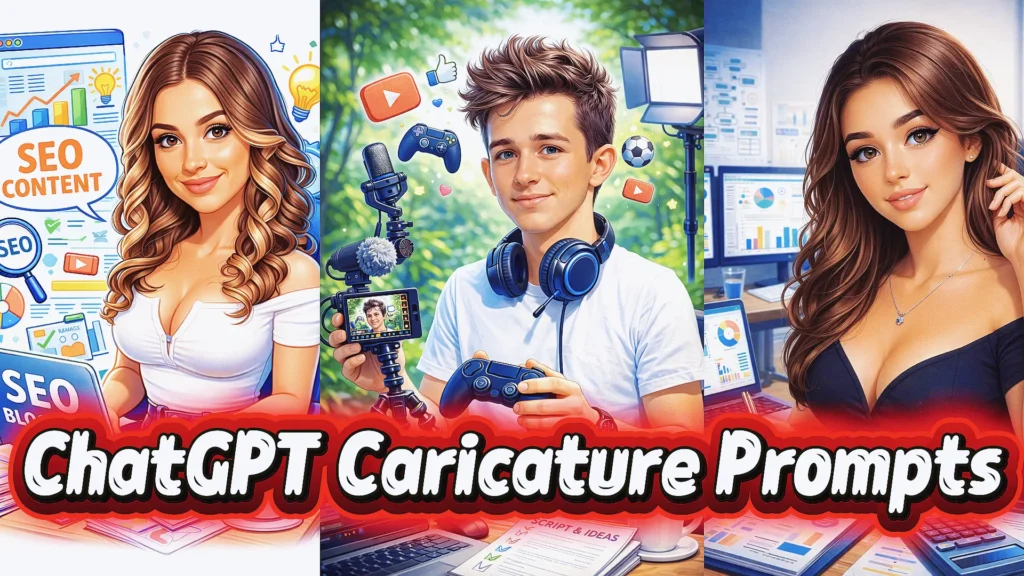
This fun and engaging chatgpt photo prompt generator turns your personality or profession into a creative caricature. It’s a unique chat gpt prompt that blends humor with personalization, making it a great Caricature photo prompt for social media content and branding

"Create a caricature of me and my job based on everything you know about me"5. Luxury Night Car Scene AI Photo Editor Prompt (BMW Style)
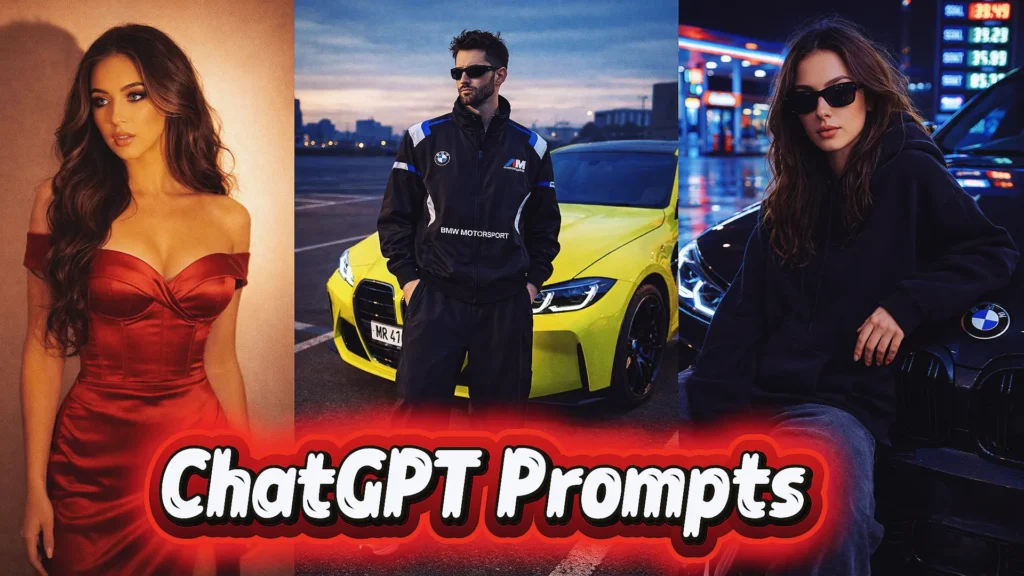
This ultra-detailed ai photo editor prompt creates a luxury lifestyle scene with cinematic lighting, sharp reflections, and streetwear aesthetics. It’s a premium chatgpt prompt for photo editing ideal for creating high-end, photorealistic visuals using a powerful Car editing prompt.
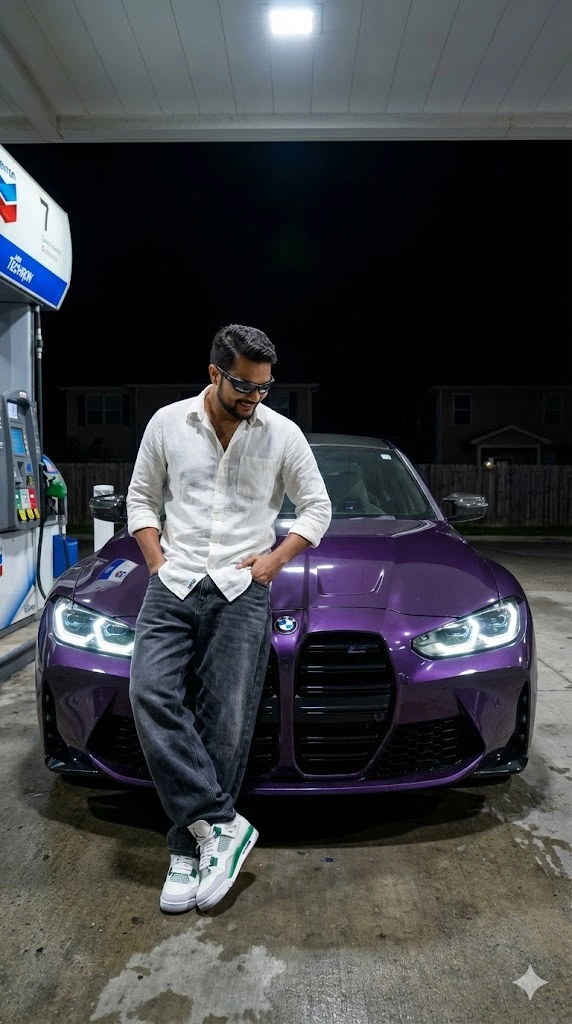
"Preserve My face 100% A ultra realistic night shot keep vertical frame 9:16 retio, of a young Asian man wearing an same shown in picture and He wears loose baggy grey-black jeans and white green jorden sneakers and He wear a Wraparound glasses. leaning casually against the front hood of a A photorealistic, front-facing, symmetrical shot of a Twilight Purple BMW M4 G82 Competition parked under a gas station canopy at night. The car features massive kidney grilles and glowing LED headlights. The glossy paint reflects the bright overhead fluorescent lights and the text of a "Techron" sign above. The ground is concrete pavement. The background is pitch black with faint silhouettes of suburban houses and fences. Cinematic lighting, sharp focus, automotive photography, 8k resolution.He has his one hand in his pocket and other hand on the car is looking at the car casually. The car has glowing white LED headlights. The setting is at night High contrast lighting, camera flash style, hard shadows, streetwear aesthetic, 8k resolution, photorealistic"6. Neon Profile Picture ChatGPT Photo Editing Prompt for Social Media
This chatgpt photo editing prompts style focuses on creating eye-catching profile pictures with neon lighting, bold colors, and digital art aesthetics. A trending chat gpt prompt for photo editing, it’s perfect for branding and creating standout DP images.
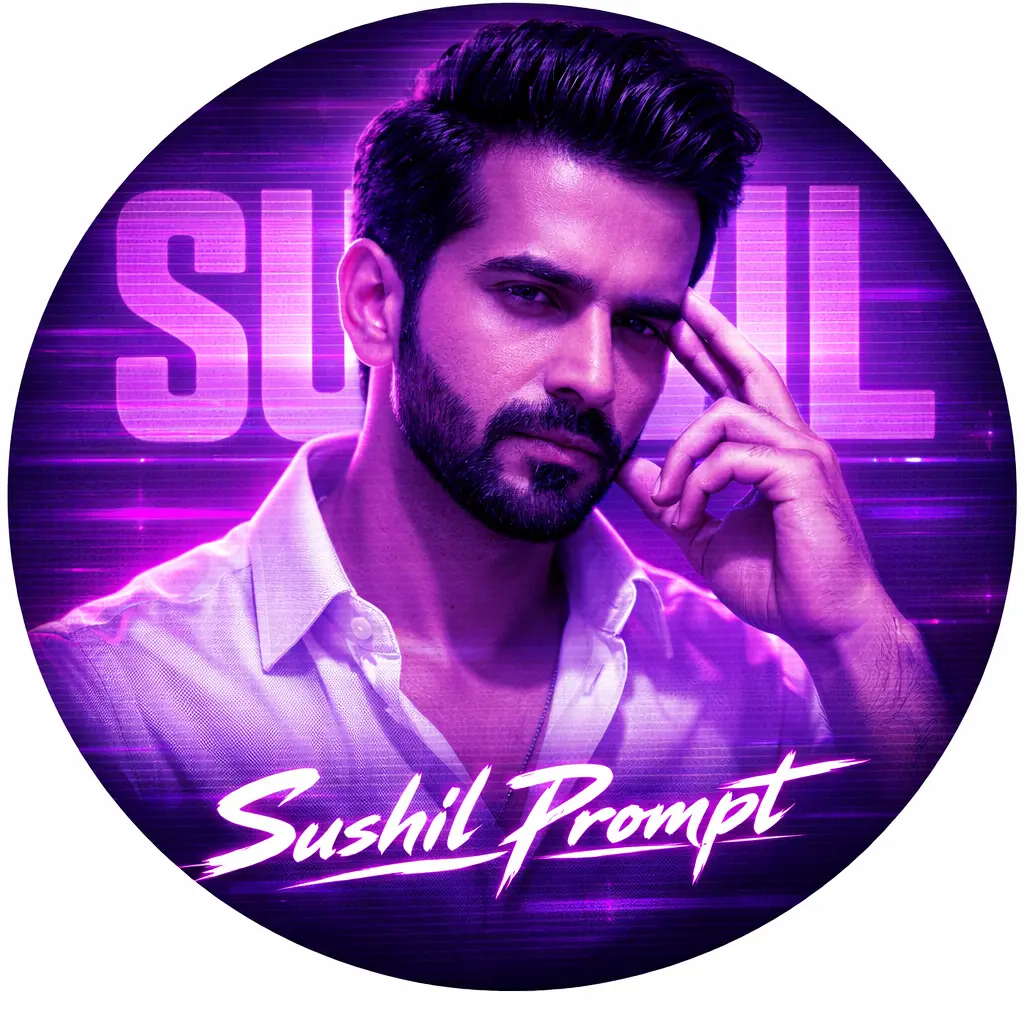
"A circular profile picture design featuring Indian young boy. He is wearing a crisp white button-down shirt and looking intensely at the camera with a serious expression, his right hand raised with fingers touching his temple. The image has a strong monochromatic purple and neon magenta aesthetic. The background features large, translucent block text reading 'Sushil' and a horizontal CRT scanline texture overlay. At the bottom, there is sharp, stylized white text that reads 'Sushil Prompt'. High contrast, digital fan art style, glowing neon lighting."7. High-Contrast Tamil Poster ChatGPT Image Edit Prompt (4K Style)
This advanced chatgpt image edit prompt enhances images with comic-style shading, strong shadows, and cinematic intensity. It’s a viral chatgpt photo editing prompt widely used for creating dramatic posters with ultra-detailed 4K output using a refined chatgpt prompt.
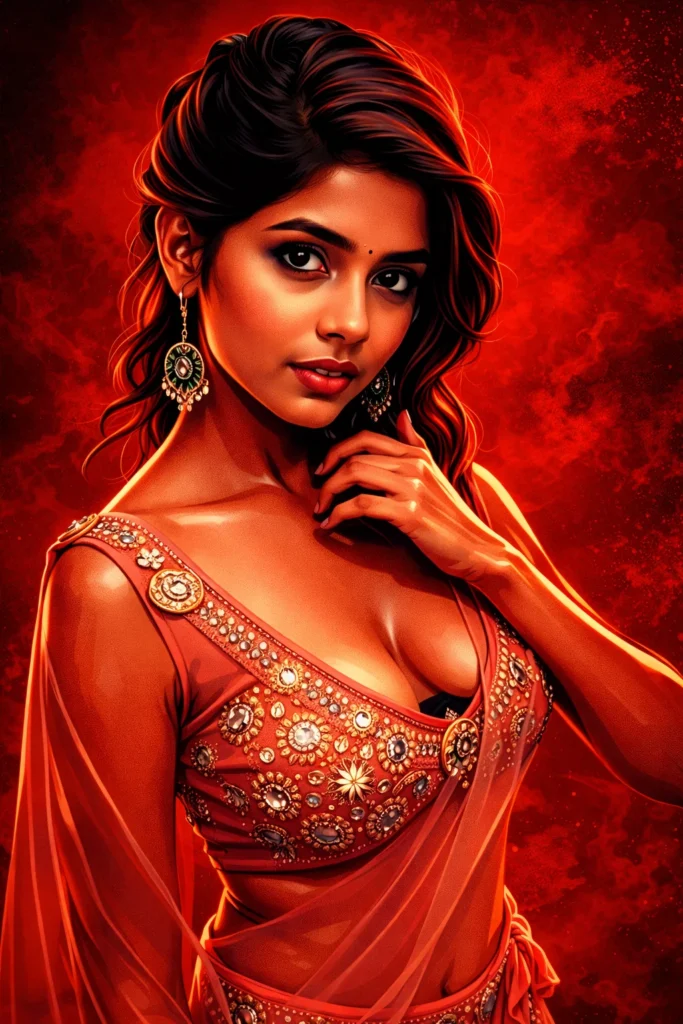
"create a cinematic digital illustration of the person in the reference photo. maintain the exact face, identity, hairstyle, expression, skin tone, and pose with zero distortion. transform the entire scene into a deep red high-contrast tamil gangster movie poster style. replace the background with red gradients, smoky atmosphere, and subtle textures. add bold comic-book shading, thick outlines, strong black shadows, and glossy highlights on the skin and clothes. stylize the outfit with richer tones, clean folds, and dynamic lighting while keeping the original clothing design. add intense highlights to the jawline, cheekbones, and edges of the body. maintain the original pose and attitude. create a gritty, powerful, cinematic mood with dramatic lighting and high contrast. ultra-detailed, sharp lines, vibrant red atmosphere, action-movie poster energy, 4k illustration"How to Use ChatGPT Image Edit Prompts
- Go to ChatGPT and log in to your account.
- Click the upload/image icon
- Select the photo you want to edit
- Pick one prompt from your list (like cinematic, car scene, DP, etc.)
- Paste the full chatgpt image edit prompt
- Click send and wait a few seconds.
- Review the Output
Best Use Cases for ChatGPT Image Editing Prompts
You can use these prompts for:
- 🔥 Instagram viral posts
- 🎬 YouTube thumbnails
- 🧑🎨 Personal branding
- 📸 Profile pictures
- 🛍️ Product visuals
- 🎨 Creative storytelling
Frequently Asked Questions (FAQs)
What is a chatgpt image edit prompt?
A chatgpt image edit prompt is a detailed instruction you give to AI to modify or enhance a photo. It tells the AI what to keep (like face and identity) and what to change (like background, lighting, or style) for accurate and high-quality results.
How do I use chatgpt photo editing prompts as a beginner?
To use chatgpt photo editing prompts, simply upload your image, paste the prompt, and send it. Make sure your chatgpt prompt for photo editing clearly mentions style, lighting, and identity preservation for the best output.
Why is my AI photo not looking realistic?
If your result looks unnatural, your ai photo editor prompt might be too vague. Add details like “photorealistic,” “natural skin texture,” “high contrast lighting,” and “8K resolution” to improve quality.
What are the best chatgpt prompts for image editing?
The best chatgpt prompts for image editing include cinematic posters, neon profile pictures, luxury lifestyle scenes, and photo restoration prompts. These styles are currently trending and perform well on social media.
Can ChatGPT edit photos directly?
ChatGPT helps generate and refine photo editing prompts, but the actual editing is done by AI tools. It works as a powerful chatgpt photo prompt generator to guide those tools.
What is the difference between a photo prompt and an editing prompt?
A photo prompt creates a new image from scratch, while an editing prompt modifies an existing image. A good edit prompt focuses on preserving identity while enhancing style and quality.
Are chatgpt image editor prompts safe to use?
Yes, chatgpt image editor prompts are safe as long as you use your own images or have permission. Always avoid editing copyrighted or sensitive content without proper rights.
Conclusion
At the end of the day, mastering a chatgpt image edit prompt is less about tools and more about clarity. When you clearly describe the subject, protect identity, define the style, and control lighting, your results improve instantly. That’s the real difference between an average edit and a scroll-stopping visual.
If you’re just starting, keep things simple. Use structured chatgpt photo editing prompts, test different styles, and refine your wording step by step. Over time, you’ll understand how small changes in an ai photo editor prompt can completely transform the final output.
The prompts you explored are already strong and trending. With a bit of practice, you can turn them into viral chatgpt photo editing prompts that work for social media, personal branding, or creative projects.
So don’t overthink it. Start experimenting, tweak your prompts, and stay consistent. That’s how you move from basic edits to creating visuals that actually stand out.