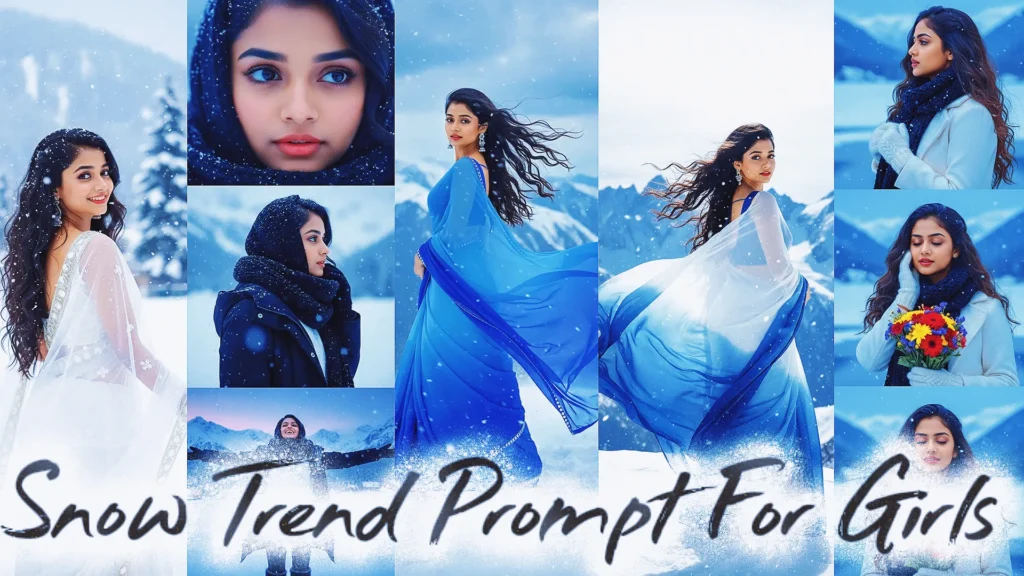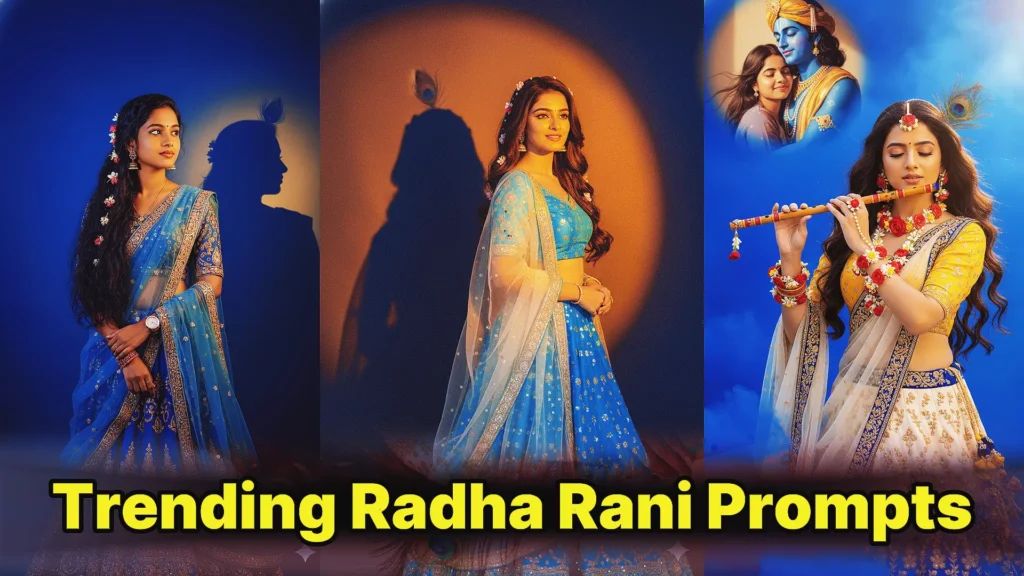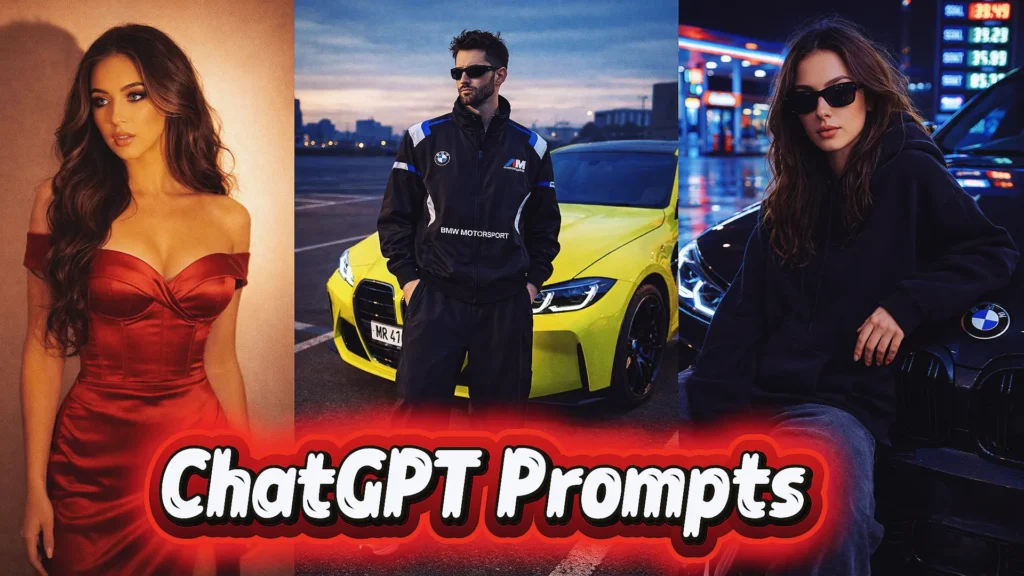
AI photo editing has changed fast. What used to require advanced Photoshop skills can now be done with the right words. That is where a chat gpt prompt for photo editing becomes powerful. Instead of editing images manually, you describe what you want and let AI tools do the heavy lifting.
For beginners, this feels almost magical. For creators, it is a productivity boost. For photographers and social media users, it is a new creative shortcut. In this guide, I will break down how ChatGPT photo editing prompts work, why they are trending, and how you can use them effectively. I will also share real, ready-to-use prompts that are already popular across AI image tools.
This article is written for new users, with practical examples and expert-level clarity. No fluff. Just what works.
What Is a ChatGPT Prompt for Photo Editing?
A ChatGPT prompt for photo editing is a detailed text instruction that tells an AI image tool how to modify or generate a photo. ChatGPT does not edit images directly. Instead, it helps you write precise, human-like instructions that you can paste into AI photo editors or image generators.
Think of ChatGPT as your prompt engineer. The better the prompt, the better the result.
A good photo editing prompt usually includes:
- What to keep the same (face, pose, identity)
- What to change (background, outfit, lighting, mood)
- Style references (cinematic, vintage, iPhone, Polaroid)
- Technical quality (4K, 8K, ultra-realistic, sharp focus)
Best Trending ChatGPT Prompts for Photo Editing (New AI Prompt Trend)
The chat gpt prompt for photo editing trend is growing fast because it allows anyone to create professional-level images using simple text. With the right AI photo prompt, you can restore old photos, create cinematic portraits, design birthday edits, or generate ultra-realistic fashion and car photography. Below are the best trending ChatGPT prompts for image generation,
1. Old Photo Restoration AI Prompt (Vintage to Modern)
This chat gpt prompt for photo editing text is perfect for restoring damaged vintage photos. It removes scratches, repairs facial details, and optionally adds realistic color, making it one of the best AI image generator prompts for photo restoration.
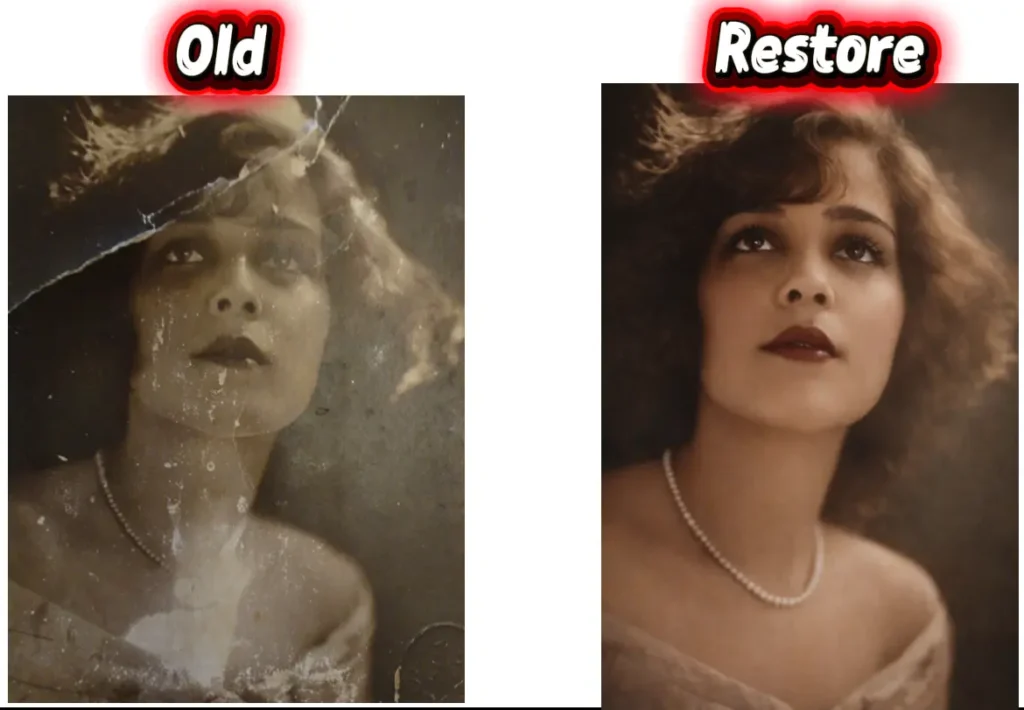
“Restore this old, heavily damaged photo by removing all visible scratches, dents, folds, and stains. Reconstruct missing or distorted facial features naturally and realistically while preserving the original identity and expressions of the person. Maintain the authentic vintage look, but enhance clarity, sharpness, and detail to look like a high-quality modern photo. If the photo is black and white, convert it to realistic color based on skin tone, hair, eyes, and background elements, ensuring the result looks natural and true to life.”2. Retro Artistic Portrait Prompt (Fashion Style)
A highly detailed chat gpt prompt for image generation that creates a retro, artistic portrait while keeping the face exactly the same. This new prompt is trending for fashion edits and aesthetic social media photos.
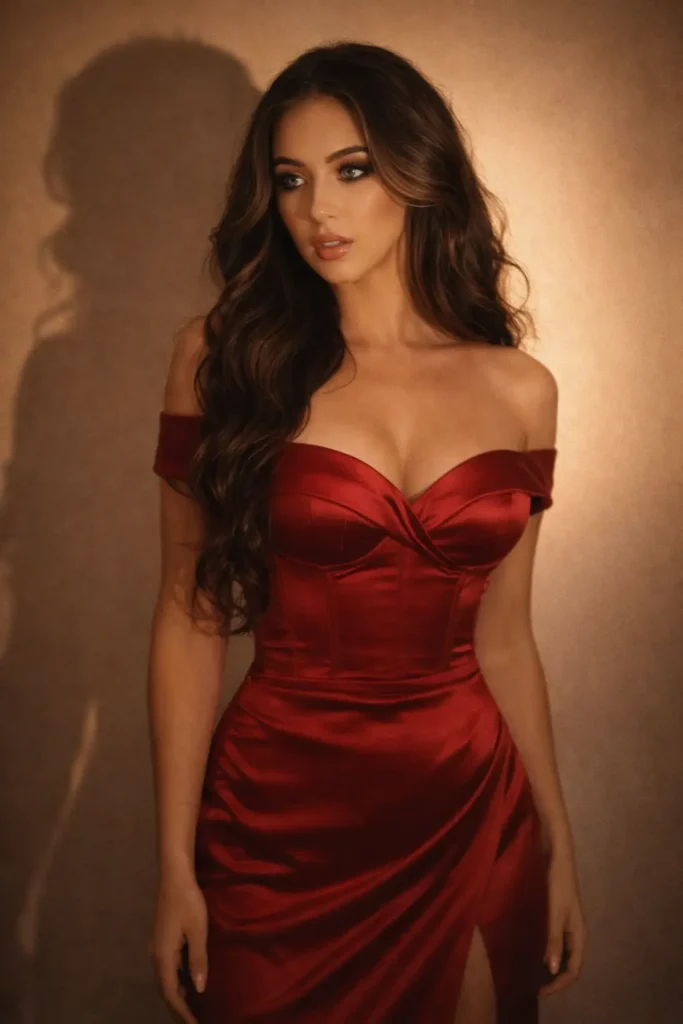
“Convert, 4K HD realistic, a stunning portrait of a young woman with long, dark, wavy hair cascading over his shoulders. He is wearing a PLT Label Black Satin Panel Lace Bodice Strappy Maxi Dress. He is looking slightly to his right, with a soft, serene expression. I want same face as I uploaded no alternation 100 percent same. The background is a plain, warm-toned wall, illuminated by a warm light source from the right, creating a distinct, soft-edged shadow of his profile and hair on the wall behind him. The overall mood is retro and artistic.”3. Past and Present Emotional Polaroid Prompt
This AI photo prompt blends two life stages into one emotional image. It is a powerful chat gpt prompt trend for storytelling, nostalgia, and memory-based photo edits with a realistic Polaroid feel.
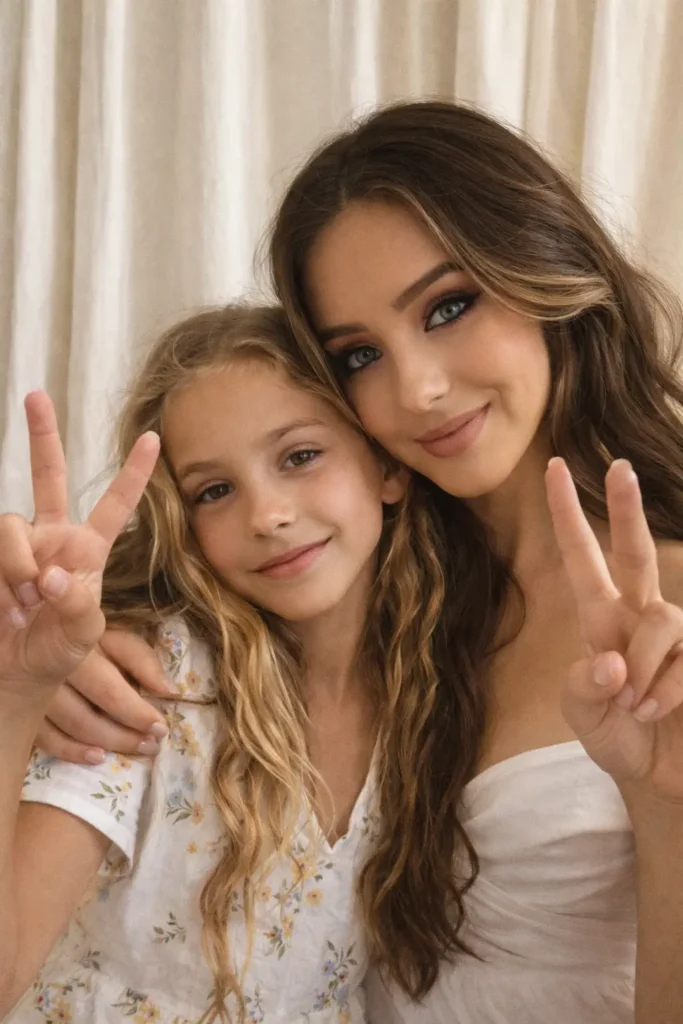
"A photorealistic, high-definition, and sharp-focus image of a person’s older self hugging their younger self. The final image should be a realistic photograph combining the two reference photos provided. The setting is a bright, sun-filled room with large windows, and a soft, ethereal light streams in, highlighting the tender embrace. The emotion conveyed is one of profound connection, comfort, and nostalgia. The entire image has the nostalgic feel of a polaroid photograph, with its soft focus, classic white border, and slightly faded colors, evoking a feeling of peace and continuity."4. iPhone-Style Mother and Son Memory Prompt
A natural and candid chat gpt prompt for photo designed to recreate warm family memories. This best prompt focuses on realism, emotional connection, and iPhone-style photography without face alteration.
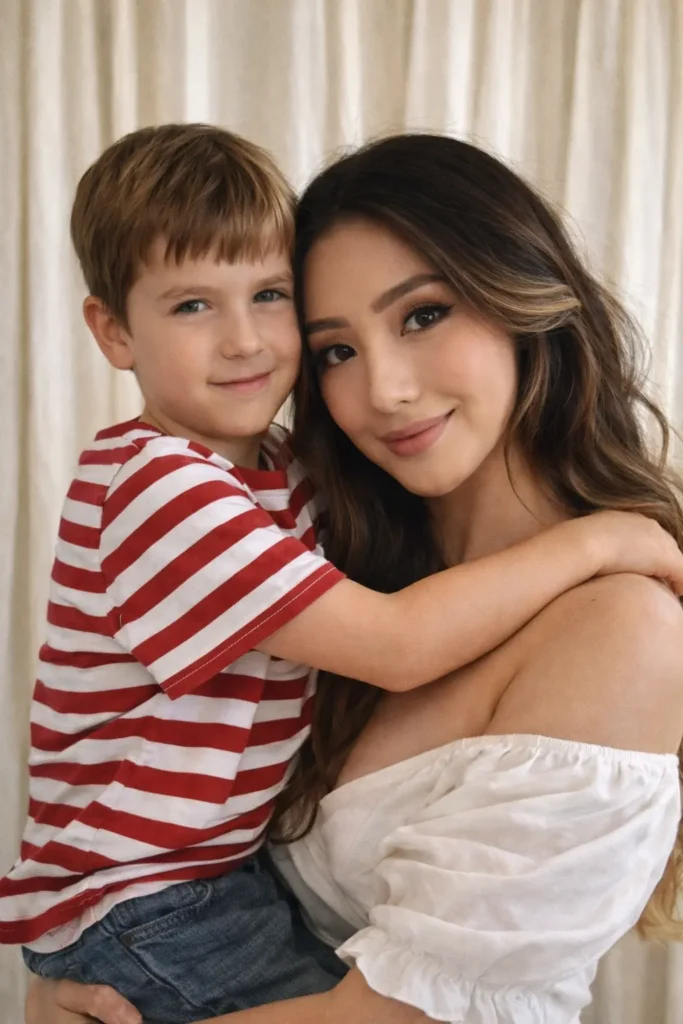
“Create a photo that looks like it was captured with an iPhone camera. The image should feel natural and candid, not staged or overly stylized. Give it a warm and nostalgic atmosphere. Keep the faces of both people exactly as they are – no changes to expressions or features. Replace the background with soft white curtains that enhance the cozy, memory-like feel. Show the boy (childhood version) and me posing together in a playful, adorable way that highlights the connection between past and present. The mother is standing with her son in her arms. Both are looking directly at the camera for a unified and engaging composition. Make sure to keep both the faces exactly same as in uploaded images”5. Father and Son Retro Studio Portrait Prompt
This chat gpt prompt for photo editing new trend creates a cinematic 90s-style portrait with vintage grain and studio lighting. Ideal for emotional family photos and classic editorial looks.
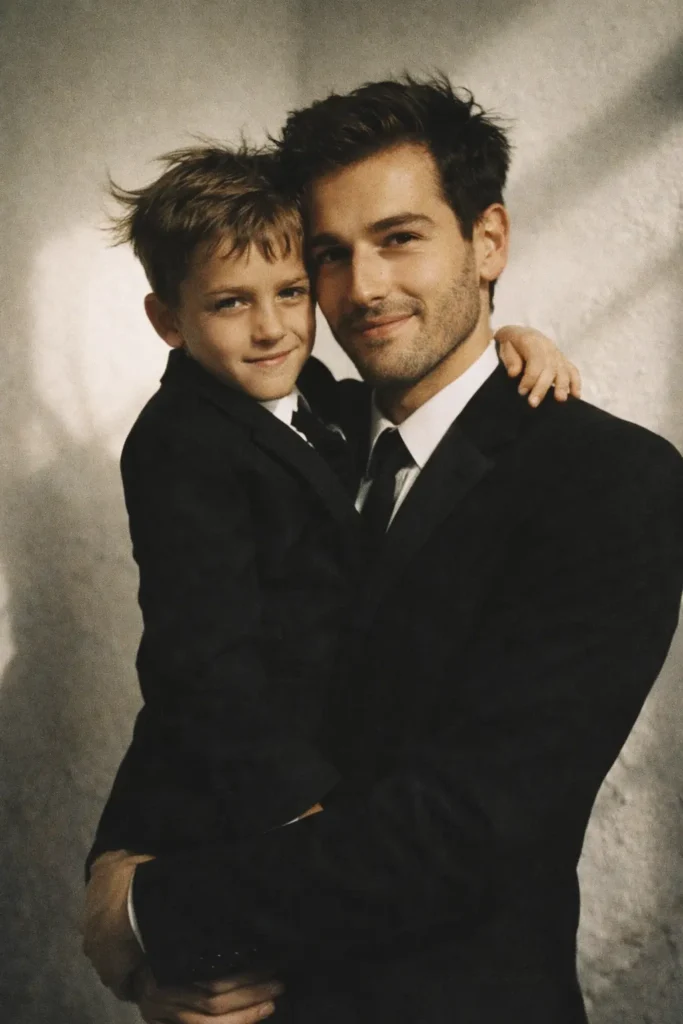
“A father holding his son, both dressed in black suits, standing in a white-toned studio with deep shadow and contrast drama on a minimalistic, slightly textured wall. The father has a soft, smiling expression. The overall aesthetic is retro vintage, grainy but bright, with a 90s movie feel – romanticizing a windy environment for a dreamy, beautiful, and cute look.”6. Polaroid Casual Memory Prompt
A soft, imperfect AI image generator prompt that recreates authentic Polaroid memories. This chat gpt prompt is popular for cute poses, nostalgic vibes, and realistic flash photography effects.
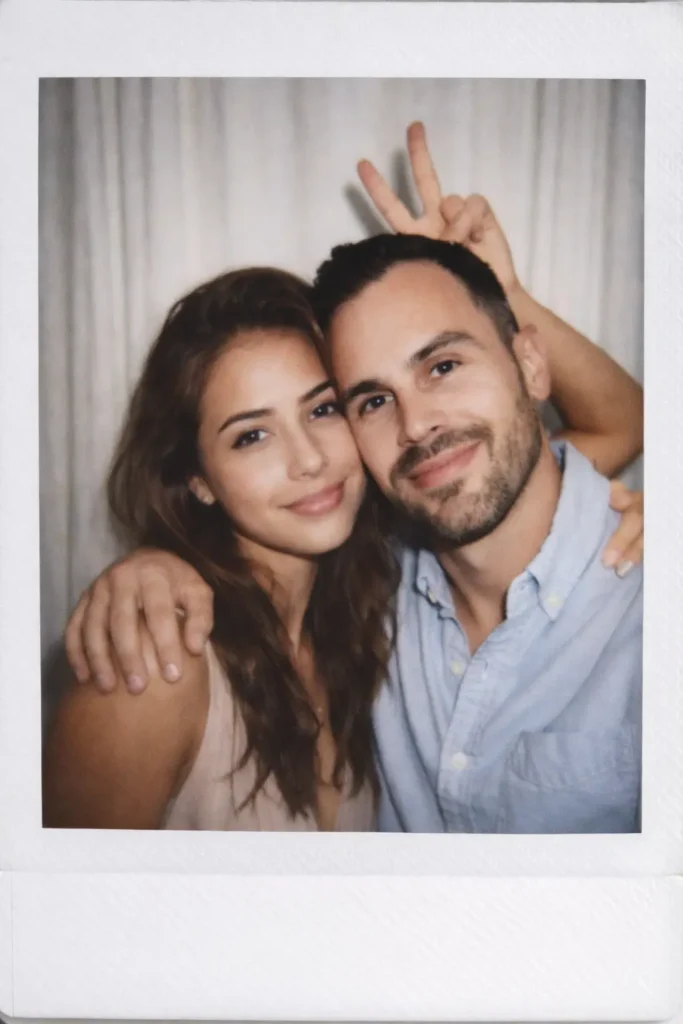
“Take a photo taken with a Polaroid camera. The photo should look like an ordinary photograph, without an explicit subject or property. The photo should have a slight blur and a consistent light source, like a flash from a dark room, scattered throughout the photo. Don’t change the face. Change the background behind those two people with white curtains. With that boy and me make cute poses”7. 21st Birthday Celebration Prompt
One of the most viral birthday prompts, this chat gpt prompt for image generation creates a cinematic birthday portrait with warm lighting, cake, flowers, and milestone numbers for social media sharing.
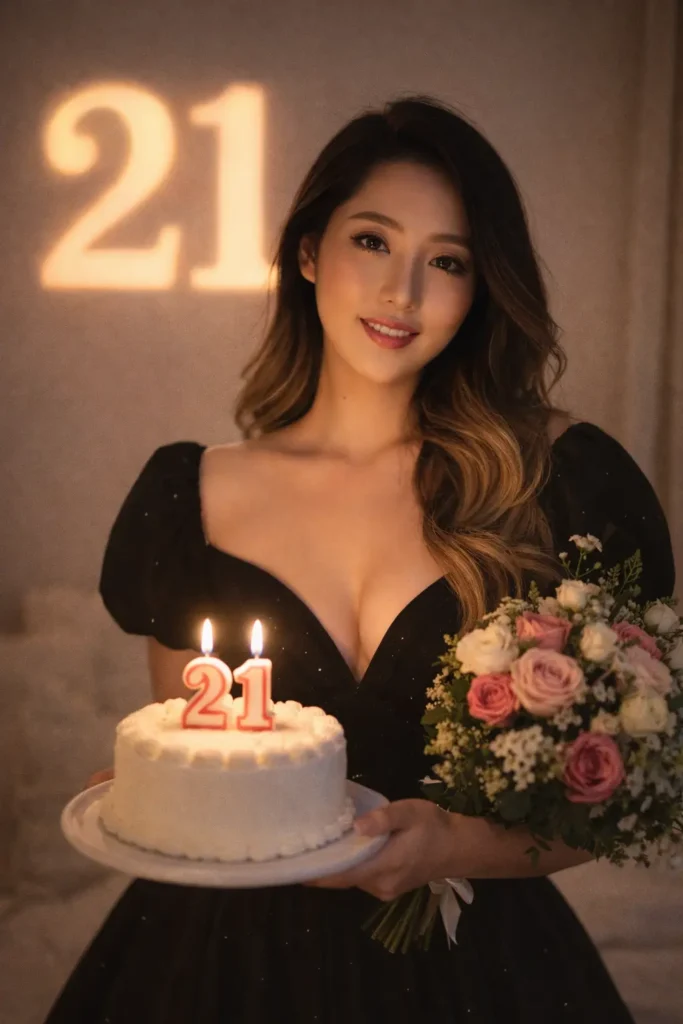
"This is me please convert this image into a portrait of a young woman on her 21st birthday, holding a birthday cake with a lit candle. She’s dressed in a black princess dress and holds a bouquet of flowers. The numbers “21” are projected on the wall, and the scene is lit with warm, soft light."8. Mediocre iPhone Selfie Trend Prompt
This chat gpt prompt trend intentionally creates an imperfect, accidental selfie look. It is a new prompt style popular for realistic iPhone photography, casual vibes, and viral AI edits.
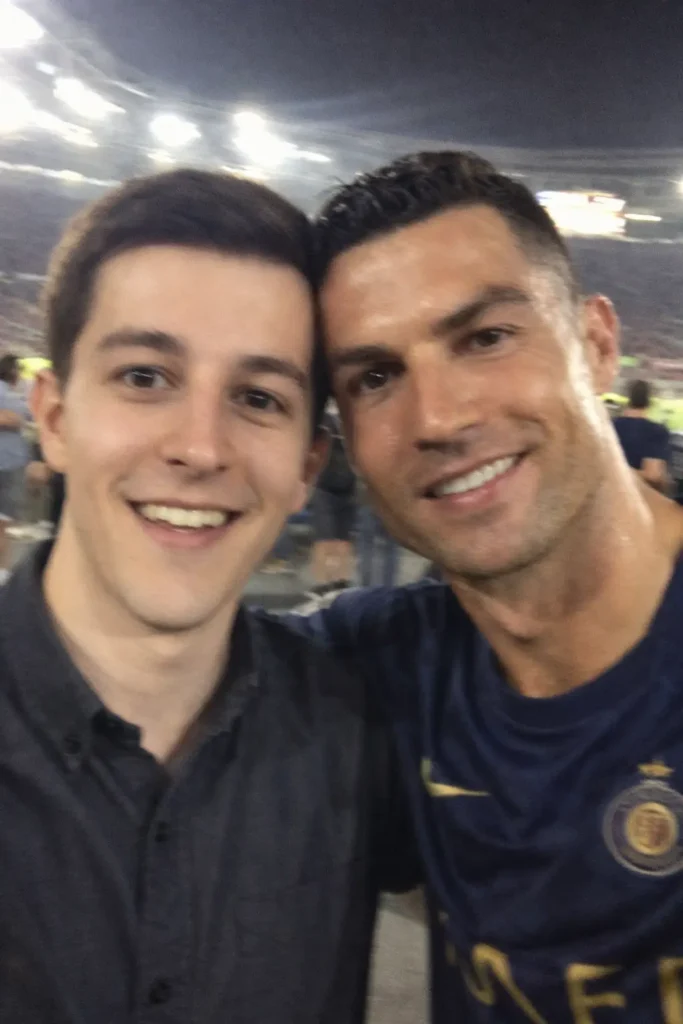
"An extremely mediocre iphone [selfie] photo, with no clear subject and framing just a casual snapshot. Photos are slightly motion blurry, slightly overexposed due to uneven night lights. Both are in cricket stadium, blurry people and stadium light in the background. The angles are awkward, the composition is poor and the overall effect is mediocre like accidentally taking a selfie from your phone in your pocket. In the photo, it is [stylish smiling uploaded men and virat kohli ], naturally taken in [portrait] with an aspect ratio of 9:16"9. Dreamy Winter Snow Portrait Prompt
A seasonal AI photo prompt that transforms an image into a soft winter scene while preserving the face exactly. This chat gpt prompt for photo editing is ideal for cozy, aesthetic, and emotional edits.
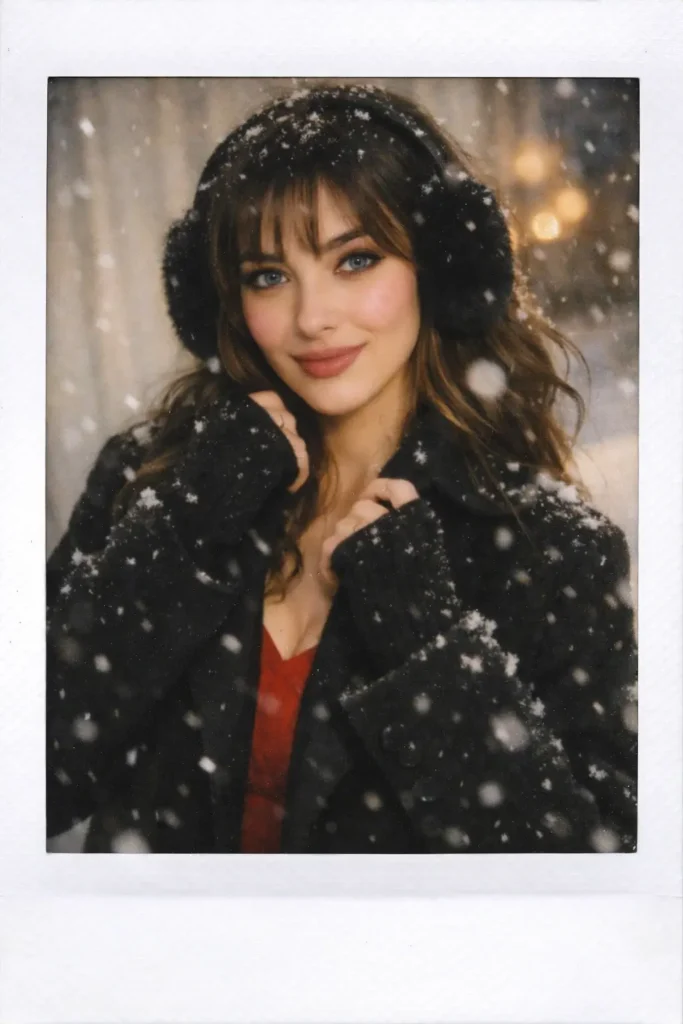
Transform this image into a dreamy winter snow moment, keeping the face exactly the same. Give her soft bangs with gentle snowy highlights. Outfit: red winter dress layered under a long black overcoat, paired with black earmuffs and delicate blushy cheeks. Add soft falling snow, warm soft light, and a sweet gentle mood.10. Cinematic BMW Mountain Road Prompt (Boys Trend)
This BMW chat gpt prompt for photo editing boys is trending for luxury car and street-style photography. It delivers ultra-realistic 8K visuals, cinematic landscapes, and bold attitude without face changes.
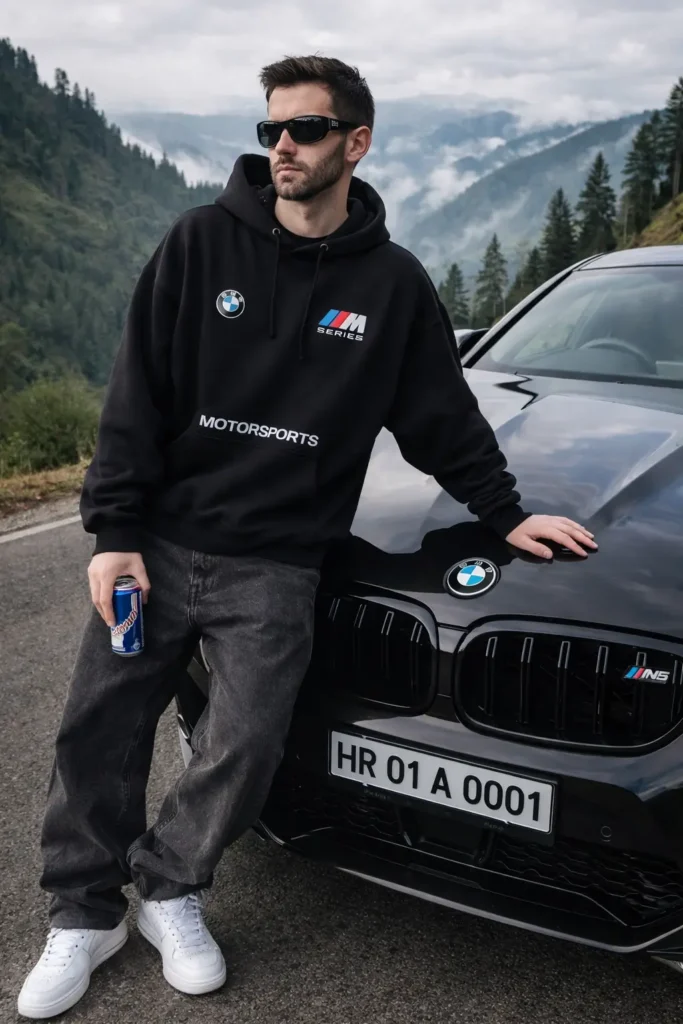
Ultra-realistic 8K photo, my face preserved 100% exactly as uploaded. Young man leaning near the hood, looking slightly left, beside a black BMW M5 Competition on a mountain road, exact same pose, angle, posture, and hand placement. Black oversized hoodie (BMW logo right chest, M Series left chest, "MOTORSPORTS" lower center), wraparound Y2K sunglasses, baggy grey-black jeans, white Air Force sneakers. Right hand holding Red Bull can, left hand on the car with attitude on face. BMW black metallic with realistic reflections, Indian plate HR 01 A 0001. Background: hyper-realistic Meghalaya hills, misty mountains, pine trees, overcast soft daylight, fully sharp. No blur, no face or pose change, no CGl, no extra objects.11. Neon BMW Street Fashion Prompt
A bold chat gpt prompt for image generation focused on automotive street fashion. This best prompt blends neon cars, cinematic lighting, and modern outfit styling for high-end AI photos.
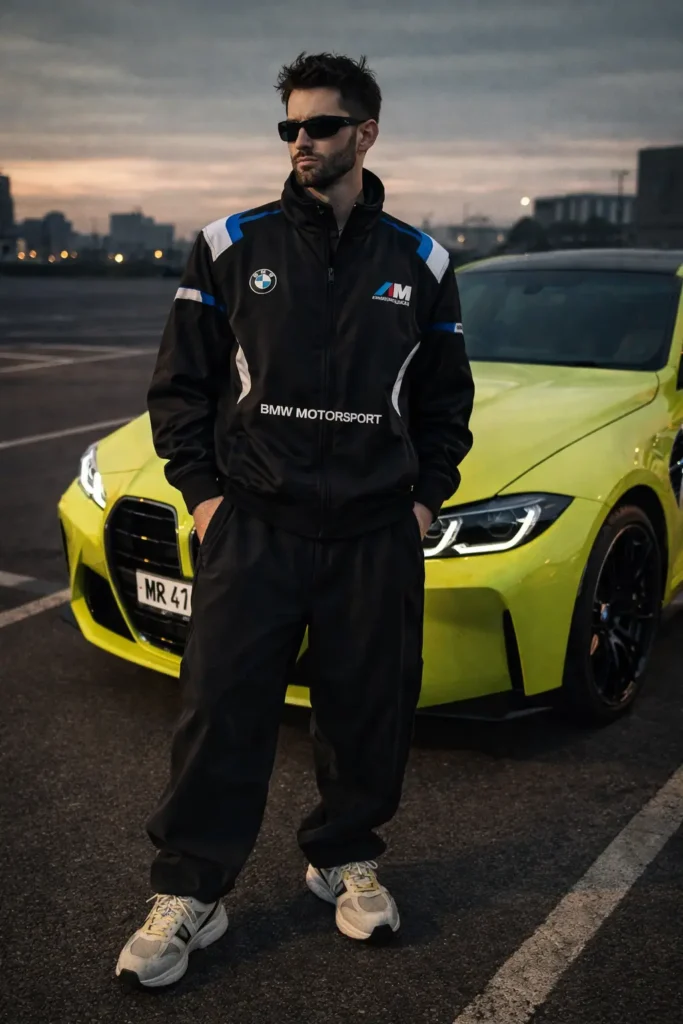
"A stylish young man standing confidently next to a neon-yellow BMW sports car in an empty parking lot. He is wearing a black BMW racing jacket with blue and white detailing, black baggy pants, classic chunky sneakers, and trendy rectangular sunglasses. His hair is messy, giving a cool street-style vibe. The BMW behind him is bright lime-yellow with black accents and a sporty design. The overall aesthetic is high-end, bold, and automotive street fashion. Cinematic lighting"12. Night Gas Station Editorial BMW Prompt
This AI image generator prompt creates a moody, cinematic night scene with neon reflections and editorial-style fashion. A top chat gpt prompt trend for Instagram and portfolio images.
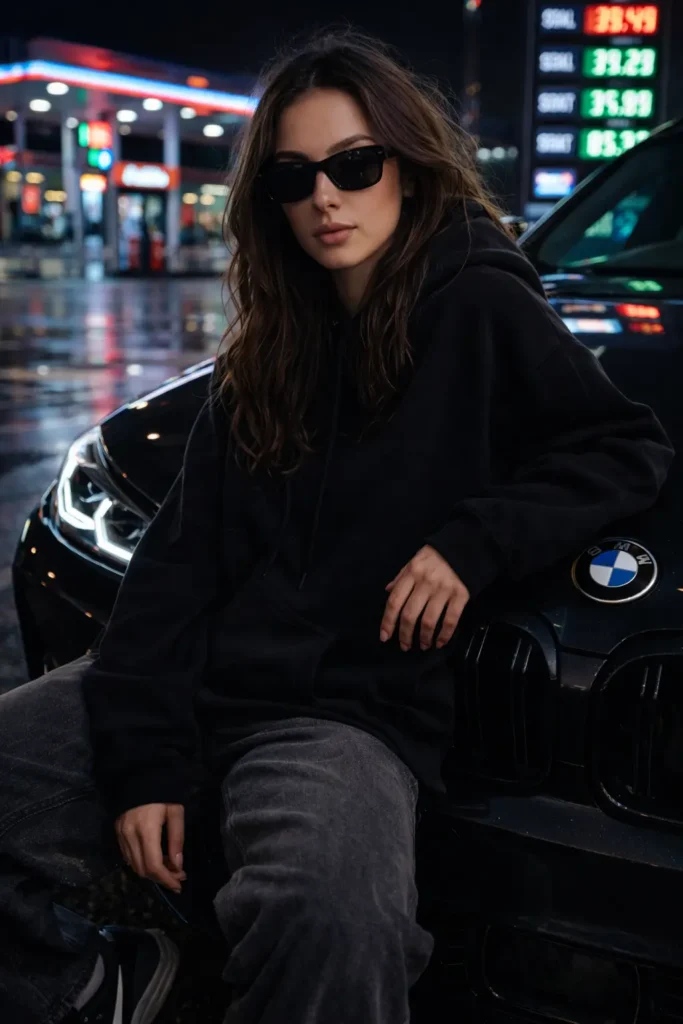
"Ultra realistic cinematic night photo of the same woman, do not change her face. She is wearing square black sunglasses, a black hoodie with natural fabric folds, loose grey baggy jeans, and black Nike sneakers with the Nike logo visible. She is sitting casually on the front left side of a BMW M3, positioned near the BMW logo so it is clearly visible. The background is a night-time gas station with neon lights, glowing price boards, and reflections on the wet ground. The atmosphere is cinematic and moody, with sharp details, glossy car reflections, and natural shadows. Hyper-realistic 8k quality, fashion editorial photography style, natural skin texture, realistic face details, and dramatic neon lighting"13. Black Horse Cinematic Motion Prompt (Editorial Masterpiece)
An advanced chat gpt prompt for photo editing that produces a high-end cinematic black-and-white image with motion blur and storytelling depth. This new horse prompt is ideal for dramatic, luxury editorial visuals.
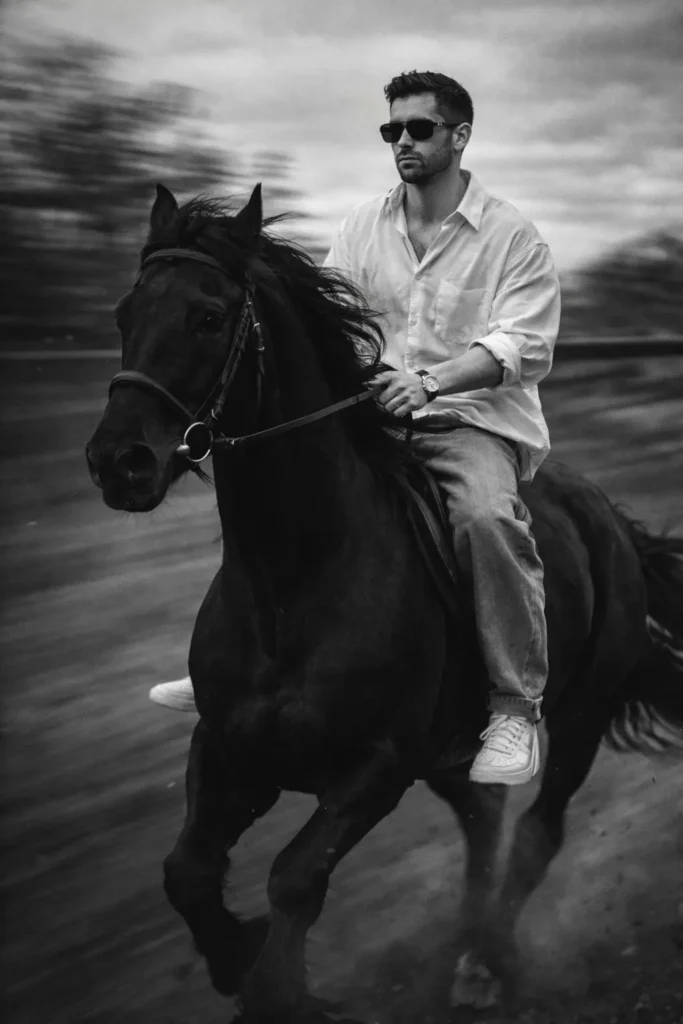
"Black Horse A slim-fit 5'7 young man riding a powerful black hairy horse, captured from a frontside angle (three-quarter frontal view). The camera is positioned slightly lower, facing him as the horse moves forward, creating a strong, confident cinematic presence. He is glancing slightly to the side with a composed, fearless expression, fully visible face.

He sits upright and balanced, holding the reins naturally while leaning subtly into the horse's forward motion. The horse is muscular and majestic, with a thick flowing mane, captured mid-stride, emphasizing strength and speed.

He is wearing an oversized white linen shirt with the top buttons open, light blue baggy jeans, and clean white Nike Air Force 1 sneakers. A subtle silver wristwatch reflects light on his wrist, and narrow-frame rectangular classy sunglasses complete his modern, stylish look.

His face must he preserved 100% exactly as provided. Do NOT change facial structure, proportions, skin texture, eye shape, nose, lips, jawline, expression, or identity. No beautification, no face swap, no smoothing, no Al alteration of facial features.

The background is strongly motion-blurred, with streaking blur lines to clearly indicate forward movement, while the subject and horse remain sharp and in focus. Dust particles and slight blur around the horse's legs enhance realism and dynamic speed. The image features a vintage cinematic grain aesthetic, inspired by Leica M11 Monochrome, with rich black-and-white tones, deep contrast, dramatic shadows, soft highlights, and a timeless editorial feel. Add subtle film grain and cinematic depth of field for a high-end fashion photography look. Ultra-realistic, cinematic composition, shallow depth of field, dynamic motion blur, dramatic storytelling, monochrome masterpiece."
How to Use These ChatGPT Prompts for Photo Editing (Step-by-Step)
Step 1: Open ChatGPT
- Go to ChatGPT (web or app)
- Log in to your account
- Make sure image upload is available in your version
- Click on the image upload icon
- Upload the photo you want to edit
- Use clear, original images for best results
- Choose any prompt from the list above based on your need and Copy the entire prompt text exactly as written.
- After uploading the image, paste the prompt in the chat box.
- Click Send
- If the result is not perfect, do not change the whole prompt
- Download or Save Image
Best Practices for Writing the Best Prompt
From real usage, these tips matter:
- Always say “keep face exactly the same”
- Mention lighting direction
- Define mood and style clearly
- Avoid conflicting instructions
- Add quality terms like ultra-realistic only once
This applies whether you use a chat gpt prompt generator or write manually.
Frequently Asked Questions (FAQs)
What is a ChatGPT prompt for photo editing?
A ChatGPT prompt for photo editing is a detailed text instruction that tells AI image tools how to edit or generate a photo. It explains what to change, what to keep the same, and the overall style, such as cinematic, iPhone, Polaroid, or realistic.
Can ChatGPT edit photos directly?
No, ChatGPT does not edit photos by itself. It helps you write powerful AI photo prompts that you can use in image generation or photo editing tools that support text-based instructions.
How do I keep my face exactly the same in AI photo editing?
To preserve your identity, always include lines like:
“Keep the face 100% exactly the same”
“No face swap, no beautification, no alteration”
This is a key rule in every best ChatGPT prompt for photo editing.
Which ChatGPT prompt works best for beginners?
For beginners, the easiest and safest prompts are:
Birthday prompts
Polaroid-style prompts
iPhone-style natural photo prompts
These AI image generator prompts require less technical detail and give consistent results.
Are ChatGPT photo editing prompts free to use?
Yes, creating prompts using ChatGPT is free. However, some AI photo editing or image generation tools may charge for image processing or high-resolution downloads.
Can I reuse these prompts for different photos?
Yes. These are reusable AI photo prompts. You can use the same prompt for different images by changing small details like outfit color, background, or mood while keeping the core structure the same.
Are these prompts safe for personal photos?
Yes, they are safe as long as you use trusted AI platforms and avoid uploading sensitive or private images. Always check the privacy policy of the tool you use.
Final Words
The rise of the chat gpt prompt for photo editing has completely changed how people create and enhance images. You no longer need advanced editing skills or expensive software. With the right AI photo prompt, a simple photo can turn into a cinematic portrait, a nostalgic Polaroid memory, a birthday celebration image, or a high-end fashion shot.
What makes this trend powerful is control. When your prompt clearly explains the mood, lighting, style, and most importantly face preservation, AI tools deliver realistic and professional results. That is why detailed chat gpt prompt for image generation is now considered a skill, not just a shortcut.
If you are new, start simple. Use the prompts shared in this guide as they are. Test them, make small refinements, and understand how AI responds to your instructions. Over time, you will naturally learn how to create your own best prompts that match your personal style or content goals.
AI photo editing is still evolving, and those who learn prompt writing early will always stay ahead of the trend. Use these new ChatGPT photo editing prompts, experiment responsibly, and create images that feel real, emotional, and visually stunning.
Now it’s your turn. Pick a prompt, upload your photo, and start creating.